

If you use your Android phone or tablet over public or unsecure wireless networks, you should configure Google Reader to always use SSL encryption to help keep your data private.
1. Open Google Reader for Android on your device.
2. Tap the device’s Menu button.
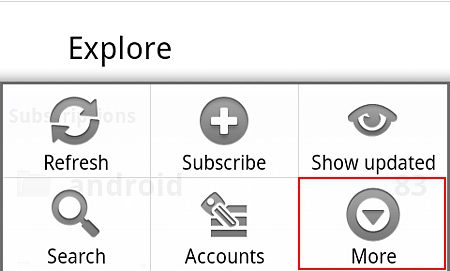
3. Select More.
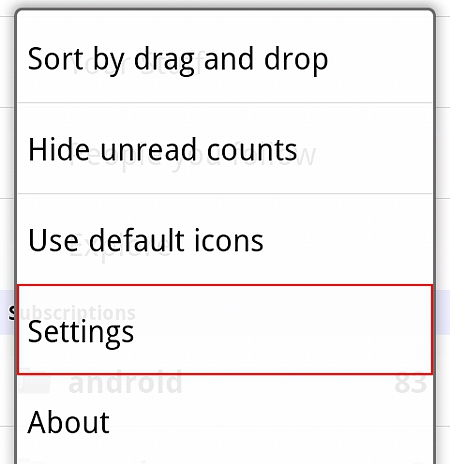
4. Select Settings.
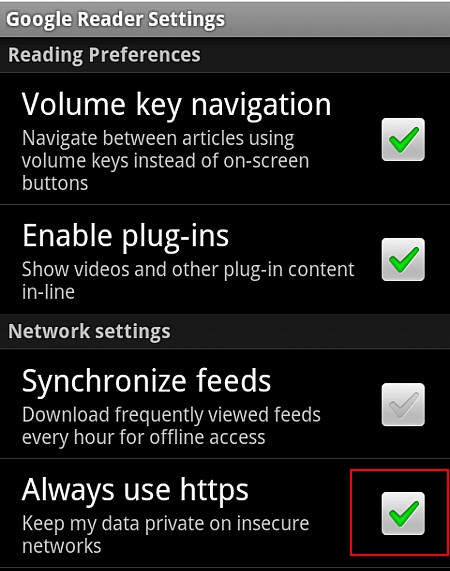
5. Check the Always use https checkbox.
6. Select the Back button to get out of Settings.




