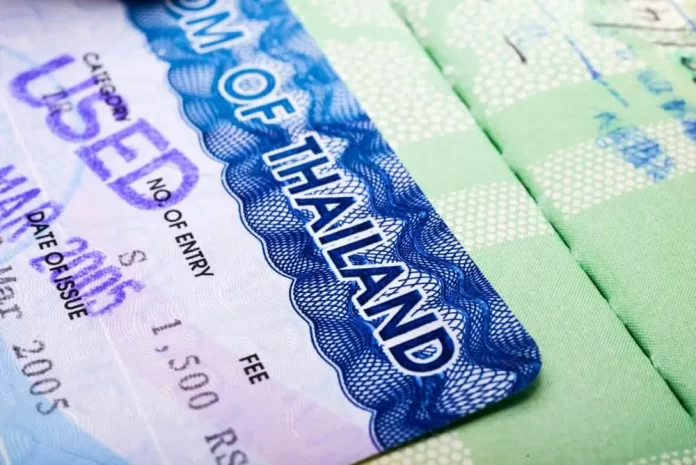
Thailand, with its tropical climate, affordable cost of living, and rich cultural experiences, has become a popular destination for retirees from around the globe. For many, obtaining a retirement visa is the first step to enjoying a relaxed lifestyle in the “Land of Smiles.” This article will guide you through the easiest and fastest way to secure a retirement visa in Thailand.
1. Who is Eligible for Thai Retirement Visa?
The retirement visa, also known as the “Non-Immigrant O-A” visa, is meant for foreigners who wish to retire in Thailand. The primary requirements are:
Applicants must be 50 years or older.
Have no criminal record in both the applicant’s home country and Thailand.
Be able to meet certain financial requirements (discussed below).
2. Retirement Visa Financial Requirements
To prove you can support yourself financially in Thailand, you can choose between two main options:
a. Monthly Income: Show proof of a monthly income/pension of at least 65,000 THB.
b. Bank Account Deposit: Maintain a minimum of 800,000 THB in a Thai bank account for two months before the visa application, and for three months after receiving the visa. After the initial three months post-visa approval, this amount should remain in the bank for at least the duration of the visa year.
3. Required Documentation
Collecting your documents in advance will speed up the process. Typically, you’ll need:
Passport (with at least one year validity and a couple of blank pages).
Completed visa application form.
Passport-sized photographs (4×6 cm) taken within the last six months.
Proof of meeting the financial requirements.
A medical certificate confirming you don’t have prohibited diseases, as specified by the Thai Ministry of Public Health.
A police clearance verifying you have no criminal record.
Proof of health insurance covering outpatient treatment (at least 40,000 THB) and inpatient treatment (at least 400,000 THB).
4. The Application Process
Visa Application Abroad: Many retirees initially apply for the Non-Immigrant O-A visa from their home country at a Thai embassy or consulate. Once you submit your application and all required documents, processing times can vary but typically take between 5 to 10 business days.
Conversion in Thailand: Another method is entering Thailand on a 60-day tourist visa, then converting it to a Non-Immigrant visa (type O) based on retirement at an immigration office in Thailand. After this, you can extend your stay for one year under the retirement category. This is a two-step process but might be convenient for those already in the country.
5. Visa Extension and Reporting
After you receive your retirement visa:
Annual Extensions: The visa is valid for a year but can be extended annually, given you continue to meet the requirements.
90-day Reporting: If you stay continuously in Thailand, you must report to the immigration office every 90 days to confirm your address.
6. Fast-track Services
Certain agencies in Thailand offer visa assistance services. These professionals handle the paperwork and liaise with immigration officers, ensuring a smoother and potentially faster process. If navigating bureaucratic processes isn’t your forte, consider hiring such an agency.
Steps to Obtain a Retirement Visa Thailand
Step 1: Eligibility Check
Ensure you are 50 years or older.
Have a clean criminal record in both your home country and Thailand.
Step 2: Gather Required Documents
Valid passport (with at least one year of validity and a couple of blank pages).
Completed visa application form.
Recent passport-sized photographs (4×6 cm).
Medical certificate from a certified doctor.
Police clearance.
Proof of meeting financial requirements (bank statement or income statement).
Proof of health insurance that meets the Thai government’s minimum coverage requirements.
Step 3: Financial Preparation
Deposit at least 800,000 THB in a Thai bank account and maintain it for two months before the visa application OR
Provide evidence of a monthly income or pension of at least 65,000 THB.
Step 4: Apply for the Visa
From Abroad: Visit a Thai embassy or consulate in your home country. Submit your application along with the necessary documents.
From Within Thailand: If you’re already in Thailand on a tourist visa, you can convert it at an immigration office in Thailand. Following this, you can extend your stay for one year based on retirement.
Step 5: Wait for Approval
The processing time typically ranges between 5 to 10 business days. Once approved, you will receive your Non-Immigrant O-A visa, which will be valid for one year.
Step 6: Arrival in Thailand (if applied from abroad)
Once you arrive in Thailand with your retirement visa, there are some local reporting requirements.
Step 7: 90-Day Reporting
If you stay continuously in Thailand, you must report to the local immigration office every 90 days to confirm your current address.
Step 8: Annual Renewal
As the retirement visa is valid for one year, you’ll need to renew it annually. Make sure you still meet all the requirements, especially the financial ones.
Step 9: Maintain Financial Requirements
Continually check your financial status. If you’ve chosen the bank deposit method, ensure your balance remains above 800,000 THB throughout the year.
Step 10: Enjoy Your Retirement!
Explore Thailand’s scenic beauty, immerse yourself in its rich culture, and savor the country’s world-famous cuisine.
10-Year Retirement Visa (O-X) in Thailand
Who Is It For?
The Non-Immigrant Visa – Retirement (O-X) is designed for retirees over the age of 50 who do not intend to work in Thailand and wish to stay long-term.
Eligible Countries:
Only nationals from the following countries can apply for this visa:
Japan
Australia
Denmark
Finland
France
Germany
Italy
Netherlands
Norway
Sweden
Switzerland
United Kingdom
Canada
United States
Duration:
This visa grants the holder an effective stay of 10 years in Thailand, structured as two consecutive five-year visas.
Financial Requirements:
To qualify for the 10-Year Retirement Visa, applicants must meet one of the following financial criteria:
Deposit: Have a minimum balance of THB3 million in a Thai savings or fixed deposit account.
Mixed Income and Deposit: Maintain at least THB1.8 million in a Thai savings or fixed deposit account AND have an annual income of THB1.2 million or more.
Additionally, throughout the duration of the visa, holders must maintain a balance of at least THB1.5 million in their Thai bank account.
Other Requirements:
Apart from the financial criteria, all other requirements for the O-X visa are consistent with the standard Thai Retirement Visa (Non-Immigrant O-A).
Where to Get More Information:
For more detailed information, including the application procedure, required documentation, and any updates to the rules, you can visit the official Thai immigration page dedicated to retirement visas: Thai Visa Expert Retirement Visa
Note:
Always make sure to check the official source or consult a visa expert when considering the O-X visa to ensure you have the most accurate and up-to-date information.
Conclusion
Retiring in Thailand is a dream for many, and with the right preparation, the visa process can be straightforward. Ensure you continually check for updates, as visa regulations can change. Once secured, your retirement visa will be the golden ticket to a tranquil life amidst Thailand’s scenic landscapes and welcoming communities.
Frequently Asked Questions about the Retirement Visa in Thailand
Can I work in Thailand with a retirement visa?
No, the retirement visa strictly prohibits any form of employment in Thailand. If you’re found working, your visa could be revoked.
Can my spouse get a retirement visa based on my qualifications?
Your spouse cannot directly get a retirement visa based on your qualifications. However, they can apply for a dependent or marriage visa if they don’t meet the retirement visa criteria themselves.
What happens if my bank balance falls below 800,000 THB during the year?
Falling below the required bank balance can jeopardize your visa status. It’s crucial to maintain the balance to ensure the smooth renewal of your visa each year.
How soon before my retirement visa expires should I apply for an extension?
It’s recommended to apply for an extension at least 30 days before your current visa expires to ensure a seamless transition.
Is there a limit to how many times I can extend my retirement visa?
As of the last update, there is no set limit to the number of times you can extend your retirement visa, as long as you continue to meet the necessary requirements each year.
Can I travel in and out of Thailand with the retirement visa?
Answer: Yes, you can travel, but if you plan to leave and return to Thailand, you’ll need to obtain a re-entry permit before departing. Otherwise, you risk voiding your retirement visa.
What happens if I don’t report every 90 days to the immigration office?
Failing to report every 90 days can result in a fine. Persistent non-reporting might have more severe consequences, including visa revocation.
Can I switch from another visa type to a retirement visa while in Thailand?
Yes, you can convert certain visa types (e.g., a tourist visa) to a retirement visa while in Thailand, but you’ll have to ensure you meet all the requirements for the retirement visa.
I have heard about the “Non-Immigrant O-X” visa. What’s the difference between O-A and O-X visas?
The Non-Immigrant O-X visa is another long-stay visa for retirees. It offers a 5-year stay without the need for annual renewals but comes with more stringent financial requirements. Check the latest updates from the Thai immigration website for the specifics.
Do I need to pay taxes in Thailand as a retiree?
As a retiree, you won’t be taxed on your pension or foreign income. However, any income generated within Thailand (e.g., interest from a Thai bank account) may be subject to local taxation.
What are the requirements for a retirement visa in Thailand for a US citizen?
The requirements for a retirement visa (Non-Immigrant O-A visa) for US citizens are essentially the same as for other nationalities. They include: – Being 50 years of age or older. – Having a clean criminal record in both the USA and Thailand. – Meeting specific financial requirements, either through a monthly income or a deposit in a Thai bank. – Holding valid health insurance that meets Thai standards. – A medical certificate from a certified doctor. – A police clearance. – Passport with at least one year of validity.
How much does a retirement visa cost in Thailand?
The cost of a retirement visa in Thailand can vary depending on where you apply and if there are any administrative fees. As of the last update, the application fee for a Non-Immigrant O-A visa is about 2,000 THB for a single entry and around 5,000 THB for multiple entries. However, prices may change over time, so it’s always advisable to check with the Thai embassy, consulate, or immigration office for the most up-to-date pricing.
Can I buy a house in Thailand if I hold a retirement visa?
While holding a retirement visa gives you the right to live in Thailand, foreign individuals, regardless of visa type, are generally not allowed to own freehold land in their name in Thailand. However, foreigners can: – Own a condominium unit outright as long as at least 51% of the building’s total floor area is owned by Thais. – Buy land and build a house on it, but the land will be leased typically for 30 years (with potential renewal options). The house itself can be owned outright by the foreigner. – Establish a Thai Limited Company to buy land, but the majority of the company’s shareholders must be Thai nationals. – It’s crucial to consult with a local legal expert when considering buying property in Thailand to navigate the complexities of property ownership regulations.
Can I drive with an international driving license in Thailand?
Yes, you can drive in Thailand with an International Driving Permit (IDP) for a limited period, typically up to 90 days. After that, you’ll need to obtain a Thai driving license. Ensure your IDP is accompanied by your home country’s driving license and that the categories of vehicles you’re allowed to drive are specified in the permit. Always keep both your IDP and original driver’s license with you when driving.
Where can I apply for a Thailand Retirement Visa outside Thailand?
If you’re looking to apply for a Thailand Retirement Visa (Non-Immigrant O-A visa) outside of Thailand, you should apply at one of the following: – Thai Embassies: These are the primary diplomatic missions of Thailand in foreign countries, usually located in the capital city. – Thai Consulates or Consulate-Generals: These are secondary diplomatic missions, typically located in major cities outside the capital. They perform many of the same functions as the main embassy, including visa services.
how to get a retirement visa in thailand?
1. Locate the Nearest Thai Diplomatic Mission: Depending on your location, identify the nearest Thai embassy or consulate-general. You can find a list on the Ministry of Foreign Affairs of Thailand website or a simple online search. 2. Check Their Specific Requirements: While the fundamental requirements for the retirement visa are consistent, individual embassies or consulates might have specific guidelines, forms, or processes. Many of them have dedicated websites with visa application details. 3. Prepare Your Documents: Gather all the necessary documents, including your passport, financial evidence, medical certificate, application form, and other required documents. 4. Book an Appointment (if required): Some Thai diplomatic missions might require you to schedule an appointment for visa applications. 5. Submit Application: Go to the embassy or consulate on your appointment date (or as per their guidelines) and submit your application. Ensure you have all your documents and the visa application fee. 6. Wait and Collect: Once submitted, you’ll need to wait for the visa to be processed. Processing times can vary but generally range from 5 to 10 business days. Once approved, you’ll be notified to collect your visa. 7. Enter Thailand: After receiving your retirement visa, you can enter Thailand. Make sure you’re aware of any additional entry requirements or health measures, especially if there are ongoing travel restrictions or health advisories.
Explore further and dive deeper into the topic by checking out our related articles below
In the ever-evolving world of online sports betting and gaming, selecting the perfect platform to satisfy one’s passion for wagering has become a pivotal decision for enthusiasts in the Philippines. With numerous options competing for attention, one name has been gaining significant recognition: 20Bet. But is this digital gaming haven truly the ideal choice for Filipino aficionados? To answer this question, we embark on a comprehensive exploration of 20Bet, meticulously examining its strengths and weaknesses, dissecting its key features, and evaluating the appeal of its bonuses.
Online betting has undergone a remarkable transformation, evolving from a niche hobby into a global industry worth billions of pesos. In this evolving landscape, 20Bet has carved out a unique place for itself, beckoning sports enthusiasts and gamers in the Philippines with the promise of thrilling experiences and enticing rewards. However, amidst the multitude of options, Filipino bettors must tread carefully to ensure their chosen platform aligns with their specific preferences, whether it’s the variety of sports offered, the excitement of live betting, the thrill of esports, or the reliability of customer support.
Pros
Wide Range of Sports: 20Bet Philippines offers an extensive selection of sports to bet on, catering to diverse tastes, from football and tennis to niche options like table tennis and darts.
Live Betting: The platform provides an exhilarating live betting experience to Filipino users, allowing you to wager on games as they unfold, with realtime odds updates.
Esports Coverage: Filipino Esports enthusiasts will appreciate 20Bet’s comprehensive coverage of competitive gaming events, including popular titles like Dota 2 and CS:GO.
Customer Support: Their customer support is responsive and multilingual, ensuring that you can get assistance in your preferred language.
Cons
Limited Payment Options: While they do offer popular payment methods in the Philippines, the selection is somewhat limited compared to some competitors.
Withdrawal Time: Withdrawal processing times can vary, which may inconvenience those seeking quick access to their winnings.
Key Features
Casino Games: Table Games(Roulette, Blackjack, Craps, Baccarat, Poker), Slots, Jackpots, Keno, Bingo, Fishing & Hunting Games, Fast Games (Aviator, Limbo XY, Jetx, Space XY, Plinko and more), Sic Bo, Rocket Dice, Racing.
Sports Coverage: Football, basketball, tennis, MMA, PBA, Snooker, Darts, Golf, and more.
Live Betting: Realtime wagering on ongoing events.
Support: Multilingual customer support via live chat and email.
Odds: Competitive odds to maximize potential winnings.
License: Licensed and regulated by Curaçao license number (8048/JAZ2017-067) and Kahnawake license number (00867).
Languages: English, Taglog, French, Spanish, Bahasa, Italian, German, Thai, Malaysian, Norsk, Japanese and more.
Bonuses: 100% UP TO 7,000 PHP for Casino Games, 100% UP TO 6,000 PHP for Sports Betting, second deposit bonus, friday & saturday reload bonus, VIP program, and more,
Mobile App: A user friendly mobile app for betting on the go available for Android and Iphone devices.
When it comes to online betting platforms in the Philippines, bonuses can often play a crucial role for many Filipino bettors. They have the potential to significantly enhance your betting experience by providing extra funds to wager or other exciting perks. 20Bet fully understands this and goes the extra mile by offering a range of enticing bonuses to attract and retain its Filipino users.
20Bet doesn’t just provide a thrilling betting experience with its wide range of sports, live betting options, esports coverage, and other features; it also sweetens the deal with its attractive bonuses. Whether you’re a new user looking to kickstart your betting journey with a welcome bonus or an existing customer in the Philippines seeking ongoing rewards, 20Bet has something valuable to offer. These bonuses add extra value to your bets and can be the key to transforming an ordinary betting session into an extraordinary one. So, be sure to keep a close watch on their promotions to make the most of your betting adventure on 20Bet in the Philippines.
Welcome Bonus
20Bet Casino Bonus for Filipino Players:
For those who fancy a spin at the roulette wheel, a hand of blackjack, or any of the hundreds of slot games, 20Bet Casino offers an enticing bonus. New players from the Philippines can look forward to a generous welcome offer:
Bonus Amount: 100% match on your first deposit up to 7,000 PHP.
Details: This means when you deposit any amount up to 7,000 PHP, 20Bet Casino will double it. So, if you deposit 4,000 PHP, you’ll have a total of 8,000 PHP to play with!
Eligibility: This bonus is exclusively for new players and can be used on a variety of casino games. Be sure to check any specific game restrictions or wagering requirements associated with the bonus.
20Bet Sports Bonus for Filipino Bettors:
For sports enthusiasts who like to place a wager on their favorite teams or explore other sporting events, 20Bet has another attractive bonus tailored for them:
Bonus Amount: 100% match on your first deposit up to 6,000 PHP.
Details: With this bonus, if you deposit, for instance, 3,000 PHP to bet on sports, 20Bet will give you another 3,000 PHP, granting you a total of 6,000 PHP to bet with.
Eligibility: This bonus is designed for new members aiming to bet on various sports. Make sure to review the terms and conditions, especially regarding the betting odds that count towards any wagering requirement.
Reload Bonus
20Bet doesn’t stop at just welcoming new Filipino users; they also take care of their existing customers. Reload bonuses are designed to keep you engaged and rewarded even after your initial deposit. These bonuses are often offered on subsequent deposits, allowing you to receive extra funds or free bets as you continue to bet on your favorite sports or casino games.
Free Bets
Free bets are highly appreciated by bettors in the Philippines, and 20Bet consistently includes them in their promotions. These free bets grant you the opportunity to make wagers on particular events or games without having to risk your own funds. They serve as an excellent means to explore various betting options and, with a bit of luck, even secure real cash winnings.
25% Skrill Bonus
f you’re seeking an additional incentive to top up your gaming balance, look no further. 20Bet Philippines introduces a special bonus for Skrill users to enhance their gambling experience.
Here’s how it works:
Bonus Type: 25% deposit match.
Payment Method: Skrill.
Minimum Deposit: 1,200 PHP.
Maximum Bonus: Up to 2,800 PHP.
Promo Code: To avail of this offer, make sure you enter the code ‘SKRILL25C’ when making your deposit.
This is an excellent opportunity for players to boost their bankroll and enjoy extended gameplay. Whether you’re a slot enthusiast, a table game aficionado, or someone who enjoys live casino action, this bonus provides added value to your gaming sessions.
Steps to Claim the Bonus:
Log in to your 20Bet account.
Navigate to the ‘Cashier’ or ‘Deposit’ section.
Select Skrill as your preferred payment method.
Enter the deposit amount, ensuring it’s at least 1,200 PHP.
Don’t forget to input the promo code ‘SKRILL25C’ in the relevant field.
Complete the transaction, and your bonus will be credited to your account shortly.
VIP Program Bonuses
The 20Bet VIP Program is a testament to the casino’s commitment to rewarding its loyal players. This program is structured to offer increasingly better rewards as players ascend its tiers, giving consistent players more value for their gameplay.
Tier System:
Typically, VIP programs, including that of 20Bet, utilize a tiered structure. As players accumulate points from their wagers and gameplay, they progress through various levels or tiers of the VIP program. Each tier offers a distinct set of rewards and benefits.
How to Create an Account on 20Bet
Starting your betting journey on 20Bet is a straightforward process. Whether you’re an experienced bettor or new to the world of online wagering, this step by step guide will walk you through the account creation process:
Step 1: Visit the 20Bet Website
Begin by visiting the official 20Bet website. You can do this by typing “20Bet” into your preferred search engine or directly entering “www.20bet.com” into your browser’s address bar.
Step 2: Click on “Sign Up”
Once you’re on the 20Bet Philippines homepage, look for the “Sign Up” or “Join Now” button. It’s typically prominently displayed at the top right or center of the page. Click on it to start the registration process.
Step 3: Provide Your Details
To create your account, you’ll need to provide some personal information. This typically includes:
Full Name
Date of Birth
Email Address
Mobile Phone Number
Preferred Currency
Country of Residence
Ensure that you enter accurate information, as you may need to verify your identity later.
Step 4: Create a Username and Password
Choose a unique username and a strong, secure password. Make sure your password includes a combination of letters, numbers, and special characters to enhance security.
Step 5: Agree to Terms and Conditions
Before proceeding, carefully read through 20Bet’s terms and conditions and privacy policy. It’s essential to understand the rules and regulations governing the platform.
Step 6: Verify Your Email
After completing the registration form, you will receive an email from 20Bet Philippines containing a verification link. Click on this link to verify your email address. This step is crucial for account activation.
Step 7: Make Your First Deposit
Once your email is verified, log in to your newly created 20Bet account. To start betting, you’ll need to deposit funds into your account. 20Bet typically offers various payment options, including credit/debit cards, e wallets, and bank transfers. Choose the method that suits you best and follow the instructions to make your first deposit.
Step 8: Start Betting
With funds in your account, you’re ready to explore 20Bet’s extensive sportsbook, casino games, and other betting options. Navigate through the platform, select your favorite sports or games, and place your bets.
Remember to gamble responsibly and set limits on your wagers to ensure a safe and enjoyable betting experience.
Creating an account on 20Bet Philippines is a simple and secure process that allows you to access a world of betting opportunities. Whether you’re interested in sports betting, casino games, or live casino action, 20Bet has you covered. Sign up today and embark on your betting adventure!
Sports Betting Review
20Bet offers a comprehensive sports betting experience tailored to enthusiasts in the Philippines. Whether you have a passion for football, basketball, tennis, or even niche sports like table tennis and darts, this platform has you covered. The user-friendly interface ensures smooth navigation through a multitude of markets, while competitive odds increase the potential for significant winnings. With live betting options and real-time odds updates, the excitement of the game is heightened, enabling you to place bets as events unfold. In the Philippines, 20Bet’s sports betting section stands as a hub of excitement and opportunity for bettors.
Casino Review
For those seeking a break from sports betting, 20Bet’s casino section provides a diverse range of gaming options. From classic slot machines to immersive table games like blackjack and roulette, the casino caters to both newbies and seasoned Filipino players. The library is continuously updated with the latest titles, ensuring a fresh and engaging experience. Moreover, the live casino adds an extra layer of excitement, allowing you to interact with real dealers and other players as you enjoy classics like baccarat and poker. The casino section at 20Bet promises endless entertainment.
Most Popular Online Slots for Real Money at 20Bet Philippines
The allure of spinning reels and the anticipation of matching symbols have made slot machines a staple in the world of online casinos. At 20Bet, this excitement is amplified manifold, thanks to their colossal collection of high-quality games. Whether you’re a novice or a seasoned slot enthusiast, the 20Bet online casino has something for everyone.
Here’s a closer look at some standout titles:
20 Boost Hot: Dive into this fiery slot and experience thrilling gameplay with its unique boost features.
Goddess of Egypt: Travel to ancient Egypt and immerse yourself in the world of the divine goddess, hoping she grants you her treasures.
Cash Vault Hold ‘n’ Link: A thrilling title that combines the joy of classic slots with modern bonus features for amplified wins.
Big Bang the Universe: Traverse galaxies and cosmic wonders in search of big wins.
It’s a Joker: A perfect blend of traditional fruit slot elements with a mischievous joker twist.
Big Wild Buffalo: Venture into the wild plains of North America and track the majestic buffalo for huge rewards.
Reel Rider: Rapid Link: Jump on the reel ride for fast-paced action and linked jackpot fun.
Elvis Frog in Vegas: Join the musical frog for a trip to Las Vegas in this quirky, melody-filled slot.
Madame Dynasty Megaways: Engage in a mysterious adventure with Madame Dynasty and make the most of the Megaways mechanic.
Book of Anunnaki: Discover ancient secrets and treasures in this captivating slot inspired by the myths of Anunnaki.
Jackpot Chasers, Rejoice!
20Bet knows that for many players, the thrill of chasing that life-changing jackpot is unparalleled. Here’s a sneak peek into some of the site’s most sought-after jackpot titles:
Secrets of Alchemy: Concoct magical elixirs and strive for the golden jackpot in this alchemical adventure.
Empress Charm: Let the Empress’s charm guide you to the treasures hidden within the reels.
Kamakura: Delve into the beauty and mystery of ancient Japanese culture, seeking out the game’s generous jackpots.
9 Masks of Fire HyperSpins: A fiery title that combines cultural aesthetics with the HyperSpins feature for amplified thrills.
40 Burning Hot: Experience the sizzling gameplay of this classic fruit-themed slot with a burning jackpot.
Mighty Sparta: Stand alongside the Spartans and aim for the slot’s mighty jackpots.
Fruity Time: Relish the tangy delights of this fruit-themed slot, hoping for a sweet jackpot.
Live Casino
The live casino at 20Bet brings the excitement of physical casinos right to your screen, providing Filipino players with an immersive gaming experience. You can partake in live dealer games like blackjack, roulette, baccarat, and more in real-time. Interact with professional dealers and fellow players through live chat, creating an engaging gaming atmosphere that closely resembles being in a physical casino. With high-definition streaming and a wide range of betting limits, the live casino caters to both casual Filipino players and high rollers, ensuring an authentic and thrilling gambling experience that you can enjoy from the comfort of your home. For those who crave the atmosphere of a brick-and-mortar casino but appreciate the convenience of online play, live dealer games are the perfect solution. At 20Bet, you can dive into a world of authentic gaming, complete with professional dealers, real-time gameplay, and high-quality streaming. Here are some of the best live dealer games on offer for Filipino players:
1. Live Blackjack Games: The timeless card game that pits players against the dealer in a race to 21.
Aurora Blackjack Libra: Step into this celestial-themed room and challenge the dealer under the cosmic glow of the Aurora lights.
Blackjack One: A classic version of blackjack, focusing on simplicity and direct gameplay.
Ruby Blackjack One: Add a touch of luxury with Ruby Blackjack, ensuring high-quality gameplay in a plush setting.
Amber Blackjack: Immerse yourself in the golden ambiance of Amber Blackjack for a radiant gaming experience.
2. Live Roulette Games: The spinning wheel of fortune, where players bet on where the ball will land.
Lighting Roulette: Elevate the thrill with added lightning strikes, potentially multiplying your winnings.
Mega Roulette: Featuring potential multipliers and additional bets, this version takes the game to another level.
Immersive Roulette: Dive deep into the game with multiple camera angles and close-ups, capturing every bounce of the ball.
Power Up Roulette: Amplify your gameplay with extra features and electrifying rounds.
3. Live Baccarat Games: The elegant card game where players aim to get as close to 9 as possible.
Lighting Baccarat: Combine the classic baccarat experience with thrilling lightning multipliers.
Baccarat A, B, and C: These rooms offer varying betting ranges and side bets, catering to all types of players.
Baccarat 8: Dive into this special room, where the lucky number 8 holds even more significance.
4. Live Poker Games: Blend strategy, skill, and a bit of luck in these engaging poker variants.
Side Bet City: A poker game with a difference, focusing on side bets for added excitement.
Caribbean Stud Poker: Join the tropical setting and engage in head-to-head battles against the dealer.
Ultimate Texas Hold’em: Amp up the traditional Texas Hold’em gameplay, with additional bets and a progressive jackpot.
Super Andar Bahar: An Indian classic, this card game offers simple yet exhilarating gameplay.
Payment Methods
Navigating the world of online casino banking can sometimes be a challenge, but at 20Bet Philippines, they aim to make the process as seamless as possible by offering a wide range of payment methods. Whether you’re a traditionalist who prefers using credit cards or someone who leans towards modern digital payment methods, 20Bet has got you covered. Here’s a detailed breakdown of their available payment options:
1. Credit/Debit Cards: These remain one of the most popular and reliable methods of payment for many online players.
Visa: Widely accepted and recognized, Visa offers a straightforward and secure way to deposit and withdraw funds.
MasterCard: Another globally trusted card brand, ensuring smooth transactions and robust security.
2. E-wallets: Digital wallets offer a fast, efficient, and often instantaneous way to manage casino funds.
Skrill: A leading name in the world of e-wallets, Skrill offers quick deposits and withdrawals.
Neteller: Another giant in the e-wallet landscape, Neteller is renowned for its security and speed.
PayMaya: Catering specifically to the Filipino market, PayMaya provides a localized and straightforward payment solution.
GCash(Direct): An immensely popular method in the Philippines, GCash allows users to transact directly from their mobile accounts.
3. Bank Transfers and Online Banking:
UnionBank: One of the largest banks in the Philippines, offering safe and reliable bank transfers.
Help2Pay: A payment gateway that connects directly to local banks for expedited transactions.
DragonPay: Catering specifically to the Philippines, DragonPay offers a variety of online payment solutions.
Fast GrabPay: An emerging payment system that provides swift online transactions.
iDebit: An online banking transfer service that links directly to your bank account for secure deposits and withdrawals.
4. Alternative Methods:
Boleto: Primarily used in Brazil but accessible to various users, Boleto is a popular payment voucher system.
5. Cryptocurrencies: Ideal for those who value privacy and speed in their transactions.
Bitcoin: The pioneering cryptocurrency, Bitcoin offers decentralized, fast, and anonymous transactions.
Ethereum: Another popular cryptocurrency known for its flexibility and security.
Litecoin: A lighter, faster version of Bitcoin, offering rapid transaction times.
Security
Security is a top priority at 20Bet Philippines. The platform employs advanced encryption technology to safeguard your personal and financial information. With robust security measures in place, you can bet with confidence, knowing that your data is protected from unauthorized access and cyber threats. 20Bet’s commitment to ensuring a secure environment for its users is a testament to its reliability.
Support
20Bet’s customer support team is accessible 24/7 to assist Filipino users with any questions or concerns. You can contact them through live chat or email, and they are well-versed in multiple languages to accommodate the diverse user base in the Philippines. Whether you require assistance with account matters, bonuses, or technical issues, the support team is both responsive and committed to delivering timely solutions.
License
20Bet operates under a legitimate license, ensuring that it complies with the regulations and standards set by the relevant authorities. This licensing adds an extra layer of trustworthiness and accountability to the platform, assuring users that they are engaging with a reputable and regulated betting provider.
Mobile
20Bet offers a user-friendly mobile app that allows you to bet on your favorite sports and games while on the go. The app is designed for seamless navigation and offers the same features as the desktop version, including live betting and access to the casino section. Whether you have an Android or iOS device, you can enjoy the convenience of mobile betting with 20Bet Philippines.
Esports
In the Philippines, 20Bet is a haven for esports enthusiasts. The platform provides comprehensive coverage of competitive gaming events, featuring popular titles such as Dota 2, CS:GO, League of Legends, and more. Filipino users can place bets on esports matches, access real-time odds, and stay updated on their favorite gaming tournaments. 20Bet’s dedication to esports sets it apart as a prime destination for gamers in the Philippines who want to blend their passion for gaming with the thrill of betting.
Software Providers at 20Bet – A Glimpse into Gaming Excellence
At 20Bet, players are treated to an exceptional gaming experience thanks to an impressive lineup of top-tier software providers. Each provider brings its unique flavor, ensuring an eclectic mix of games suitable for all types of players. Here’s a brief insight into the software providers powering 20Bet’s vast gaming library:
1×2 Gaming: Renowned for their virtual sports games and uniquely themed slots, 1×2 Gaming ensures a niche yet riveting gaming experience.
BGaming: With a strong portfolio of both classic and modern slots, BGaming also stands out with its provably fair games, ensuring transparency in gameplay.
Evolution Gaming: A frontrunner in the live casino sector, Evolution Gaming delivers an immersive experience with live dealers, replicating the brick-and-mortar casino ambiance.
IGTech: This provider is known for its engaging slots and captivating themes, ensuring hours of entertainment.
iSoftbet: With a focus on cinematic 3D graphics, iSoftbet offers slots and table games that are both visually pleasing and rewarding.
Lucky Streak: A rising star in the live casino domain, Lucky Streak combines modernity with tradition, offering classic table games in an interactive environment.
Microgaming: A titan in the industry, Microgaming offers a vast range of games from slots to progressives, known for their massive jackpots and engaging gameplay.
NetEnt: With a rich history of innovative games, NetEnt slots and table games are synonymous with quality, captivating graphics, and massive payouts.
Nucleus Gaming: This provider adds a unique touch with its range of 3D slots, ensuring a visually immersive experience.
Playreels: A newer name but quickly gaining traction, Playreels brings fresh themes and mechanics to the slot gaming world.
Play’n GO: Known for their mobile-optimized games, Play’n GO ensures that players have a seamless experience across all devices.
Progressive Play: With a focus on evolving gaming experiences, Progressive Play introduces games that cater to both traditionalists and the modern gamer.
Spinomenal: This provider offers an array of light and fast-loading games, perfect for those quick gaming sessions.
Wazdan: Putting players in control with customizable volatility levels, Wazdan ensures a tailored gaming experience.
Yggdrasil: With a knack for innovation and engaging storylines, Yggdrasil games are both visually stunning and rich in features.
Conclusion
20Bet’s partnership with these software giants ensures that players have access to a diversified gaming portfolio. Whether you’re a fan of classic slots, live dealer games, or seeking the next big jackpot, 20Bet’s provider lineup promises endless entertainment.
Other Types of Betting
Beyond traditional sports and casino games, 20Bet Philippines provides various other betting options. You can explore niche markets like virtual sports, where computer-generated events offer a unique betting experience. Additionally, the platform occasionally offers special events and promotions tied to current events or pop culture, adding an element of fun and variety to your betting journey. For those looking to expand their horizons, 20Bet’s diverse range of betting options ensures there’s always something new to discover.
Responsible Gambling at 20Bet
20Bet is committed to promoting responsible gambling and ensuring its players have a safe and enjoyable gaming environment. Recognizing the importance of player well-being, the platform offers tools and resources to help users set limits, take breaks, or even self-exclude if necessary. Additionally, 20Bet collaborates with recognized organizations that assist individuals who may face gambling issues. Their dedicated responsible gambling section provides guidance and information on recognizing problem gambling and seeking help. At 20Bet, the priority isn’t just entertainment, but also ensuring that entertainment remains a positive experience for all users.
FAQs
Is 20Bet a Safe and Trustworthy Platform?
Yes, 20Bet is a licensed and regulated betting platform, ensuring a safe and secure betting environment for users. They employ advanced encryption technology to protect your data.
What Payment Methods Does 20Bet Accept in the Philippines?
In the Philippines, 20Bet offers a range of payment options, which may include credit/debit cards, e-wallets, bank transfers, and, in some cases, cryptocurrencies. The availability of specific methods may vary depending on your location.
Are There Any Fees for Deposits or Withdrawals in the Philippines?
20Bet aims to keep transactions cost-effective, but it’s important to note that fees may apply based on your chosen payment method. For detailed information, it’s advisable to review the platform’s terms and conditions.
How Do I Claim the Welcome Bonus in the Philippines?
To claim the welcome bonus while in the Philippines, simply create an account on 20Bet, make your first deposit, and follow the instructions provided in the promotions section. The bonus terms and conditions will outline the specific requirements.
Can I Bet on Esports Events at 20Bet?
Yes, 20Bet offers comprehensive coverage of esports events, allowing you to bet on popular titles like Dota 2, CS:GO, and League of Legends, among others.
Is Mobile Betting Available on 20Bet in the Philippines?
Absolutely! 20Bet Philippines offers a user-friendly mobile app that allows you to bet on sports, play casino games, and enjoy live betting while on the go. The app is compatible with both Android and iOS devices.
Does 20Bet Offer Customer Support in the Philippines?
Yes, 20Bet offers 24/7 customer support to users in the Philippines through live chat and email. Their support team is proficient in multiple languages to assist Filipino users with their inquiries and concerns.
What Sets 20Bet Apart from Other Betting Platforms in the Philippines?
20Bet distinguishes itself with its extensive sports coverage, live betting options, comprehensive esports offerings, and generous bonuses, all of which are appealing to users in the Philippines. Furthermore, its commitment to security and reliability through licensing and encryption adds to its attractiveness, making it a compelling choice for Filipino enthusiasts.
How long does 20Bet take to withdraw?
Withdrawal times at 20Bet can vary based on the chosen method. E-wallets usually process within a few hours, while bank transfers may take a few business days.
Who owns 20Bet Casino?
20Bet Casino is owned and operated by TechSolutions Group N.V., a company registered in Curaçao.
How to play at 20Bet Casino?
To play at 20Bet Casino, create an account on their official website, make a deposit, and choose from the vast selection of casino games available.
How to delete a 20Bet casino account?
To close your 20Bet casino account, contact their customer support via live chat or email and make a request for account closure.
What is 20Bet casino?
20Bet Casino is an online gaming platform offering a comprehensive blend of casino games, live dealer games, and sports betting services to its users.
How to withdraw money from 20Bet Casino?
To initiate a withdrawal from 20Bet, go to the ‘Cashier’ section of your account, choose ‘Withdrawal’, select your preferred method, and then follow the provided steps.
Where is 20Bet Casino located?
20Bet Casino, operated by TechSolutions Group N.V., is registered in Curaçao.
Is 20Bet safe to play at?
Yes, 20Bet operates under a valid gaming license and uses advanced encryption technologies to safeguard its users’ data.
Do I need to verify my account before making a withdrawal?
Yes, 20Bet usually requires account verification before processing withdrawals to ensure the security of transactions.
Can I set betting limits on my account?
Yes, 20Bet allows players to set daily, weekly, or monthly deposit and betting limits as part of their responsible gaming measures.
Are there any country restrictions for 20Bet?
Yes, 20Bet has certain territorial restrictions. Check their terms and conditions or contact customer support for a detailed list.
Do I need a separate account for mobile gaming?
No, you can access 20Bet from any device, including mobile, using the same account details.
How often does 20Bet offer promotions?
20Bet frequently updates its promotions, with seasonal offers, game-centric bonuses, and other special events regularly on the slate.
Can I play games for free at 20Bet?
Yes, many games at 20Bet offer a “demo” mode, allowing players to experience the game without wagering real money.
What happens if I get disconnected in the middle of a game?
If you get disconnected during a game, the game usually resumes from the point of interruption when you reconnect. For live games, the game will continue in real-time, and you can review the outcome in your game history.
How safe is 20Bet casino?
20Bet employs stringent security protocols, including SSL encryption, to ensure the protection of player data and financial transactions, making it a reliable platform for online gaming.
Conclusion
In the competitive realm of online betting, 20Bet stands as a strong contender for Filipino enthusiasts. Its wide-ranging sports coverage, live betting options, and comprehensive esports offerings are highly appealing. Despite some limitations in payment options and withdrawal times, the platform’s generous bonuses and user-friendly interface make it a worthwhile option to explore. Ultimately, whether 20Bet suits your needs depends on your preferences and priorities as a bettor in the Philippines.
Best 3 Sites like 20bet Philippines
22bet: is a leading online betting platform in the Philippines, offering a comprehensive sportsbook along with a diverse range of casino games. Catering specifically to Filipino players, 22bet accepts local payment methods and even offers customer support in Tagalog. With a user-friendly interface, regular promotions, and competitive odds, it’s a favorite for many Filipino bettors and casino enthusiasts.
1xbet: A global name in online gambling, 1xbet has made a significant mark in the Philippines. With one of the most extensive sports betting selections available, coupled with an impressive array of casino games, 1xbet caters to all gaming tastes. Their live streaming feature and mobile-optimized platform add to the appeal for Filipino players looking for convenience and diversity.
Melbet: while relatively newer compared to its counterparts, has quickly gained popularity in the Philippines. Known for its vast sports betting markets, the platform also boasts a rich library of casino games, including live dealer options. Melbet frequently offers promotions tailored for its Filipino audience and ensures a seamless gaming experience with its easy-to-navigate website.
In the dynamic world of online gambling, players from the Philippines are presented with an array of payment methods, each with its unique advantages. When it comes to funding your online casino account, factors such as convenience, security, and efficiency are paramount.
This comprehensive guide aims to shed light on the Philippines’ online gambling deposit methods, helping players make informed choices for a seamless gaming experience.
A List of The Most Popular Online Casino Payment Methods
These payment methods offer a wide range of options for players in the Philippines, catering to different preferences for convenience, security, and anonymity. Players can choose the method that best suits their needs for depositing funds at online casinos.
Credit and Debit Cards
E-Wallets
Cryptocurrencies
Prepaid Vouchers and Cards
Bank Wire Transfers
Alternative Payment Methods
Local Payment Methods – Money Orders
Mobile Payments
Best Online Casinos with Easy Deposits in the Philippines
In the Philippines, the finest online casinos that facilitate effortless deposits focus on providing convenience and accessibility. They offer a diverse array of payment choices to seamlessly fund your gaming endeavors.
888 Casino offers various payment methods, including credit cards and e-wallets, ensuring easy deposits for players in the Philippines.
BetOnline stands out with its seamless deposit process, accepting credit cards, cryptocurrencies, and e-wallets for Filipino players’ convenience.
Royal Panda provides hassle-free deposits with credit cards, e-wallets like Skrill and Neteller, and local options like Gcash and PayMaya.
LeoVegas offers multiple deposit options, such as credit cards, e-wallets, and bank transfers, catering to players’ preferences in the Philippines.
Betway Casino ensures easy deposits for Filipino players, accepting credit cards, e-wallets like PayPal and Neteller, and bank transfers.
These leading casinos accept a wide range of payment methods, such as credit cards, e-wallets, and bank transfers, ensuring a smooth and secure experience for players seeking ease and convenience in their online gambling activities. Here is a bit more detailed look into each one of them.
888 Casino
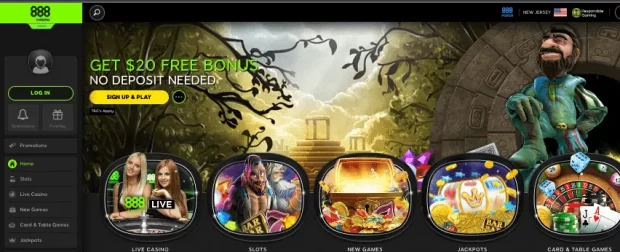
The user-friendly layout and variety of deposit choices at 888 Casino are well known. Due to the fact that it accepts a variety of payment options, including credit cards, e-wallets, and bank transfers, it stands out as a top pick for gamers in the Philippines. Due to the variety, gamers may easily fund their accounts and explore the exhilarating world of online gaming.
BetOnline
BetOnline has garnered popularity among Filipino players for offering a seamless deposit process. This online casino accepts deposits made using credit cards, electronic wallets like Skrill and Neteller, as well as cryptocurrencies like Bitcoin. The range of deposit alternatives accommodates various preferences and guarantees a hassle-free experience.
Royal Panda
Royal Panda is renowned for its simple deposit procedures and user-friendly website. Credit cards, e-wallets like Skrill and Neteller, as well as regional choices like Gcash and PayMaya, are all available to Filipino players for making deposits. Users can easily fund their accounts using their preferred payment methods because of this flexibility.
LeoVegas
LeoVegas, a mobile-friendly online casino, offers players in the Philippines a variety of deposit choices. They provide convenience for consumers with various preferences and demands by accepting credit card payments, payments through e-wallets like Skrill and Neteller, and bank transfers.
Betway Casino
Filipino gamers may make quick deposits at the popular online casino Betway Casino. They offer bank transfers, PayPal, Neteller, and credit cards as payment methods. For a hassle-free experience, Betway Casino is dedicated to offering simple and secure financial options.
The Most Popular Online Casino Payment Methods
Credit & Debit Cards
Credit and debit cards remain one of the most common and convenient payment methods at online casinos. Leading card providers like Visa, MasterCard, American Express, and UnionPay are universally accepted, allowing players to make instant deposits and access their favorite games swiftly.
Although credit and debit cards provide unmatched ease, it’s crucial to remember that some banks may place limits on transactions involving online gambling, necessitating that players check with their issuing bank for eligibility.
E-Wallets payment methods
E-wallets have gained significant popularity in the online gambling world, thanks to their efficiency and versatility. Here are some leading e-wallets embraced by Filipino players:
PayPal
PayPal is renowned for its stringent security measures and widespread acceptance. It offers a hassle-free way to fund your casino account, allowing users to link their PayPal accounts to their bank or credit card. Transfers to and from online casinos are typically swift, making it an appealing choice for players who prioritize safety and financial confidentiality.
Skrill
Skrill, formerly known as Moneybookers, is another globally recognized e-wallet. It boasts quick transactions and supports multiple currencies, making it ideal for international players. Skrill’s user-friendly interface and efficient payment processing make it a favorite among online gamblers seeking reliability and versatility.
Neteller
Neteller is a trusted e-wallet catering to the needs of online gamblers. It facilitates easy deposits and withdrawals at various online casinos, offering a prepaid card option for added flexibility and control over gambling expenses. Neteller’s wide acceptance and robust security features make it a preferred choice for many players.
EcoPayz
EcoPayz is an eco-friendly e-wallet that provides a reliable and efficient payment solution for online gaming enthusiasts. Users can fund their EcoPayz accounts through various methods, including bank transfers and credit cards. EcoPayz stands out for its commitment to environmental sustainability and its secure platform for online casino transactions.
E-wallets are favored for their speed, security, and user-friendly interfaces. Additionally, they provide an extra layer of privacy, as players do not need to share their banking details with online casinos, appealing to those who prioritize confidentiality in their casino transactions.
Popular Cryptocurrency In The Philippines For Online Gambling
Because of their security and anonymity qualities, cryptocurrencies have grown in popularity in the Philippines. Here are some of the popular cryptocurrencies embraced by Filipino players for online gambling:
Bitcoin (BTC)
Bitcoin is the pioneer of cryptocurrencies and is accepted at numerous online casinos. It provides anonymity and faster transactions due to its operation on a decentralized blockchain. Players can purchase Bitcoin on cryptocurrency exchanges and transfer it to their casino accounts, ensuring privacy and security.
Ethereum (ETH)
Ethereum is known for its smart contract capabilities and is gaining popularity as a deposit method in online gambling. Similar to Bitcoin, users can acquire Ethereum through exchanges and use it for online casino deposits. Ethereum’s blockchain technology enhances transparency and security.
Litecoin (LTC)
Litecoin offers faster confirmation times and lower transaction fees compared to some other cryptocurrencies, making it an attractive option for online gamblers. Users can obtain Litecoin through cryptocurrency exchanges and use it for both deposits and withdrawals at online casinos.
Cardano (ADA)
Cardano’s blockchain technology ensures security and transparency in online transactions, making it a preferred choice for some players. Users can acquire Cardano tokens through cryptocurrency exchanges and use them for online gambling while benefiting from the advanced features of the Cardano network.
Ripple (XRP)
Ripple’s XRP is known for its lightning-fast transactions, making it ideal for those who value speed when depositing at online casinos. Users can purchase XRP tokens and use them for online gaming, benefiting from rapid confirmation times and secure transfers.
Due to their use of blockchain technology, cryptocurrencies provide a high level of security by making transactions irreversible and fraud-proof. Also, they give gamers more discretion and financial management.
Prepaid Cards and Vouchers
Prepaid options provide a way to manage spending and maintain anonymity. Some well-known prepaid voucher providers include:
Entropay
Entropay is a virtual prepaid card that allows for online payments and deposits at casinos. Users can load funds onto their Entropay card from their bank accounts or other payment methods. It provides an added layer of security by not exposing users’ personal banking information.
Ecopayz
Ecopayz also offers prepaid cards that users can load with funds. These cards can be used for online casino deposits, providing a secure and private payment option. Ecopayz users can choose from various funding methods, including bank transfers and credit cards.
Some other popular voucher options include AstroPay, Paysafecard, Paykasa, Boleto, and Neosurf. Prepaid vouchers and cards are ideal for players who want to maintain strict control over their gambling budgets, limit spending, or preserve anonymity while enjoying online gaming.
Bank Wire Transfers
While e-wallets offer speed and convenience, bank transfers provide added peace of mind for players making larger deposits. Bank transfers are often chosen for their reliability and security, making them a preferred option for players who prioritize stability in their casino banking.
Sending money by bank transfer entails transferring funds from your personal bank account directly to the casino’s bank account. They are renowned for their security characteristics even though they might not be as quick as e-wallets.
To guarantee that the money is coming from their own accounts and going to the casino, players can start bank transfers from their personal bank accounts. However, it’s essential to double-check all banking details to ensure accurate transfers and prevent any delays or errors.
Bank wire transfers are particularly favored by high-rollers and players who make substantial deposits. They offer a level of trust and assurance, making them suitable for those who value the stability and security provided by traditional banking systems.
Alternative Payment Methods
Alternative payment methods provide additional options for secure and convenient transactions at online casinos. Two noteworthy alternatives are:
Echeck
Players can send money straight from their bank accounts to their casino accounts via Echecks. It’s a safe alternative for people who favor conventional banking procedures.
Players must provide their bank account information and consent to the transfer in order to use Echecks. Echecks offers a smooth transition between offline banking and online gambling.
EcoCard
Numerous online casinos accept EcoCard as a handy method of managing online payments. Credit cards and bank transfers are just two of the methods available to users for funding their EcoCard accounts.
Players who wish to protect their financial information might choose EcoCard because it adds an extra layer of security to online transactions.
Local Payment Methods: Money Orders
For players in the Philippines who prefer local payment options, money orders are a viable choice. Money orders provide a secure way to transfer funds within the country, catering to players who may not have access to international banking methods or prefer cash-based transactions.
Money orders can be purchased at local banks, post offices, or designated outlets in the Philippines. They offer a reliable means of transferring funds without the need for a traditional bank account. Here’s how they work:
Purchase: Players visit a local bank, post office, or authorized outlet to purchase a money order for the desired amount.
Specify Recipient: The player specifies the recipient’s details, which would typically be the casino’s information.
Send the Money Order: The player sends the money order to the specified address provided by the casino.
Money orders provide a secure and traceable method of transferring funds within the country. They are ideal for players who prefer cash-based transactions, do not have access to traditional banking methods, or want to maintain financial privacy.
Some of the popular branded retail money transfers are Western Union and MoneyGram. They allow players to send and receive money locally with ease. Players can visit a nearby Western Union or MoneyGram agent, fill out the necessary forms, and make a payment to the casino.
Mobile Payments
Mobile payments have become increasingly popular in the digital age. In the context of online gambling, several mobile payment options are available for players in the Philippines:
Tele2
Beeline
MTS
Zimpler
Megafon
These mobile payment options give users an easy way to deposit money using their mobile devices, improving usability and accessibility.
How to Choose the Best Casino Payment Methods for You
Selecting the right payment method for online gambling involves considering several factors:
Choice of Payment Methods Available: Choose a casino that offers a variety of payment options, allowing you to pick the one that suits your needs. The availability of payment methods may vary between casinos, so it’s important to find one that aligns with your preferences.
Local Options: If you prefer local payment methods or specific regional options, ensure the casino supports them. Not all online casinos accept local payment methods, so check the casino’s banking page for details.
Terms and Fees: Be mindful of the terms and conditions of the casino as well as any costs connected with your preferred payment method. The pricing structures for various payment methods may vary, and certain casinos may tack on extra processing fees for particular ways.
Safety and Security: Choose casinos that put your financial information’s security first. Search for reliable online casinos that protect your financial and personal information by using encryption technology. Additionally, consider using secure payment methods like e-wallets and cryptocurrencies that offer an extra layer of security.
How to Deposit Money in an Online Casino
The process of depositing money at an online casino typically involves the following steps:
Create an Account: Register at your chosen online casino by providing the required information, including your name, email address, and contact details. Be sure to complete the verification process, which may involve providing identification documents.
Visit the Cashier: Access the casino’s cashier or banking section. This is where you’ll manage your deposits and withdrawals.
Select Deposit: Choose the deposit option that suits you. Online casinos usually provide a list of available deposit methods. Click on your preferred method to proceed.
Enter Amount: Enter the desired deposit amount. Be mindful of any minimum and maximum deposit limits imposed by the casino and your chosen payment method.
Complete the Transaction: To finish the transaction safely, follow the instructions. Further information may be required in this case, such as the specifics of your payment method or login information. Confirm the transaction and the funds should be credited to your casino account.
Online Casino Withdrawal & Deposit Times and Fees
When dealing with online casino withdrawals and deposit times, it’s important to be aware that these can vary depending on the chosen payment method and the casino’s policies. Some payment methods offer near-instantaneous deposits, while others may take longer to process.
Additionally, fees can also vary. Some casinos may cover withdrawal fees for certain methods, while others may pass on transaction fees to the player. It’s crucial to review the casino’s terms and conditions and the specific details of your chosen payment method to understand any associated fees and processing times fully.
Conclusion
In conclusion, the Philippines offers a diverse range of online casino payment methods to cater to players’ diverse preferences. By considering factors such as convenience, security, and fees, you can select the payment method that best suits your needs and enjoy a seamless online gambling experience. Always remember to choose reputable online casinos and practice responsible gambling for an enjoyable and safe gaming experience.
FAQ
Which forms of payment are most used in Philippine online casinos?
The most popular online casino payment methods in the Philippines include credit and debit cards, e-wallets like PayPal and Skrill, and cryptocurrencies such as Bitcoin and Ethereum. Others include prepaid vouchers and cards like Paysafecard, bank wire transfers, alternative methods like Echecks and Ecocard, local payment options like money orders through Western Union, MoneyGram, and various mobile payment solutions.
Which online casinos in the Philippines are known for easy deposits?
Some of the online casinos known for easy deposits in the Philippines include 888 Casino, BetOnline, Royal Panda, LeoVegas, and Betway Casino. These casinos provide players with a range of convenient payment methods.
What are the advantages of using e-wallets for online casino deposits?
E-wallets offer advantages such as speed, security, and privacy. They facilitate quick transactions, provide an extra layer of privacy as players don’t need to share their banking details with casinos, and are known for their user-friendly interfaces.
How do prepaid vouchers and cards work for online casino deposits?
Prepaid vouchers and cards, like Paysafecard and Entropay, work by allowing users to purchase them for a specific amount. Players can then use these vouchers or cards to make deposits at online casinos. These are perfect for people who want to avoid being identified or control their expenditures.
What advantages do Filipinos get from using cryptocurrencies for online gambling?
Cryptocurrencies offer benefits such as enhanced security, anonymity, and faster transactions. They use blockchain technology, making transactions immutable and resistant to fraud, ensuring player privacy and safety.
The allure of Thailand, with its mesmerizing beaches, rich culture, and delectable cuisine, is no secret. For many, a short trip to this Southeast Asian paradise is not enough, and the dream is to extend their stay. Enter the Thailand Elite Residence Program — the golden ticket for those wishing to enjoy a longer sojourn in the “Land of Smiles.”
What is the Thailand Elite Residence Program?
The Thailand Elite Residence Program is an initiative by the Thai government, launched in 2003, offering long-term visas to foreigners. With a focus on promoting tourism, investments, and the overall economy, the program provides visa privileges for individuals seeking extended residence in Thailand.
Benefits of the Program
Extended Stay: Visas ranging from 5 to 20 years mean fewer worries about regular renewals or border hops.
VIP Services: Members are pampered with expedited immigration checks, limousine transfers, and a personal escort on arrival and departure.
Access to Exclusive Clubs: Membership often grants privileges like golf club entries, premium spa treatments, and other luxury amenities.
Special Discounts: Some packages offer discounts at partner hotels, restaurants, and entertainment venues, enhancing the stay experience.
Medical Concierge: Certain memberships include medical check-ups, access to top hospitals, and health consultations.
Networking Opportunities: Exclusive events, seminars, and parties offer ample opportunities to mingle with other elite members, fostering business and social connections.
Who Can Apply?
The program is open to foreigners worldwide, irrespective of age. While it predominantly attracts retirees, business professionals, frequent travelers, and investors also see value in it.
Thailand Elite Residence Program: New Membership Tiers
Reserve
The pinnacle of exclusivity, the Reserve Card is not just a status symbol, but a gateway to unparalleled privileges in Thailand, making every moment exceptional.
Validity: 20+ years.
Membership Fee: 5,000,000 THB.
Privilege Points: 120 points annually.
Access: By invitation only.
Diamond
With the Diamond Card, step into a realm of bespoke luxury, where every facet of your stay in Thailand is sculpted to perfection, reflecting your aspirations.
Validity: 15 years.
Membership Fee: 2,500,000 THB.
Privilege Points: 55 points annually.
Platinum
Embrace an elevated Thai lifestyle with the Platinum Card, granting you the privilege of choice, flexibility, and prolonged moments of indulgence.
Validity: 10 years.
Membership Fee: 1,500,000 THB.
Privilege Points: 35 points annually.
Gold
Your key to a valued experience, the Gold Card ensures that every moment of your stay in Thailand is enriched with diverse choices, optimizing your journey.
Validity: 5 years.
Membership Fee: 900,000 THB.
Privilege Points: 20 points annually.
Elite Residence Application Process
Choose a Membership Package: The program offers multiple packages, catering to different needs and durations. Each has a distinct price point and set of benefits.
Submit Required Documents: Typically, this includes a copy of the passport, application form, and payment proof.
Wait for Approval: The approval process, handled by the Thailand Privilege Card Co., Ltd., can take a few weeks. Once approved, the visa privileges begin.
Arrive and Activate: On arrival in Thailand, members need to activate their visa privileges. This is often done at Elite Personal Assistance counters at international airports.
How Much Does It Cost?
The membership fee depends on the selected package. As of the last update, packages started at 500,000 THB and could go up to 2 million THB or more, depending on the duration and added privileges.
Why Consider the Elite Residence Program?
For those enamored by Thai culture, wishing to spend significant time in Thailand without visa hassles, or planning to make business investments, the Elite Residence Program is a valuable proposition. It’s a hassle-free solution that allows members to truly immerse themselves in Thai life, enjoying the country’s offerings to the fullest.
Conclusion
The Thailand Elite Residence Program is more than just a long-term visa solution. It’s an invitation to embrace Thailand’s vibrant culture, scenic beauty, and warm hospitality for years to come. As with all immigration-related decisions, potential applicants should carefully research and perhaps consult with an expert to ensure the program aligns with their needs and aspirations.
Frequently Asked Questions (FAQs) about the Thailand Elite Residence Program
What is the primary purpose of the Thailand Elite Residence Program?
The program aims to promote tourism, attract foreign investments, and enhance the overall economic status of Thailand by offering extended visa privileges to foreigners.
Are there age restrictions for applying?
No, the program is open to individuals of all ages, from children to retirees.
Can family members benefit from the program?
Yes, there are specific packages like the “Elite Family Premium” tailored for families, ensuring benefits extend to members’ dependents.
Are there any annual fees apart from the initial membership fee?
Some packages have annual or maintenance fees, while others only require a one-time payment. It’s essential to review the details of your chosen membership.
What happens if I want to cancel my membership?
Cancellation policies might vary, but generally, if a member wishes to cancel, they might not receive a refund for their membership fees. It’s advisable to consult the program’s official guidelines.
How long does the approval process usually take?
The approval process is typically completed within a few weeks, managed by the Thailand Privilege Card Co., Ltd.
Can I work in Thailand with the Elite visa?
The Thailand Elite Residence Program primarily focuses on residence. While it allows you to stay in the country, it does not grant work rights. To work legally, you would need a separate work permit.
Is the Elite visa the same as permanent residency?
No, while the Elite visa offers long-term stay options, it does not provide permanent resident status. Permanent residency involves a separate application and set of requirements.
Are there any restrictions or obligations under this program?
Members are expected to abide by Thai laws and regulations. Other specific obligations might depend on the chosen membership package.
Can I upgrade or change my membership package after enrolling?
In many cases, members can upgrade their membership, but it might entail additional costs. It’s best to consult with the program officials for precise details.
Who manages the Thailand Elite Residence Program?
The program is managed by the Thailand Elite Card Company Limited, commonly known as ThailandPrivilege. Official Website
How is ThailandPrivilege related to the Thai Government?
ThailandPrivilege is endorsed and supported by the Thai government and the Tourism Authority of Thailand. They collaborate to promote and enhance the program. About Us Page
What other services does ThailandPrivilege offer apart from visa privileges?
Beyond visas, they provide concierge services, personal liaison services, and exclusive access to events, among others. Services Overview
Can I attend events organized by ThailandPrivilege?
Yes, members of the Thailand Elite Residence Program are often invited to exclusive events organized by ThailandPrivilege, allowing them to network and enjoy unique experiences. Events Page
Where can I get firsthand stories of members who’ve availed the program via ThailandPrivilege?
The official website of ThailandPrivilege features testimonials and stories from members. Testimonials Page
How can I contact ThailandPrivilege for personalized queries?
The official contact page on their website provides all necessary details for inquiries. Contact Page
Prospective members should always refer to the official Thailand Elite Residence Program website or consult with experts to address specific concerns or get the most updated information.
For more insights and information, explore our related articles on Thailand’s luxury living and elite residency programs
iPhone has a feature that let users add emergency contacts on their devices. These emergency contacts will appear as part of your Medical ID – a feature that can be activated to show details even your phone is locked – so emergency responders can contact your emergency contacts in emergency cases. Your emergency contacts will also be notified of your location and every change of it whenever you activate iPhone’s Emergency SOS. This article will guide you how to add or remove emergency contacts on iPhone.
WhatsApp, one of the world’s most popular messaging platforms, also offers voice and video call functionalities. However, the application doesn’t have a built-in feature for call recording. If you’ve ever needed to record a WhatsApp call, perhaps for an interview or to document a conversation, you’ll know it’s not as straightforward as one might hope. But, with the right tools and methods, it’s achievable. Here’s how:
1. For Android Users:
Using a Third-Party App: There are several third-party applications available on the Google Play Store that can help you record WhatsApp calls. One of the most commonly used is ‘Cube Call Recorder.’
Steps:
Download and install Cube Call Recorder from the Google Play Store.
Open the app and follow the setup. Grant it the necessary permissions.
When you make or receive a WhatsApp call, Cube Call Recorder will automatically start recording.
Once the call is completed, you can access and play the recording directly from the app.
Pros:
User-friendly interface.
Can also record calls from other apps.
Cons:
Compatibility issues with some devices.
Call quality may vary.
2. For iPhone Users:
Recording WhatsApp calls on an iPhone is a bit trickier due to Apple’s stringent privacy policies.
Using the Screen Recording Feature:
This method works best for WhatsApp video calls.
Navigate to Settings > Control Center > Customize Controls. Add “Screen Recording” to the Control Center.
Swipe into your Control Center and press the circle within a circle icon to begin screen recording.
Open WhatsApp and make your video call. The entire screen, along with the audio, will be recorded.
To stop recording, tap the red banner on top of your screen or swipe into your Control Center and tap the recording icon.
Pros:
No need for third-party apps.
High-quality recording.
Cons:
Only records video calls.
External noises may be captured.
Precautions and Tips:
Privacy Concerns: Always inform the other party before recording any call to avoid legal complications. Consent is essential.
Storage: Recorded calls can take up significant storage. Ensure you have enough space on your device before recording, especially long calls.
Backup: Always keep a backup of essential recordings to prevent data loss.
Test Before Actual Use: If the recording is crucial, do a quick test run to ensure everything works as expected.
In conclusion, while WhatsApp doesn’t provide a direct feature for call recording, there are ways around it. By following the methods above and always prioritizing consent and privacy, you can efficiently document essential calls.
Frequently Asked Questions (FAQs) about Recording WhatsApp Calls
Is it legal to record WhatsApp calls?
The legality of recording phone calls, including WhatsApp calls, varies by country and region. In many places, it’s necessary to obtain the consent of all parties involved in the call before recording. Always check local regulations and inform all participants before recording.
Can the other person on the call know if I’m recording?
WhatsApp doesn’t have a built-in notification system to inform users when a call is being recorded. If you’re using third-party apps or system features, the other party won’t be notified unless you tell them.
Why is the Cube Call Recorder not working on my device?
Not all devices support VoIP call recording in third-party apps. Ensure your device is compatible and that the app has all the necessary permissions. Updating the app or trying alternative recording apps might help.
Can I record both audio and video calls on WhatsApp?
Yes, audio calls can be recorded using third-party apps on Android. For iPhone users, the screen recording feature can capture video (and its accompanying audio) from video calls.
Is there a direct way to record calls in WhatsApp?
As of now, WhatsApp doesn’t have a built-in call recording feature. Users have to rely on third-party apps or device-specific features.
How long can I record a WhatsApp call?
The duration of the recording depends on your device’s storage capacity. Ensure you have enough storage, especially for lengthy conversations.
Are third-party recording apps safe?
While many third-party apps are legitimate, always ensure you’re downloading apps from reputable sources, like the official Google Play Store or Apple App Store. Check user reviews and ratings to gauge the app’s reliability and safety.
Do I need an internet connection to record WhatsApp calls?
While you need an internet connection for the WhatsApp call itself, once the third-party recording app is installed and set up, it will typically record calls without requiring an active internet connection.
Explore further and dive deeper into the topic by checking out our related articles below
WhatsApp is not just a messaging app; it’s a repository of memories, vital information, and countless cherished conversations. Backing up your WhatsApp data ensures you don’t lose these precious bits of digital history. Follow this step-by-step guide to create a backup of your WhatsApp chats and media:
Backup Whatsapp For Android Users:
1. Link your Google Account:
Open WhatsApp.
Tap on the three dots located at the top right corner of the screen to access the menu.
Select ‘Settings.’
Tap on ‘Chats,’ followed by ‘Chat backup.’
Under ‘Google Drive settings,’ select the Google account you wish to backup to or add a new one.
2. Backup to Google Drive:
Once your account is linked, tap on the ‘Back up to Google Drive’ option.
Choose the backup frequency that suits your needs (e.g., daily, weekly, etc.)
Select ‘Back Up’ to start an immediate backup.
3. Including Videos:
In the ‘Chat backup’ screen, you’ll see an option called ‘Include videos.’ If you want to backup video chats, toggle this option on.
Backup Whatsapp For iPhone Users:
1. Link your iCloud Account:
Ensure that you’re signed in with your Apple ID on your iPhone. If not, go to ‘Settings’ on your iPhone, tap on the top option with your name, then ‘iCloud’, and ensure iCloud Drive and WhatsApp are toggled on.
2. Backup to iCloud:
Open WhatsApp.
Go to ‘Settings’ located at the bottom right of your screen.
Tap on ‘Chats,’ then ‘Chat Backup.’
Press ‘Back Up Now’ for an immediate backup.
3. Auto Backup:
In the ‘Chat Backup’ screen, under ‘Auto Backup’, you can choose the frequency of your automatic backups like daily, weekly, or monthly.
Whatsapp Backup Tips:
Wi-Fi Connection: Always try to back up using Wi-Fi. Backing up, especially including videos, might use a considerable amount of data.
Backup Size: Ensure that your iCloud or Google Drive has enough free space for your backup.
Restoring: When you reinstall WhatsApp on a new device or the same device, the app will automatically prompt you to restore your chats and media from the backup.
By regularly backing up your WhatsApp data, you ensure that you’re not at risk of losing any valuable information or cherished memories. Set reminders or choose auto-backup options to make the process seamless.
LinkedIn offers many lucrative features and settings to help you apply to jobs in a short time. One of those features is the ‘open to work’ feature, which, when turned on, lets recruiters know you’re looking for work. LinkedIn then leads them to your profile. This feature can be modified and even turned off completely. By turning it off, you can casually browse for work while letting recruiters know that you’re casually browsing, and therefore not looking for work. Below are simple steps on how to turn off open to work feature on LinkedIn via Android app.
In the age of digital technology, online casinos have evolved into a popular form of entertainment, bringing the thrill of Las Vegas to the comfort of one’s home. A surge of internet-based casinos has emerged, offering vast gaming opportunities, from classic slots to live dealer games. But for many players, beyond the graphics and the gameplay, the speed at which they can cash out their winnings becomes a determining factor in choosing a casino platform. After all, who doesn’t appreciate quick access to their hard-earned money?
The online gambling landscape in the USA is complicated, with regulations varying from state to state. Some regions have fully embraced the world of online casinos, while others remain hesitant. Amidst this complex backdrop, players are keen to find platforms that not only abide by the law but also provide expedited payouts. For those on the hunt for the ideal online casino experience combined with swift cash-outs, look no further. Here we present the best 12 fastest payout online casino real money sites for players in the USA. Dive in, and discover where you can spin the reels, play the cards, and most importantly, get your winnings in record time.
Best Online Casinos for Real Money
888 Casino: Renowned globally, 888 offers swift payouts, often within 24-48 hours, using various withdrawal methods.
BetMGM Casino Online: Part of the respected MGM brand, this casino promises efficient withdrawals, with e-wallets providing almost instant cash-outs.
Bovada Casino: Known for reliability, Bovada processes payouts rapidly, with Bitcoin withdrawals being especially fast.
Golden Nugget Casino: A dominant name in the casino world, they pride themselves on quick withdrawal times, particularly through their online platform.
Fanduel Casino: Branching out from sports betting, Fanduel’s casino segment ensures speedy payouts, often within 24 hours for e-wallets.
Red Dog Casino: While relatively newer, they’ve built a reputation for fast and efficient payouts, catering to a wide range of payment methods.
mBitcasino: mBitcasino offers almost instant cryptocurrency payouts, ensuring speedy and secure transactions for players.
Betonline Casino: This platform stands out for its array of payment methods and promises swift payouts, with cryptocurrencies being the quickest.
Brango Casino: Acclaimed for its instant withdrawal feature, Brango caters to crypto-users, ensuring payouts in a matter of minutes.
Betway Casino: Globally recognized, Betway serves U.S. players with efficient withdrawal systems, typically processing within 24-48 hours.
Ignition Casino: Popular for poker and casino games alike, Ignition guarantees quick payouts, with Bitcoin withdrawals leading in speed.
Limitless Casino: Unique “Sweeps Coins” system ensures quick and hassle-free cash-outs for U.S. players, typically within less than a day.
888 Casino
About the Casino: Founded in 1997, 888 Casino is one of the pioneers in the online casino world. Over the decades, it has built a robust reputation for offering a diverse range of games, user-friendly interface, and top-notch customer service. Part of the 888 Holdings group, the website is operated by Caesars Interactive Entertainment New Jersey LLC, and the platform provides a comprehensive gambling experience, from slots to live dealer games.
Pros:
Extensive range of casino games.
Multiple award-winning platform.
Robust security measures.
Mobile-friendly with a dedicated app.
Fast withdrawal processing.
Cons:
Limited promotional offers.
Some country restrictions apply.
Features:
Deposit Methods: Visa (Debit & Credit), Mastercard, PayPal, Discover, Online Banking Transfer, PayNearMe, Play+, Bank Transfer (ACH).
Withdrawal Methods: PayPal, Play+, Bank Transfer (ACH).
Minimum Deposit: $10
Casino Games: Over 500 games including slots, blackjack, roulette, baccarat, poker and scratch.
Live Casino: Yes, with popular games such as live roulette, blackjack, Baccarat, and game shows (Dream Catcher).
Languages: English, Spanish, German, French, Russian, and more.
Accepted Currencies: USD, EUR, GBP, CAD, and others.
Support Phone & Email: 24/7 live support, 1-855-218-6234, [email protected].
License: Licensed and regulated by the Gibraltar Regulatory Authority, and New Jersey Division of Gaming Enforcement, Permit Number: NJIGP 13-006.
Trustworthiness: Highly trustworthy, with over two decades in the industry and numerous awards.
Types of Bonuses: $20 free no deposit bonus, Up to $500 welcome bonus on first deposit, daily deals, and loyalty points.
Mobile: Dedicated mobile app available for both Android and iOS.
Security: SSL encrypted, eCOGRA certified for fair play.
Withdrawal Time: Typically 24-48 hours for e-wallets, longer for bank transfers and cards.
Provinces: State of New Jersey.
BetMGM Casino Online NJ
BetMGM Casino Online is a premier digital gaming destination brought to life by a joint venture between MGM Resorts International and Entain. The platform boasts a rich portfolio of games and a seamless integration with its sports betting services. Known for its credibility, the casino reflects MGM’s long standing reputation in the gaming industry.
Pros:
Strong brand backing and credibility.
Broad range of games from top software providers.
Integrated with BetMGM Sportsbook for easy switch between casino and sports betting.
Regular promotions and loyalty program (M life Rewards).
Reliable mobile app for both iOS and Android devices.
Cons:
Limited game variety compared to some international casinos.
Some customer complaints about withdrawal times.
Features:
Deposit methods: Visa and Mastercard (credit or debit), Discover, American Express, PayPal, Online banking, Apple Pay, MGM rewards mastercard, VIP Preferred e-check, PayNearMe, MGM Gift card, Play+, Bank wire, Gameon card, Venmo, Borgata Casino Cashier.
Withdrawal methods: Visa (Debit Only), PayPal, Online banking, VIP Preferred, Check by mail, Borgata, Play+, Venmo
Withdrawal time: 24 hours for (Visa, Paypal, Venmo, Play+ prepaid card), 10-12 hours for Cage(NJ, MI, DC, MS, AZ, OH, MD, MA & PR Only), 2-4 business days (Online banking, Instant banking, VIP preferred) 7-21 business days for Check by mail
Minimum Deposit: $10
Casino Games: Over 400 games including slots, blackjack, roulette, video poker, Slingo, Keno, Scratch Cards and progressive jackpots.
Live Casino: Yes, featuring games like live blackjack, roulette, Football studio and baccarat.
Type of Sports: Available on BetMGM Sportsbook – football, basketball, baseball, hockey, tennis, NHL, MLB and more.
eSports: Available virtual sports platform, including major leagues.
Languages: Primarily English.
Accepted Currencies: USD
Support: Available 24/7 Live chat via their website, and email.
License: Licensed and regulated by respective state authorities in the U.S.
Trustworthiness: Very trustworthy, backed by the renowned MGM Resorts International.
Types of Bonuses: 100% up to $1000 plus free $25 Casino Welcome bonuses, free spins, cashback offers, weekly promotions, MGM rewards, and more.
Mobile: Dedicated mobile app available for Android and iOS, with a user-friendly interface and full game selection.
Security: Top-tier SSL encryption, complies with all U.S. state regulations on online gambling.
Withdrawal Time: Generally 24-48 hours for e-wallets, may take longer for other methods.
Provinces: Arizona, Colorado, Florida, Illinois, Indiana, Iowa, Kansas, Louisiana, Maryland, Massachusetts, Michigan, Mississippi, Nevada, New Jersey, Ohio, Oregon, Pennsylvania, Puerto Rico, South Dakota, Tennessee, Virginia, Washington D.C., West Virginia, Wyoming, Ontario.
Responsible Gambling: Time-out and self-exclusion
Bovada Casino
Bovada Casino is a well-recognized name in the U.S. online gaming scene, having catered to American players for several years. It offers a wide range of casino games, sports betting, and poker. Known for its user-friendly interface, the platform is a favorite for many due to its quick payouts, especially via cryptocurrencies.
Pros:
Wide variety of casino games and betting options.
Speedy cryptocurrency withdrawals.
Comprehensive sportsbook integrated with the casino.
Reliable mobile interface suitable for on-the-go play.
Decent promotions and bonuses.
Cons:
No official gaming license since it serves the U.S. offshore market.
Casino Games: Slots, blackjack, roulette, video poker, baccarat, craps, Hot Drop Jackpots, and specialty games(Bingo, Keno, Plinko, Scratch dice).
Live Casino: limited selection including blackjack, roulette, Super 6, and baccarat.
Type of Sports: Integrated sportsbook covering football, basketball, baseball, UFC/MMA, Cricket, Golf, Darts, Horses, Entertainment, soccer, and Virtual Sports.
eSports: Various virtual sports options.
Languages: English, Spanish.
Accepted Currencies: USD, Bitcoin, Bitcoin Cash.
Support: [email protected]. Phone support is available but specific numbers might change over time.
License: Curacao gambling license, catering to the U.S. offshore market.
Trustworthiness: Despite its lack of a conventional license, it’s well-regarded for its years of service and consistent player feedback.
Types of Bonuses: Free spin Bonanza, Crypto miner, Crypto welcome bonus, $750 Sports welcome bonus, $3750 welcome bonus, refer friends bonus, 100% poker bonus, rewards and seasonal promotions.
Mobile: Responsive website suitable for mobile play, no dedicated app.
Security: SSL encryption for transactions, robust privacy policies.
Withdrawal Time: Cryptocurrency withdrawals within 24 hours, other methods might take 3-10 days.
Provinces: Caters primarily to U.S. players, with exceptions for certain states.
Golden Nugget Casino
About the Casino: Golden Nugget Casino, an extension of the famous land-based casino in Las Vegas and Atlantic City, is a shining star in the U.S. online gaming sector. The digital platform, launched in 2013, brings the magic of its brick-and-mortar counterpart online with an impressive array of games and a reputation for integrity and customer service.
Pros:
Large assortment of games, probably the most extensive in the U.S. market.
Partnerships with top game providers for quality content.
Live dealer games available 24/7.
Regular promotions and a rewarding loyalty program.
Clean, user-friendly interface with a dedicated mobile app.
Cons:
Slower withdrawal times for certain payment methods.
Limited reach, as it’s not available in all U.S. states.
Features:
Deposit Methods: Visa, MasterCard, Discover, Play+, American Express, VIP preferred, PayPal, PayNearMe, Online Bank Transfer, at Casino Cage, Safekeeping, Wire Transfer.
Maximum Deposit: $50K via VIP preferred, $25K via (Visa, Master Card, Play+, Discover, American Express).
Maximum Withdrawal: $250K via VIP preferred, $25K or $100K for VIP via (Visa, MasterCard, Discover and Play+), $60k via PayPal, $50K via check, $10K via casino cage.
Casino Games: Over 700 games including a vast selection of slots, progressive jackpots, blackjack, roulette, and more.
Live Casino: Comprehensive offerings, including live blackjack, roulette, baccarat, and hold’em.
Type of Sports: Sports betting available through Golden Nugget Sportsbook – football, basketball, tennis, and more.
License: Licensed and regulated by the New Jersey Division of Gaming Enforcement and other respective state bodies where it operates.
Trustworthiness: High; it’s associated with the reputable Golden Nugget hotel and casino brand.
Types of Bonuses: Up to $1,000 + 200 spins on 88 fortunes megaways casino welcome bonus, $250 sports Bonus bet, weekly promotions, cashback offers, and seasonal specials.
Mobile: Dedicated app available for both iOS and Android platforms.
Security: Secured with the latest SSL encryption technology; commitment to responsible gambling practices.
Withdrawal Time: instant for (Visa, MasterCard, Discover and Play+), 48 hours for PayPal, 2-3 weeks for check, instant casino cage, 2 business days for vip preferred.
Provinces: New Jersey, Michigan and West Virginia (Casino and Sportsbook), Arizona Only Sportsbook, expanding into other U.S. states where online gambling is legal.
FanDuel Casino
About the Casino: Originating as a leader in the daily fantasy sports (DFS) market, FanDuel expanded its digital offerings to include a casino and sportsbook. FanDuel Casino, though newer, quickly rose in prominence with a solid variety of games and the same dedication to user experience seen in its DFS platform.
Pros:
Strong and reputable brand backing.
Simple, user-friendly interface.
Integrated with FanDuel Sportsbook.
Continuous promotions and bonuses for players.
Smooth mobile play experience with dedicated apps.
Cons:
Game variety might be smaller than some dedicated online casinos.
Casino Games: Slots, roulette, blackjack, video poker, and more.
Live Casino: Limited offerings, mainly including blackjack and roulette.
Type of Sports: Integrated with FanDuel Sportsbook – wide variety, from football to tennis and more.
eSports: Available via the sportsbook, covering mainstream games like League of Legends and CS:GO.
Languages: English.
Accepted Currencies: USD
Support Phone & Email: Via website’s contact form. Phone support varies by state.
License: Licensed and regulated in each state where it operates, such as Pennsylvania and New Jersey.
Trustworthiness: High, with its strong brand reputation in the U.S. market.
Types of Bonuses: Welcome offers, risk-free betting days, deposit bonuses, and more.
Mobile: Dedicated apps available for iOS and Android.
Security: Top-notch encryption and secure transaction methods.
Withdrawal Time: 24-48 hours for e-wallets; other methods may vary.
Provinces: Casino available in (Connecticut, Michigan, New Jersey, Pennsylvania, West Virgina), Sportsbooks available in (AZ, CO, CT, IL, IN, IA, KS, KY, LA, MD, MA, MI, NJ, NY, OH, PA, TN, VA, WV, WY)
Red Dog Casino
Red Dog Casino, with its eye-catching design and user-friendly interface, has quickly become a favorite among many online gamers. It stands out with its quirky mascot and a variety of games, mainly from RealTime Gaming.
Pros:
Vast collection of slots and table games.
Cryptocurrency-friendly, enabling faster payouts.
Mobile-optimized platform for gaming on the go.
Generous bonus structure for newcomers and loyalists.
24/7 customer support.
Cons:
Limited live dealer options.
Singular game provider might limit variety for some.
Trustworthiness: Generally positive player feedback, but always good to approach newer casinos with caution.
Types of Bonuses: Welcome bonuses, game-of-the-month promotions, 24/7 bonus offers.
Mobile: Fully optimized mobile version; no dedicated app required.
Security: 256-Bit SSL encryption for secured transactions.
Withdrawal Time: 1-3 days for Bitcoin, 3-4 days for credit cards, 5 days for Bank Wire.
Provinces: Available to players from various global locations, including many U.S. states.
mBitcasino
About the Casino: mBitcasino is a leading online Bitcoin casino that offers a wide range of games optimized for both desktop and mobile play. Launched in 2014, it emphasizes the advantages of cryptocurrency gaming, offering speedy transactions, and a high degree of privacy.
Pros:
Extensive selection of over 2,000 games.
Cryptocurrency-focused: Bitcoin, Ethereum, Litecoin, and more.
Instant withdrawals and deposits.
24/7 live customer support.
Regular tournaments and VIP programs.
Cons:
No fiat currency support.
Some countries are restricted.
Features:
Payment Methods: Bitcoin, Ethereum, Litecoin, Dogecoin, Bitcoin Cash, and other cryptocurrencies.
Minimum Deposit: 0.0003 BTC or equivalent in other cryptocurrencies.
Casino Games: Slots, blackjack, roulette, video poker, jackpot games, and more.
Live Casino: Comprehensive range including blackjack, roulette, baccarat, and more.
Accepted Currencies: Cryptocurrencies including BTC, ETH, LTC, DOGE, and BCH.
Support Phone & Email: Via live chat and support form on their website.
License: Curacao eGaming.
Trustworthiness: Fairly trustworthy with provably fair games, but it’s always good to exercise caution with cryptocurrency casinos.
Types of Bonuses: Welcome bonuses, daily cashback, reload bonuses, and free spins.
Mobile: Mobile-optimized site for play on the go; no dedicated app.
Security: Advanced encryption technology and cold storage of funds.
Withdrawal Time: Almost instant for most cryptocurrencies.
Provinces: Available globally, with restrictions in certain countries.
Betonline Casino
About the Casino: Betonline Casino, a versatile online gaming platform, offers casino games alongside a robust sportsbook and poker room. Founded in 2001, it has steadily built its reputation and is particularly popular among U.S. players.
Pros:
Wide range of games and betting options.
Accepts both fiat currencies and cryptocurrencies.
Reliable and established reputation.
Integrated sportsbook and poker room.
Regular promotions and bonuses.
Cons:
Limited live dealer game options.
Some past controversies affecting its image.
Features:
Payment Methods: Credit Cards, Discover, American Express, Bitcoin, Ethereum, Ripple, Litecoin, Bitcoin Cash, Money Orders, MoneyGram, Bank Wire Transfer, and more.
Minimum Deposit: Varies, starting from $20 for cryptocurrencies and $50 for credit cards.
Casino Games: Slots, blackjack, roulette, craps, video poker, Cash Races and more Specialty games.
Live Casino: Yes, includes blackjack, roulette, baccarat, and others.
Type of Sports: Comprehensive sportsbook covering football, baseball, basketball, tennis, and more.
eSports: Available, covering popular games like CS:GO, Dota 2, and League of Legends, NBA2K, FIFA, Valorant, Mobile Legends.
Languages: English.
Accepted Currencies: USD, BTC, ETH, LTC, and others.
Trustworthiness: Has built trust over the years, but players should be aware of its history and read reviews.
Types of Bonuses: 100% Casino welcome bonus, 50% sports welcome bonus, 100% first time crypto bonus, 30$% crypto reload bonus, and more.
Mobile: Mobile-friendly website; no dedicated app required.
Security: SSL encryption for transactions, with commitment to fair play.
Withdrawal Time: Cryptocurrencies within 24 hours; other methods may vary.
Provinces: Primarily caters to U.S. players, with some country restrictions.
Brango Casino
About the Casino: Brango Casino is an online platform known for its immediate Bitcoin and ewallet withdrawals. Powered primarily by RealTime Gaming (RTG), it provides an assortment of games appealing to a variety of players.
Pros:
Instant withdrawals via Bitcoin and e-wallets.
Powered by reputable RTG software.
Cryptocurrency-friendly.
Offers a no-deposit bonus for new players.
Mobile-optimized platform.
Cons:
Limited game variety compared to multi-provider casinos.
Trustworthiness: Has a positive reputation among crypto players, but always good to be cautious.
Types of Bonuses: Welcome bonuses, no-deposit bonuses, free spins, and cashback.
Mobile: Mobile-friendly website; no dedicated app required.
Security: Uses SSL encryption for transactions.
Withdrawal Time: Almost instant for Bitcoin and e-wallets.
Betway
About the Casino: Established in 2006, Betway is an international online gambling company that offers a casino, sportsbook, poker, and other games. Renowned for its vast selection and high-quality user experience, it’s a favorite among many global players.
Pros:
Broad range of casino games from leading software providers.
Comprehensive sportsbook with wide market coverage.
Licensed and regulated by multiple jurisdictions.
User-friendly interface and design.
Strong mobile offerings with dedicated apps.
Cons:
Bonus terms can be stringent for some promotions.
Withdrawal times can vary based on the method.
Features:
Payment Methods: Visa & Mastercard Credit/Debit Cards, Neteller, PayPal, Pay+, PayNearMe, Skrill, Bank Transfer, and more.
Minimum Deposit: Usually $10 or equivalent, but can vary based on method and location.
Casino Games: Slots, blackjack, roulette, live dealer games, and more.
Live Casino: Extensive, including blackjack, roulette, poker, baccarat, and game shows.
Sports Betting: Live betting, NBA, NHL, NFL, NCAAB, NCAAF, MLS, MLB and more.
Languages: English, Spanish, German, Italian, French, Portuguese, and several others.
Accepted Currencies: USD, EUR, GBP, CAD, and many others.
Support Phone & Email: Via website’s contact form; specific phone numbers vary by region.
License: UK Gambling Commission, Malta Gaming Authority, and other regional licenses.
Trustworthiness: Highly reputable with over a decade in the industry.
Types of Bonuses: Welcome bonuses $250 sports/casino welcome bonus, 25% Cashback on Losses., free bets, loyalty programs, and seasonal promotions.
Mobile: Dedicated apps for casino and sportsbook, available for iOS (download link) and Android (download link).
Security: Secured with the latest SSL encryption technology; eCOGRA certified for fairness.
Withdrawal Time: 24-48 hours for e-wallets; other methods might take longer.
Provinces: Casino available in (New Jersey and Pennsylvania), Sportsbook available in (Arizona, Iowa, Louisiana, Ohio, Virginia, Colorado, Indiana, New Jersey, Pennsylvania)
Free Play: available in Big Rick.
Ignition Casino
About the Casino: Ignition Casino, launched in 2016, rapidly became a preferred spot for U.S. players. Its range of games, powered mostly by Rival Gaming and Real Time Gaming, combined with a comprehensive poker room, offers an exciting online experience.
Casino Games: Slots, blackjack, roulette, video poker, specialty games.
Live Casino: Available, but with limited variety.
Languages: English.
Accepted Currencies: USD, Bitcoin.
Support Phone & Email: No direct phone line; contact through site’s help portal.
License: Not publicly disclosed.
Trustworthiness: Generally positive reviews, but the absence of a disclosed license is noteworthy.
Types of Bonuses: $3000 Welcome Bonus, Bitcoin deposit bonuses, poker bonuses.
Mobile: Mobile-optimized website; no dedicated app.
Security: SSL encryption for secure transactions.
Withdrawal Time: Bitcoin withdrawals can be almost instant, other methods might take longer.
Provinces: Primarily targets U.S. players, but players should check local regulations.
Las Atlantis
About the Casino: Las Atlantis is a relatively new entrant, launched in 2020. With its mesmerizing underwater theme and vast array of games powered by Real Time Gaming, it has quickly gained attention.
Pros
Eye-catching design and user-friendly interface.
Powered by reputable Real Time Gaming software.
Wide range of slots and table games.
Generous bonuses and promotions.
Cryptocurrency-friendly.
Cons:
Newer to the scene, so less established reputation.
License: Curaçao under Gaming Services Provider N.V. license # 365/JAZ.
Trustworthiness: Positive initial impressions, but being new, players should exercise caution and check for updates.
Types of Bonuses: Up to $9500 Welcome Pack, free spins, game-specific promotions.
Mobile: Mobile-optimized website; no dedicated app.
Security: Utilizes SSL encryption and secure gaming protocols.
Withdrawal Time: 1-5 business days for credit cards, 1-3 days for Bitcoin.
Provinces: Welcomes players from various regions, but restrictions apply. Always check the terms.
What is an Online Casino?
An online casino is a digital platform that allows users to play and wager on casino games via the internet. Like their brick-and-mortar counterparts, online casinos offer a vast array of games such as slots, blackjack, roulette, and poker. These games can be based on random number generators (RNGs), which ensure random outcomes, or can be live casino games, where players engage with real dealers through live streams. The rise of internet technology has made online casinos increasingly popular, allowing players to experience the thrill of gambling without having to visit a physical location. Beyond convenience, they often provide a wider variety of games, promotional bonuses, and loyalty programs. However, it’s essential for players to choose licensed and regulated online casinos to ensure fair play and secure transactions.
How To Start Playing Responsibly at Online Casinos?
Playing responsibly at online casinos is essential to ensure that gambling remains an enjoyable activity and doesn’t lead to financial or emotional distress. Here’s a step-by-step guide to start playing responsibly:
Educate Yourself: Understand the games and their odds. Remember, the house always has an edge.
Set a Budget: Before you start, decide how much you can afford to lose. This amount should be separate from daily living expenses.
Time Limit: Allocate a specific amount of time for gambling, and stick to it. Avoid marathon sessions.
Avoid Chasing Losses: If you’re on a losing streak, don’t try to win it all back quickly. Accept the loss and walk away.
Take Regular Breaks: This helps you maintain a clear mind and make rational decisions.
Use Casino Tools: Many online casinos offer tools that allow you to set deposit limits, loss limits, or take a cooling-off period.
Avoid Alcohol and Drugs: Playing under the influence can impair judgment and lead to poor decisions.
Stay Informed: Regularly check your deposit and withdrawal history to be aware of your spending.
Seek Help If Needed: Recognize signs of problem gambling. If you find yourself unable to stick to limits or feel the urge to gamble continuously, seek professional assistance. Organizations like Gamblers Anonymous and GamCare can provide support.
Stay Updated: Continually educate yourself about responsible gambling and new tools or strategies that emerge.
By following these guidelines, you can ensure that your online casino experience remains a form of entertainment and doesn’t turn into a problematic activity. Always remember: when the fun stops, stop.
USA Online Gambling Laws and the Best Online Casinos
Federal Laws
The Wire Act (1961): Initially, this act was created to combat organized crime by outlawing betting on sports events over the phone. In 2011, the U.S. Department of Justice (DoJ) clarified that this act only applied to sports betting, not online casino games or poker. However, in 2018, the DoJ issued a revised opinion, expanding its scope. This issue remains contentious.
UIGEA (Unlawful Internet Gambling Enforcement Act, 2006): This law prohibits gambling businesses from knowingly accepting payments related to unlawful online gambling, including payments made through credit cards, electronic funds transfers, and checks.
State Laws
States have the authority to regulate online gambling within their borders.
Nevada, New Jersey, and Delaware: Were among the first states to legalize online gambling. Pennsylvania later joined the list.
Sports Betting: With the Supreme Court’s decision in 2018 to overturn the Professional and Amateur Sports Protection Act (PASPA), states got the green light to legalize sports betting. Many have done so or are in the process of doing it.
Other States: Some states, like California, have been working on bills to legalize online gambling, but progress varies.
Which States Online Gambling is allowed?
Delaware: The state was among the pioneers in the online gambling movement. They launched their first online casinos in 2013.
New Jersey: New Jersey is currently the largest market for regulated online gambling in the U.S. They have multiple online casinos and also a comprehensive framework for online sports betting.
Pennsylvania: The state legalized online gambling in 2017 and has seen a slew of online casinos launch since 2019.
West Virginia: They legalized online casinos in 2019, with the first sites starting to take wagers in 2020.
Michigan: Michigan legalized online casinos towards the end of 2019, and they officially launched in January 2021.
Nevada: While known for its brick-and-mortar casinos and being a pioneer in the gambling industry, Nevada’s online space is primarily focused on poker. Online casino games, however, are still restricted.
Connecticut: The state has moved toward online gambling, with online casinos and sports betting being legalized in 2021.
Maryland, Louisiana, and South Dakota: These states passed legislation in 2020 and 2021 to allow sports betting, which might pave the way for expanded online gambling in the future, but as of now, they haven’t approved online casinos.
Remember that even within states that have legalized online casinos, only players located within that state’s borders can access and play at those online sites. Moreover, legislation and regulations are constantly evolving. If you’re interested in online casino play, always check the current legal status in your state and ensure that you’re playing on a licensed, regulated platform.
How You Should Choose The Best Real Money Online Casino?
License & Fair Play:
Always select casinos licensed by reputable gaming commissions like the UKGC, MGA, or state-specific bodies in the US.
Ensure they employ RNG (Random Number Generator) for fairness.
State Regulations:
Confirm that online gambling is legal in your state and the casino adheres to local regulations.
Bonuses:
Look for generous welcome bonuses, but always read the terms, especially wagering requirements.
Payout Time and Limits:
Opt for casinos with fast withdrawal times and reasonable payout limits.
Payment Methods:
Ensure they offer a wide range of secure payment methods, including e-wallets, bank transfers, and credit cards.
Software Providers:
Quality casinos partner with top-tier software providers like Microgaming, NetEnt, and Playtech.
Games Variety:
A diverse selection of slots, table games, and specialty games ensures you won’t get bored.
Live Dealer Casino:
For a more immersive experience, check if the casino offers live games with real dealers.
Layout:
The website should be user-friendly, with intuitive navigation and appealing design.
Mobile Compatibility:
A good casino should be optimized for mobile play, either via a responsive website or a dedicated app.
Support Efficiency:
Effective customer support (24/7 live chat, email, phone) is crucial for addressing concerns.
Responsible Gambling:
Choose casinos that promote responsible gambling, offering tools to set deposit limits, self-exclusion, or cool-off periods.
VIP & Loyalty Program:
If you play regularly, programs that reward your loyalty can be beneficial, offering cashbacks, exclusive bonuses, and more.
Players Reviews:
Real player reviews can provide insights into a casino’s reputation and the quality of their services.
Why are fast payouts not all you should look for in an online casino?
Fast payouts, though enticing, shouldn’t be the sole focus when choosing an online casino. A reputable license is paramount, ensuring the casino adheres to high industry standards. Game fairness, assured by Random Number Generators and regular audits, is crucial to ensure players aren’t unfairly disadvantaged. Strong security measures, like advanced encryption, are necessary to protect players’ personal and financial data. The variety of games, responsive customer support, transparent bonus terms, and positive player reviews all contribute to a holistic gaming experience. Additionally, diverse payment options offer necessary flexibility. Ultimately, while quick access to winnings is beneficial, other foundational elements ensure a reliable and enjoyable online casino environment.
In Summary:
Research is key. Before making a deposit, spend time investigating the casino’s credentials, checking its license, reading player reviews, and understanding its terms and conditions. By considering the above points, you’re more likely to find a reliable, enjoyable, and secure online casino that suits your needs.
Most Popular Online Casino Games in the US
Online casinos in the U.S. have seen significant growth over the past few years, with players enjoying a variety of games. Here’s a breakdown of the most popular online casino games in the country:
Slots:
Classic Slots: Traditional three-reel slots reminiscent of the old fruit machines.
Video Slots: Modern slots with multiple paylines, unique themes, and bonus features.
Progressive Jackpots: Slots where the jackpot increases with each play until someone wins.
3D Slots: Offer dynamic graphics and a storytelling aspect.
Megaways: An innovative slot format offering thousands of ways to win.
Blackjack:
A classic card game where players aim to get a hand value of 21 or as close to it as possible without going over.
Roulette:
American: Features a wheel with both a single and double zero.
European: Has a single zero, offering better player odds.
French: Similar to European but with unique table layout and betting options.
Poker:
Texas Hold’em: The most popular variant where players use two hole cards and five community cards.
Omaha: Players receive four hole cards and must use exactly two.
Seven Card Stud & Five Card Stud: Classic poker games without community cards.
HORSE: A mix of five different poker games.
2-7 Triple Draw: Players try to get the lowest hand possible in this draw game.
Baccarat:
A card game where players can bet on the ‘Player’, ‘Banker’, or a ‘Tie’.
Live Dealer Games:
Real-time games streamed from a studio with actual dealers, combining online convenience with a live casino feel.
Craps:
A dice game where players bet on the outcome of the roll or a series of rolls.
Specialty Games:
Keno: A lottery-style game where players pick numbers hoping to match the drawn ones.
Scratch Cards: Instant-win games where players scratch off panels to reveal prizes.
Sports Betting:
Bets on various sports events. Types include:
Live Betting: Betting on events as they happen.
Odds: The likelihood of an event occurring.
MoneyLine: Simple bets on which team will win.
Point Spread: Betting on the margin of victory.
Over/Under: Betting on the total points scored.
Prop Bets: Bets on specific occurrences within an event.
Futures: Bets on events that will happen in the future.
Parlays: A combined bet of two or more games.
Esports:
Betting on competitive video gaming, a rapidly growing industry.
While these games are widely enjoyed across the U.S., players should remember that the availability of these games might vary depending on state regulations and the casino platform.
Types of Promotions and Bonuses You Can expect At Real Money Online Casino
At real money online casinos, players are often enticed with a variety of promotions and bonuses to enhance their gaming experience.
No deposit bonuses are particularly popular, allowing players to start playing without depositing any money, essentially granting free play.
Free spins are also common, especially for slot enthusiasts, where players receive a specific number of spins on selected slot games.
Welcome bonuses are offered to new players, typically matching their first deposit with a percentage of bonus funds.
Reload bonuses come into play after the initial deposit, offering additional bonuses on subsequent deposits.
Cashbacks provide players with a percentage of their losses back, softening any potential blow to their bankroll.
Additionally, some casinos celebrate players’ milestones, like birthday bonuses, by offering free spins, cash bonuses, or other special deals.
VIP and Loyalty Programs
Online casinos often reward consistent players through VIP and loyalty programs. These programs provide players with points for every wager or deposit. As points accumulate, players can ascend through tiered levels, each offering enhanced rewards, exclusive bonuses, higher withdrawal limits, personal account managers, and more. It’s a way for casinos to acknowledge and treat their dedicated players with the luxury they deserve.
Mobile Casino Apps
In today’s digital age, having mobile access is essential. Most top online casinos offer mobile casino apps tailored for iOS and Android devices. These apps are optimized for smaller screens, ensuring gameplay is smooth and graphics are sharp. Players can access a wide range of games, make deposits, request withdrawals, claim bonuses, and more, all from the palm of their hand. As technology continues to advance, the gap between desktop and mobile gaming is narrowing, with many players preferring the convenience of mobile apps for their on-the-go gaming needs.
Best Online Casino Software Providers
Online casino software providers are the backbone of the iGaming industry, responsible for developing the games we love. Some of the best and most recognized providers include:
Microgaming: Renowned for its vast game library and progressive jackpots like Mega Moolah.
NetEnt: Famous for high-quality slots such as Starburst and Gonzo’s Quest.
Playtech: Offers a wide variety of games, including the popular Age of the Gods series.
Evolution Gaming: The leading name in live dealer games, offering immersive experiences.
IGT: A major player known for both online and land-based slot machines.
Betsoft: Renowned for its 3D slots and cinematic presentation.
Popular Payment Methods in Online casinos USA
When it comes to depositing and withdrawing funds, players in the USA have several trusted options:
Credit/Debit Cards: Visa, MasterCard, and American Express remain popular.
E-Wallets: PayPal, Skrill, and Neteller offer fast and secure transactions.
Bank Transfers: Direct bank transfers or ACH transfers are commonly used.
Prepaid Cards: Options like Play+ or Paysafecard.
Cryptocurrencies: Bitcoin, Ethereum, and others are increasingly accepted.
Best Social Casinos to Play Free Online Casino Games
In recent years, the rise of social casinos has provided players an opportunity to enjoy casino games without the risk of wagering real money. Here are some of the best platforms for such experiences:
Chumba Casino: A leader in the social casino space, Chumba offers a wide variety of slots and table games. With its sweepstakes model, players can win real prizes while playing with virtual currency.
Pulsz Casino: This platform provides an extensive selection of slots and bingo games. Its vibrant community and regular promotions make it a favorite among social casino enthusiasts.
Wow Vegas Casino: Renowned for its diverse game selection and dynamic graphics, Wow Vegas brings the glamor of Las Vegas to the virtual realm. Frequent bonuses and a thriving online community add to its appeal.
Additionally, for players looking to practice or learn the ropes of casino games without any financial commitment, many real money online casinos offer demo games. These versions allow players to familiarize themselves with game mechanics and strategies without wagering actual money. It’s a valuable feature, especially for newcomers, and provides a risk-free environment to hone skills before diving into real money play.
faqs
What is an online casino?
An online casino is a digital version of traditional casinos, offering a variety of games such as slots, blackjack, and roulette, accessible via the internet.
How do online casinos work?
They operate using software that replicates traditional casino games. Players register, deposit money, play games, and withdraw winnings, all through secure online systems.
How to play online casino in the U.S.?
Check the legality in your state, select a licensed online casino, register an account, deposit funds, and start playing.
Is it safe to play at online casinos?
If they’re licensed and use encryption technology, generally yes. Always choose reputable casinos.
Can you actually win real money in online casinos?
Yes, players can and do win real money.
What are the most popular games at online casinos?
Slots, blackjack, roulette, and poker are among the most popular.
How to win in online casino?
It often depends on luck, but strategies can maximize chances. Understand game rules, manage your bankroll, and play responsibly.
Is online casino legal in USA?
It’s legal in some states, not all. Check state-specific regulations.
What online casino has the fastest payouts?
Payout speeds vary. for instant payouts you can play at Golden Nugget Casino, Brango Casino, Ignition Casino.
Can you use multiple betting sites at the same time?
Yes, players can have accounts on multiple sites.
How to withdraw money from online casino?
Usually, through the casino’s cashier section, selecting your preferred withdrawal method.
What is the best real money online casino in the USA?
This is subjective and can vary based on preferences. Popular choices include 888 Casino, Golden Nugget, and BetMGM.
How to play online casino?
Sign up, deposit funds, select a game, and start playing.
What online casino has a free bonus without deposit?
Many do. One example is 888 Casino with their no deposit bonus.
What online casino accepts Cash App?
Some might, but payment methods vary. Check the casino’s banking section.
What online casino offers a no deposit bonus?
888 Casino offers a no deposit bonus, among others.
What is the most legit online casino?
Casinos like 888 Casino, BetMGM, and Golden Nugget have strong reputations.
Which online casino has the biggest welcome bonus?
Offers change regularly. It’s best to compare current promotions.
What online casino games pay real money?
Most games, including slots, table games, and live dealer games.
How to beat online casino slot machines?
It’s mostly luck, but understanding paylines, RTP, and volatility can help.
Where is online casino legal?
In the USA, states like New Jersey, Pennsylvania, and Michigan allow it.
What is the most trusted online casino?
Reputable casinos with licenses from stringent authorities are generally trusted.
What online casino accepts PayPal?
Many, including 888 Casino and Golden Nugget.
How do online casino bonuses work?
They provide extra funds or spins but come with wagering requirements.
Can I play online casinos from my phone?
Yes, many casinos offer mobile apps or mobile-friendly websites.
How to gamble responsibly in an online casino?
Set limits, avoid chasing losses, take breaks, and seek help if needed.
Should i add my social security number?
By law online casinos are required to ask for the Social Security Number of everyone who registers an account, in order to confirm the identity and age of new members. But keep in mind that your Social Security Number will only be used for the purposes of identity and age verification. It will not be stored, used or shared to anyone, ever.
How do Random Number Generators (RNGs) work in online casinos?
RNGs ensure game outcomes are random and fair. They use complex algorithms to produce unpredictable sequences of numbers, which dictate game outcomes.
How do I know an online casino is not rigged?
Licensed casinos are regularly audited for fairness. Look for certifications from reputable testing agencies, such as eCOGRA.
Are live dealer games really live?
Yes, live dealer games stream in real-time from a studio with professional dealers.
What age do I need to be to play at an online casino?
Typically, players must be 21 or older, but this can vary by state.
Can I set limits on my gambling?
Responsible casinos allow players to set deposit, wagering, or time limits on their gameplay.
Do online casinos pay real money?
Yes, when you win, you can cash out real money.
What happens if I lose my internet connection while playing?
Most online casinos save your progress. Upon reconnection, you’d typically be returned to the point where you were disconnected.
Do I have to pay taxes on online casino winnings?
In the U.S., casino winnings are considered taxable income. Always consult with a tax professional regarding gambling winnings.
How can I spot a potentially rogue casino?
Look for red flags like lack of licensing, poor reviews, questionable software, or extremely slow payouts.
Is my personal information safe with online casinos?
Reputable online casinos use advanced encryption technologies to protect your personal and financial data.
How do I choose the best online casino for me?
Consider licensing, game variety, bonuses, payment options, mobile compatibility, and user reviews.
Online Casino Responsible Gambling Guide for Players in the U.S.
Online gambling can provide endless entertainment and the potential for significant financial gains. However, it’s essential to approach this activity with caution and awareness. Gambling should always be about fun and not a way to make money. For some individuals, what starts as a pastime can escalate into a serious problem. Here’s a guide to help US players gamble responsibly and understand the importance of protecting themselves and the community.
Know Your Limits: Always decide beforehand how much money you are willing to risk. Once you’ve reached your set limit, stop. The same goes for the time. Allocate a specific amount of time to play and stick to it.
Avoid Chasing Losses: If you’re on a losing streak, don’t keep playing in the hopes of breaking even. More often than not, this will lead to more significant losses.
Seek Help If Needed: If you feel you might have a gambling problem, or others have raised concerns, it’s crucial to seek help. Several resources can assist:
Stay Informed: Know the regulations, rules, and procedures of the games you play. The more informed you are, the less likely you’ll make bets that are disadvantageous.
Use Gaming Limits: Most reputable casinos offer tools to set limits on the amount of money and time you spend gambling.
NJ Division of Gaming enforcement: If you’re in New Jersey, be sure to check NJ’s official list of licensed online gaming sites. Play only on sites that are licensed and regulated.
Anti Money Laundering (AML)
Always be wary of large and frequent financial transactions that don’t seem to have a clear purpose. Online casinos are required to implement AML procedures and require players to complete a KYC process. This ensures that financial transactions are transparent, and players are who they claim to be.
Conclusion:
Gambling responsibly means enjoying the thrill while being aware of the risks. It’s about making informed decisions and knowing when to stop. By following this guide, players can ensure that they maintain a balanced approach to online gambling, ensuring it remains a source of entertainment and not a problem.
PAGCOR, commonly referred to as The Philippine Amusement and Gaming Corporation is a key player in the country’s expanding gambling and entertainment industry. Since its establishment in 1976, PAGCOR has operated as a government-owned and controlled entity with a multifaceted mission: to regulate, propel, and cultivate the nation’s gaming sector.
In this in-depth exploration, we embark on a journey to unveil the intricate machinery of PAGCOR, shedding light on its pivotal role, the dedicated cadre that fuels its operations, and its sweeping influence on Filipino society.
PAGCOR: An Overview
PAGCOR, formally recognized as the Philippine Amusement and Gaming Corporation, symbolizes the Philippine government’s commitment to overseeing and fostering the flourishing gaming and entertainment industry within its borders.
As a government-owned corporation, PAGCOR assumes a vital role in ensuring the industry operates ethically, responsibly, and in compliance with the stringent regulatory framework. The outcomes of the work include all land-based gaming facilities and the greatest online casinos in the Philippines for 2023.
Top 5 Online Casinos in the Philippines
20Bet: 20Bet is a top online casino in the Philippines known for its secure platform, diverse gaming options, and generous bonuses.
Mega Pari: Mega Pari offers Filipino players a wide range of casino games, sports betting, and live dealer options, creating a comprehensive online gaming experience.
Dafabet: Dafabet is a prominent online casino in the Philippines, known for its extensive sportsbook and a wide selection of casino games.
Legendplay: Legendplay combines a user-friendly interface with a variety of casino games, making it a popular choice for Filipino online casino enthusiasts.
GG Bet: GG Bet caters to both casino and esports betting fans in the Philippines, offering a diverse selection of games and esports events to wager on.
Behind the Scenes: The Workforce at PAGCOR
Behind the curtains of PAGCOR’s operations lies a dedicated workforce of professionals who bring their unique expertise to bear on the organization’s multifaceted mission. This diverse team includes administrators, legal experts, auditors, and gaming industry specialists, all working in tandem to maintain the industry’s integrity.
PAGCOR’s Core Duties: A Comprehensive Examination
Within the intricate tapestry of PAGCOR’s responsibilities lies a multifaceted approach to its core duties. Each facet plays a pivotal role in shaping the gaming landscape of the Philippines and ensuring its integrity. Let’s delve deeper into the core duties of PAGCOR:
1. Licensing and Regulation
PAGCOR serves as the gatekeeper of the gaming industry by meticulously issuing licenses to a diverse array of gaming establishments. These licenses are tailored to different categories, including casinos, electronic gaming sites, and bingo parlors. The thorough vetting process and stringent regulatory framework ensure that only reputable operators who adhere to ethical and legal standards are granted licenses.
2. Oversight and Monitoring
PAGCOR’s watchful eye extends beyond the licensing phase. The corporation maintains a vigilant presence in overseeing and monitoring the day-to-day operations of gaming establishments. This involves conducting audits, inspections, and compliance checks to ensure that all activities are conducted transparently and in compliance with established regulations.
3. Responsible Gaming Advocacy
PAGCOR takes its commitment to responsible gaming seriously. The corporation plays a proactive role in promoting responsible gaming practices within the industry. This includes raising awareness among players about the importance of responsible gaming, providing tools for self-exclusion and setting betting limits, and collaborating with stakeholders to combat gambling addiction and related issues.
4. Combating Illegal Gambling
A significant aspect of PAGCOR’s core duties is its unwavering commitment to eradicating illegal gambling activities. Through close collaboration with law enforcement agencies, PAGCOR conducts raids, investigations, and crackdowns on unlicensed gambling operations. This ensures that the industry remains free from the taint of illegal activities, protecting the interests of legitimate operators and players.
5. Nation-Building Initiatives
Beyond regulation, PAGCOR extends a helping hand to the community. A substantial portion of the revenue generated by the gaming industry is channeled into nation-building initiatives. These encompass a wide range of charitable projects, including medical assistance programs, support for education, and social services aimed at improving the well-being of the Philippine society.
6. Fostering Ethical Practices
PAGCOR actively promotes ethical practices within the gaming industry. It emphasizes transparency, fairness, and integrity in all gaming activities, ensuring that players can engage with confidence, knowing that the games they enjoy are conducted in a secure and trustworthy environment.
In summary, PAGCOR’s core duties extend far beyond regulation; they encompass a holistic approach to shaping the gaming industry in the Philippines. By issuing licenses, overseeing operations, advocating responsible gaming, combatting illegal activities, supporting the community, and fostering ethical practices, PAGCOR plays a pivotal role in nurturing a thriving and responsible gaming sector.
PAGCOR’s Reach: Extensive Network Across the Philippines
PAGCOR’s extensive network of branches and satellite offices strategically spans the entire archipelago of the Philippines, ensuring that its influence and services are accessible to Filipinos nationwide. This expansive reach is a testament to PAGCOR’s commitment to serving communities across the country. Here’s a closer look at the details of PAGCOR’s extensive reach:
Nationwide Presence
PAGCOR has established branches in key regions and major cities throughout the Philippines, allowing it to have a substantial presence from Luzon to Visayas and Mindanao. This strategic placement ensures that its services are easily accessible to both urban and rural populations.
Accessibility
PAGCOR’s branches are strategically located in areas with high population density and proximity to gaming establishments. This accessibility facilitates efficient communication and collaboration with licensed operators and stakeholders.
Regional Support
Each branch serves as a regional hub for coordinating various aspects of PAGCOR’s operations. This includes licensing, regulatory oversight, compliance monitoring, and responsible gaming initiatives. Regional offices play a crucial role in ensuring that gaming establishments adhere to PAGCOR’s stringent guidelines.
Community Engagement – PAGCOR
PAGCOR’s presence in local communities goes beyond regulatory functions. It actively engages with communities through corporate social responsibility (CSR) initiatives. These initiatives include charitable projects, educational programs, medical missions, and financial assistance to support local development and well-being.
Cultural Sensitivity
PAGCOR understands the diverse cultural landscape of the Philippines and tailors its services to respect local customs and traditions. This approach fosters positive relationships with communities and ensures that gaming operations are conducted with sensitivity to local values.
Collaborative Efforts
PAGCOR’s branches serve as hubs for collaborative efforts with local government units, law enforcement agencies, and other stakeholders. This collaboration is vital in addressing issues related to responsible gaming, illegal gambling, and social concerns.
Efficient Communication
The widespread network of branches allows for efficient communication between PAGCOR’s central office and regional offices. This streamlined communication ensures that policies and regulations are consistently implemented throughout the country.
Thus, PAGCOR’s network of branches and satellite offices extends across the Philippines, facilitating its role as a regulator, advocate for responsible gaming, and contributor to community development.
This extensive reach underscores PAGCOR’s commitment to serving the nation and ensuring that the gaming industry operates responsibly and ethically throughout the archipelago.
Understanding the Distinction: POGO vs. PAGCOR
It’s essential to understand the intricacies of the distinction between POGO (Philippine Offshore Gaming Operators) and PAGCOR (Philippine Amusement and Gaming Corporation). While both entities play significant roles in the gaming landscape, they serve different purposes and operate in distinct spheres. Let’s explore the details of this important differentiation:
1. Regulatory Focus
POGO: POGOs primarily focus on providing online gambling services to international markets. These operators cater to players located outside the Philippines and are regulated by the Philippine government to ensure compliance with local laws and regulations.
PAGCOR: PAGCOR, on the other hand, is the regulatory authority responsible for overseeing and regulating gaming operations within the Philippines. It is concerned with licensing, monitoring, and ensuring the integrity of domestic gaming establishments.
2. International Reach
POGO: POGOs operate in a global context, offering online gaming services to players around the world. They contribute to the Philippine economy by generating revenue from international sources.
PAGCOR: PAGCOR’s primary focus is on the Philippine market. It regulates and supervises gaming activities that cater to domestic players and visitors to the Philippines.
3. Licensing and Oversight
POGO: POGOs must obtain licenses from PAGCOR to operate legally. PAGCOR is responsible for regulating and overseeing the activities of POGOs to ensure compliance with local laws and responsible gaming practices.
PAGCOR: PAGCOR issues licenses to various gaming establishments within the Philippines, including casinos, electronic gaming sites, and bingo parlors. Its oversight extends to ensuring that these domestic gaming entities operate ethically and transparently.
4. Physical Presence
POGO: POGOs do not require physical casinos or gaming establishments in the Philippines. They operate primarily through online platforms and may have minimal physical presence for administrative purposes.
PAGCOR: PAGCOR’s regulatory authority includes both physical and online gaming establishments within the Philippines. It maintains a network of branches and regional offices to oversee and regulate these operations.
5. Impact on the Philippine Economy
POGO: POGOs contribute significantly to the Philippine economy through taxes, fees, and employment opportunities. They are a source of foreign exchange earnings.
PAGCOR: PAGCOR also contributes to the Philippine economy but primarily through domestic gaming activities. The revenue generated by PAGCOR is used for nation-building initiatives and community development.
6. Responsible Gaming Initiatives
POGO: POGOs are encouraged to implement responsible gaming measures and comply with regulations set by PAGCOR to ensure the well-being of players.
PAGCOR: Responsible gaming is a core focus of PAGCOR, and it actively promotes responsible gaming practices, including self-exclusion programs, setting betting limits, and addressing gambling addiction issues within the Philippine context.
In summary, the distinction between POGO and PAGCOR lies in their regulatory focus, international reach, licensing, physical presence, economic impact, and approach to responsible gaming. While POGOs target international markets through online gambling services, PAGCOR’s role is centered on regulating and overseeing domestic gaming operations within the Philippines.
What Types of Licenses Are There?
PAGCOR issues a variety of licenses tailored to different gaming activities, ensuring a structured and regulated gaming environment. These licenses include:
Casino Licenses: These licenses are granted to operators of physical casinos, allowing them to offer a range of traditional casino games such as blackjack, roulette, baccarat, poker, and slot machines.
Electronic Gaming Site Licenses: Operators of electronic gaming sites, that offer electronic versions of popular casino games, receive these licenses.
Bingo Parlor Licenses: Establishments specializing in bingo games obtain these licenses, permitting them to host bingo games and related activities.
Online Gaming Licenses: PAGCOR also issues licenses for online gaming operators, regulating their activities to ensure fair play and responsible gaming.
Which Games are Legal in the Philippine Casinos: A Diverse Selection
Philippine casinos, under the watchful eye of PAGCOR, offer a diverse and exciting array of legal games to cater to the preferences of players. From the classic allure of blackjack, roulette, and baccarat to the thrill of poker and the modern fascination of slot machines and electronic gaming, players have a multitude of gaming options to choose from.
Whether you’re a fan of traditional table games or inclined towards the captivating world of slots and electronic gaming, Philippine casinos ensure that there’s something for every gaming enthusiast within the bounds of legality and responsible gaming practices.
How PAGCOR Deals with Illegal Activities?
PAGCOR adopts a proactive stance in combating illegal gambling activities that threaten the industry’s integrity. It collaborates closely with law enforcement agencies, conducting raids and investigations to eradicate unlicensed gambling operations. These efforts aim to protect legitimate operators and players from the risks associated with illegal gambling.
Is PAGCOR in Service of the Philippine Society?
Indeed, PAGCOR is not solely a regulatory entity but also a responsible corporate citizen. A significant portion of the revenue generated by the gaming industry, under PAGCOR’s oversight, is allocated to nation-building initiatives and community development projects. This includes funding medical assistance programs, educational support, and other social services, demonstrating PAGCOR’s commitment to the well-being of the Philippine society.
What is PAGCOR’s Future?
PAGCOR’s future involves adapting to evolving trends in the gaming industry, ensuring responsible gaming practices, and continuing to contribute to nation-building initiatives in the Philippines. As the gaming landscape evolves, PAGCOR remains at the forefront, ready to embrace new challenges and opportunities while upholding ethical and regulatory standards.
FAQ: Navigating PAGCOR
What is PAGCOR responsible for?
PAGCOR’s responsibilities encompass regulating and overseeing the gaming and entertainment industry in the Philippines, spanning licensing, oversight, and responsible gaming measures.
What is the scope of PAGCOR’s duties?
PAGCOR’s duties encompass licensing, oversight of gaming operations, combating illegal gambling activities, supporting charitable projects, and promoting responsible gaming practices.
Is medical assistance available through PAGCOR?
Yes, PAGCOR is actively engaged in various charitable projects, including medical assistance programs, aimed at supporting the Philippine community.
What does the future hold for PAGCOR?
PAGCOR’s future involves adaptability to evolving gaming trends, fostering responsible gaming practices, and continuing its commitment to nation-building initiatives in the Philippines.
Can I receive financial assistance from PAGCOR?
PAGCOR is involved in various charitable and social programs, which may include financial assistance to eligible individuals or projects.
Are licenses issued by PAGCOR?
Yes, PAGCOR issues licenses for various gaming activities to ensure compliance with regulations and ethical gaming practices.
Which games are legally sanctioned by PAGCOR?
PAGCOR regulates a wide spectrum of legal games, encompassing traditional casino games like blackjack, roulette, and baccarat, as well as electronic gaming and bingo.
How does PAGCOR combat illegal gambling activities?
PAGCOR collaborates closely with law enforcement agencies to combat illegal gambling activities, conducting raids and investigations to preserve the integrity of the gaming industry.
Thailand, known as the “Land of Smiles,” offers an intoxicating blend of pristine beaches, bustling cities, ancient temples, and mouthwatering cuisine. If you’re considering making the Thai transition by relocating to this Southeast Asian gem, this guide is tailored just for you.
1. Visa and Legalities
Before packing your bags, the first step is understanding visa regulations. Thailand offers various visa options:
Tourist Visa: A short-term visa, typically valid for 60 days, extendable by 30 more.
Non-Immigrant Visa: A longer-term option often used for business, education, or retirement purposes, check our guide for Thailand Privilege New Residence Program.
Retirement Visa: Available to those over 50, provided they meet certain financial requirements.
Always ensure you’re adhering to visa guidelines to avoid complications.
2. Cost of Living
While Thailand is generally more affordable than Western countries, prices can vary. Cities like Bangkok have a higher cost of living compared to more rural areas. Do research and budget accordingly, factoring in accommodation, transportation, food, healthcare, and entertainment.
3. Housing and Accommodation
Expats have a plethora of choices, from modern condominiums in urban centers to traditional houses in rural settings. Always sign a clear tenancy agreement, and if possible, seek recommendations from fellow expats or use a reputable property agent.
4. Navigating the Language Barrier
While Thai is the official language, English is commonly spoken in tourist areas and major cities. Still, learning basic Thai phrases can be beneficial and is appreciated by locals.
5. Embracing the Culture
Thai culture is deeply rooted in Buddhism, with customs and etiquettes that might be different from Western norms:
Wai: A traditional greeting involving a slight bow with palms pressed together.
Temples: Dress modestly when visiting religious sites.
Monarchy: The Thai monarchy is deeply revered. Always show respect when the topic arises.
6. Healthcare
Thailand boasts excellent healthcare facilities, especially in urban centers. Many doctors and medical staff speak English. It’s advisable to secure health insurance to offset medical costs.
7. Transportation
From the iconic tuk-tuks and Songthaews (shared taxis) to modern metros and buses, Thailand offers varied transportation options. For longer journeys, domestic flights are efficient and affordable.
8. Weather and Climate
Thailand’s tropical climate divides into three main seasons:
Hot (March to June)
Rainy (July to October)
Cool (November to February)
Adjusting to the humidity and staying hydrated is crucial, especially during the hot months.
9. Employment and Business Opportunities
If relocating for work, ensure you have the necessary work permits. Thailand offers opportunities in sectors like tourism, IT, teaching English, and real estate. Familiarize yourself with Thai business etiquettes, such as giving and receiving business cards with both hands.
10. Join Expat Communities
Engaging with fellow expats can provide invaluable advice, from finding the best local eateries to understanding local customs. Websites, forums, and social media groups are great resources.
Conclusion
Relocating to Thailand can be a rewarding experience, filled with new adventures and learning curves. Embrace the change, respect the culture, and immerse yourself in the beauty of Thai life. Welcome to the Land of Smiles!
How can I get a long-term visa for Thailand?
For long-term stays, consider options like the Non-Immigrant Visa or the Retirement Visa. Each has specific requirements, so consult the Thai embassy or a legal professional for guidance.
Can I own property in Thailand as an expatriate?
Foreigners generally can’t own land in Thailand but can own condominium units. However, you can lease land or own a building on leased land. It’s essential to seek legal counsel when dealing with property transactions.
Is it safe to live in Thailand?
Thailand is generally safe for expatriates. However, as with any country, it’s crucial to be aware of your surroundings, avoid risky areas, especially late at night, and follow local advice.
Do I need vaccinations before moving to Thailand?
It’s advisable to consult with your doctor about recommended vaccinations, which might include Hepatitis A, Typhoid, Tetanus, and others.
Can I drive in Thailand with my foreign license?
Initially, you can drive with an international driving permit. However, if you plan to stay long-term, you should obtain a Thai driver’s license.
Can I exchange my foreign driving license for a Thai one?
Yes, foreign nationals can convert their foreign driving license to a Thai driving license. You will need to present your original driving license, its translation, a valid non-immigrant visa, a medical certificate, and proof of residence in Thailand. You might also have to pass a written or practical driving test, depending on where you apply. It’s advisable to consult with the local Department of Land Transport for the specific procedure and requirements. for more details check Thailand department of land transport official website.
How easy is it to find work in Thailand as an expatriate?
While there are opportunities, especially in sectors like teaching English, tourism, and IT, you’ll need a work permit. It’s always better to secure a job before relocating.
What is the quality of education in Thailand?
Thailand has a mix of local schools and international schools. Expatriates often prefer international schools due to the curriculum and English-medium instruction.
Are credit cards widely accepted?
In urban areas and tourist destinations, credit cards are accepted in most places. However, it’s always good to carry some cash, especially when traveling to rural areas.
How do I handle my taxes when living in Thailand?
Thailand has tax treaties with many countries to avoid double taxation. However, understanding your tax obligations both in your home country and in Thailand is crucial. Consulting a tax professional is recommended.
Are there any customs or habits I should be particularly aware of?
Always show respect to the Thai royal family. When visiting temples, dress modestly, covering your shoulders and knees. It’s also polite to remove your shoes when entering someone’s home or certain businesses.
What is the main language spoken in Thailand?
The official and predominant language of Thailand is Thai. Different regions may have their own dialects, but Central Thai or Standard Thai is taught in schools and used in government and media. While English is commonly spoken in tourist areas and major cities, it’s beneficial to learn some basic Thai phrases to communicate in more rural or less touristy areas.
These FAQs should provide a starting point for your journey, but always remember that personal research and consultation with professionals will ensure a smoother transition to life in Thailand.
When you apply an animation to an object in PowerPoint, the animation is set to move in a specific direction. Sometimes, the predefined direction may not be suitable for your presentation. Luckily, it is possible to change the direction of any animation in PowerPoint.