Home Blog

How to Debug Code with AI in 2026

how-to-debug-code-with-ai

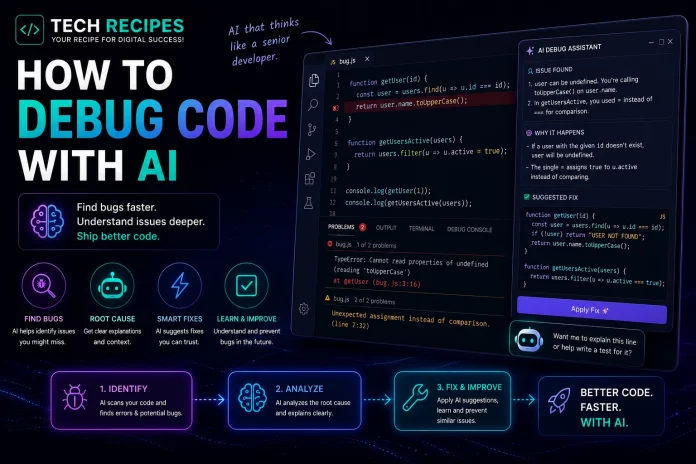
How to Debug Code with AI in 2026

AI coding tools are dramatically changing how developers debug applications.

Instead of manually searching through logs, stack traces, and documentation for hours, developers can now use AI assistants to analyze errors, explain problems, suggest fixes, and refactor broken code faster than ever before.

However, AI debugging is not magic.
The best developers use AI to accelerate troubleshooting while still understanding the underlying problem and validating fixes carefully.

In this guide, we will show you exactly how to debug code with AI in 2026.


What is AI-Powered Debugging?

AI-powered debugging uses machine learning models and coding assistants to help developers:

  • Analyze errors
  • Explain stack traces
  • Find bugs
  • Suggest fixes
  • Refactor broken code
  • Improve performance
  • Detect security issues

Modern AI tools can understand large codebases and identify patterns much faster than traditional manual debugging workflows.


Best AI Tools for Debugging Code

ToolBest For
CursorDeep codebase debugging
Claude CodeReasoning-heavy debugging
GitHub CopilotQuick fixes & autocomplete
CodexAutonomous debugging workflows
CodeiumFree AI debugging assistance
ReplitBrowser debugging workflows

Step 1: Understand the Error First

One of the biggest mistakes developers make is blindly pasting errors into AI tools without understanding the context.

Before asking AI for help:

  • Read the error message carefully
  • Identify where the issue occurs
  • Understand what changed recently
  • Check logs and stack traces

AI works significantly better when developers provide clear context.


Step 2: Paste the Error Into an AI Assistant

Modern AI coding assistants can explain complex errors quickly.

Example prompt:

Explain this React hydration error and suggest the most likely causes.

Or:

Why is this PHP WooCommerce hook causing a fatal error?

AI tools can:

  • Explain terminology
  • Identify likely causes
  • Suggest debugging steps
  • Recommend fixes

Step 3: Provide Relevant Code Context

AI debugging becomes significantly more accurate when developers provide:

  • The failing function
  • Related components
  • Error logs
  • Framework information
  • Expected behavior

Vague prompts often produce weak debugging advice.

Good example:

This Next.js component crashes after hydration when loading dynamic user data. Here is the component and the console error.


Step 4: Use AI to Analyze Large Codebases

Advanced tools like Cursor and Claude Code can analyze entire project structures instead of isolated snippets.

This is especially useful for:

  • Large applications
  • Legacy codebases
  • WooCommerce stores
  • SaaS platforms
  • Microservices

AI can identify relationships between files, dependencies, APIs, and architecture patterns much faster than manual searching.


Step 5: Generate Possible Fixes

Once the issue is identified, AI can suggest:

  • Code fixes
  • Refactoring strategies
  • Alternative implementations
  • Performance optimizations
  • Security improvements

However, developers should avoid blindly accepting AI-generated fixes without validation.


Step 6: Ask AI to Explain the Root Cause

One of the best AI debugging workflows is asking:

Why did this bug happen in the first place?

This improves developer understanding and helps prevent similar issues later.

Developers who only apply AI-generated fixes without learning the underlying issue often repeat the same mistakes.


Step 7: Use AI for Refactoring

Many bugs originate from:

  • Poor architecture
  • Duplicate logic
  • Legacy code
  • Complex dependencies
  • Weak state management

AI can help refactor problematic systems into cleaner and more maintainable code.

Example prompt:

Refactor this React component to reduce unnecessary renders and improve readability.


Step 8: Validate the AI Fix Carefully

This step is critical.

AI-generated fixes can:

  • Introduce security problems
  • Break edge cases
  • Create performance issues
  • Ignore framework conventions
  • Cause hidden regressions

Always:

  • Run tests
  • Review logic manually
  • Check performance
  • Validate security
  • Test edge cases

Best AI Debugging Workflows

WorkflowBenefit
Error explanationFaster understanding
Stack trace analysisQuicker troubleshooting
Code refactoringCleaner architecture
Performance debuggingOptimization suggestions
Security analysisIdentify vulnerabilities
Large codebase analysisFind hidden issues faster

Best AI Tool by Debugging Style

  • Best overall debugging: Cursor
  • Best reasoning: Claude Code
  • Best autocomplete fixes: GitHub Copilot
  • Best autonomous workflows: Codex
  • Best free tool: Codeium

Common AI Debugging Mistakes

  • Blindly trusting AI fixes
  • Providing vague prompts
  • Ignoring architecture issues
  • Skipping testing
  • Over-relying on AI
  • Ignoring security validation

AI accelerates debugging, but engineering judgment still matters heavily.


Can AI Fully Replace Debugging Skills?

No.

AI dramatically improves debugging speed, but developers still need:

  • Problem-solving skills
  • Architecture understanding
  • Framework knowledge
  • Testing discipline
  • Security awareness

The strongest developers combine AI acceleration with real engineering understanding.


Final Thoughts

AI-powered debugging is becoming one of the most valuable productivity improvements in modern software development.

Developers who learn effective AI debugging workflows can solve problems significantly faster and reduce repetitive troubleshooting work.

However, the best results come from developers who use AI as an intelligent assistant rather than blindly depending on generated fixes.
How to Use GitHub Copilot in VS Code

How to Use GitHub Copilot in VS Code

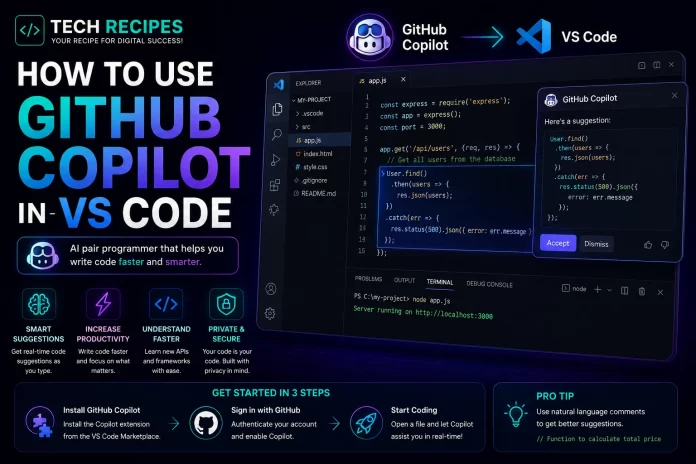
How to Use GitHub Copilot in VS Code in 2026

GitHub Copilot has become one of the most popular AI coding assistants for developers using Visual Studio Code.

It helps developers write code faster using AI-powered autocomplete, inline suggestions, code generation, debugging assistance, and chat-based workflows.

Whether you are a beginner or professional developer, GitHub Copilot can significantly improve coding productivity when used correctly.

In this guide, we will show you exactly how to use GitHub Copilot in VS Code step by step.


What is GitHub Copilot?

GitHub Copilot is an AI coding assistant developed by GitHub and OpenAI.

It integrates directly into VS Code and other editors to provide:

  • Autocomplete suggestions
  • Inline code generation
  • AI chat assistance
  • Code explanations
  • Debugging support
  • Productivity workflows

Copilot is designed to accelerate development rather than fully replace developers.


What You Need Before Starting

Before using GitHub Copilot in VS Code, you need:

  • Visual Studio Code installed
  • A GitHub account
  • An active GitHub Copilot subscription
  • Internet connection

Step 1: Install Visual Studio Code

If you do not already have VS Code installed:

  • Download Visual Studio Code
  • Install it on your operating system
  • Open the editor

VS Code is currently one of the most widely used development environments in the world.


Step 2: Install the GitHub Copilot Extension

Inside VS Code:

  • Open the Extensions Marketplace
  • Search for “GitHub Copilot”
  • Install the extension

You can also install:

  • GitHub Copilot Chat

for conversational AI assistance directly inside the editor.


Step 3: Sign Into GitHub

After installing the extension:

  • Sign into your GitHub account
  • Authorize Copilot access
  • Activate your subscription

Once connected, Copilot will begin generating suggestions automatically inside VS Code.


Step 4: Start Writing Code

Copilot works by analyzing:

  • Your current file
  • Nearby code
  • Function names
  • Comments
  • Project context

As you type, Copilot generates autocomplete suggestions in real time.

Example:

Create a function that validates email addresses in JavaScript

Copilot may instantly generate the full function automatically.


Step 5: Use Comments to Generate Code

One of the best Copilot workflows is using natural language comments.

Example:

// Create a responsive navbar with dark mode toggle

Copilot can generate:

  • HTML
  • CSS
  • JavaScript
  • React components
  • Backend functions

The clearer your comments are, the better the generated output usually becomes.


Step 6: Use GitHub Copilot Chat

GitHub Copilot Chat adds conversational AI workflows directly into VS Code.

Developers can ask:

  • Explain this code
  • Fix this bug
  • Optimize this function
  • Refactor this component
  • Create unit tests
  • Generate API endpoints

This turns VS Code into a more AI-assisted development environment.


Step 7: Debug Code Faster

Copilot can help developers debug errors more quickly.

Paste:

  • Error logs
  • Stack traces
  • Broken functions
  • Database queries

and ask Copilot to explain or fix the issue.

However, developers should always validate AI-generated fixes carefully.


Step 8: Generate Boilerplate Code

GitHub Copilot is especially useful for repetitive coding tasks.

Examples:

  • CRUD operations
  • API routes
  • Authentication systems
  • Database models
  • React components
  • WordPress hooks

This can dramatically improve productivity.


Step 9: Learn Coding Faster

Beginners can use GitHub Copilot to:

  • Understand syntax
  • Explore new frameworks
  • Generate examples
  • Learn coding patterns
  • Study APIs

However, relying too heavily on AI without understanding the generated code can slow long-term learning.


Best GitHub Copilot Workflows

WorkflowBenefit
AutocompleteFaster coding
Natural language promptsRapid code generation
DebuggingFaster problem solving
RefactoringCleaner code structure
DocumentationGenerate comments & explanations
Boilerplate generationReduce repetitive tasks

Common Mistakes to Avoid

  • Blindly trusting AI-generated code
  • Ignoring security issues
  • Skipping testing
  • Using vague prompts
  • Over-relying on autocomplete

AI coding assistants improve productivity, but developers still need strong programming fundamentals and code review practices.


GitHub Copilot vs Cursor

GitHub Copilot focuses heavily on autocomplete and lightweight AI assistance.

Cursor provides deeper AI-native workflows with stronger codebase understanding and multi-file reasoning.

Many developers now use:

  • Copilot for autocomplete
  • Cursor for advanced AI workflows

Is GitHub Copilot Worth It?

For most developers, yes.

GitHub Copilot can significantly improve coding speed, reduce repetitive work, and accelerate learning workflows.

However, the best results come from developers who combine AI productivity with real engineering understanding.


Final Thoughts

GitHub Copilot remains one of the best AI coding assistants for VS Code users in 2026.

It helps developers code faster, learn new technologies, generate boilerplate, and improve productivity dramatically.

However, AI-generated code should always be reviewed carefully for quality, security, and maintainability.

How to Build a SaaS MVP with Lovable

how to build a SaaS MVP with Lovable

How to Build a SaaS MVP with Lovable in 2026

Building a SaaS startup used to require large development teams, months of engineering work, and significant funding.

In 2026, AI-powered development platforms like Lovable are dramatically reducing the time required to launch MVPs and validate startup ideas.

Founders can now generate interfaces, workflows, dashboards, and application logic using natural language prompts and AI-assisted development.

In this guide, we will show you exactly how to build a SaaS MVP with Lovable step by step.


What is Lovable?

Lovable is an AI-powered app builder focused on rapid MVP creation and beginner-friendly development workflows.

Users can generate applications using prompts instead of writing large amounts of code manually.

Lovable focuses heavily on:

  • Fast prototyping
  • Modern UI generation
  • Startup MVP workflows
  • AI-assisted app building
  • Beginner-friendly development

Why Build an MVP First?

One of the biggest startup mistakes is building too much before validating demand.

An MVP (Minimum Viable Product) helps founders:

  • Test ideas quickly
  • Reduce development costs
  • Validate market demand
  • Collect user feedback
  • Improve products iteratively

AI tools like Lovable dramatically accelerate this process.


Step 1: Define Your SaaS Idea Clearly

Before opening Lovable, define:

  • Your target audience
  • The problem you solve
  • The simplest possible solution
  • Your core MVP feature

Many founders fail because they try to build too many features too early.

The strongest MVPs focus on solving one clear problem extremely well.


Step 2: Plan Your Core MVP Features

Most SaaS MVPs only need:

  • User authentication
  • A dashboard
  • Core functionality
  • Basic settings
  • Payment integration
  • Simple onboarding

Avoid:

  • Complex admin systems
  • Advanced analytics
  • Too many integrations
  • Enterprise features
  • Premature scaling infrastructure

Early-stage startups often overbuild instead of validating quickly.


Step 3: Generate Your SaaS UI with Lovable

Lovable can generate application layouts using prompts.

Example prompt:

Build a modern SaaS dashboard for an AI content generation platform with user login, sidebar navigation, pricing page, and dark mode interface.

Lovable can generate:

  • Dashboards
  • Landing pages
  • User onboarding flows
  • Pricing sections
  • Navigation systems
  • Settings pages
  • Modern UI layouts

Step 4: Customize the Generated Design

AI-generated layouts should always be customized.

Improve:

  • Branding
  • Colors
  • Typography
  • Feature positioning
  • User experience
  • Navigation clarity

Generic AI-generated interfaces often look similar across many projects.

Strong branding and positioning still matter significantly.


Step 5: Build the Core User Workflow

Your MVP should focus heavily on one successful user flow.

Example SaaS workflows:

  • User signs up
  • User creates first project
  • User experiences the core feature
  • User sees value quickly

Many SaaS products fail because onboarding is confusing or overloaded with features.


Step 6: Add Backend Logic

Most SaaS applications require:

  • User accounts
  • Database storage
  • Authentication
  • Subscription systems
  • API integrations

Lovable can help generate backend workflows, but many startups still combine it with:

  • Supabase
  • Firebase
  • Stripe
  • Replit
  • Cursor

This hybrid workflow is becoming very common in modern AI-assisted startups.


Step 7: Add Payments

Most SaaS MVPs eventually need subscriptions or payments.

Stripe remains one of the most popular solutions for:

  • Monthly subscriptions
  • Usage billing
  • Checkout pages
  • Customer management

Many founders delay monetization too long instead of validating willingness to pay early.


Step 8: Test Your MVP Quickly

Do not wait for perfection before launching.

The goal of an MVP is learning, not perfection.

Before launch:

  • Test onboarding
  • Fix critical bugs
  • Improve responsiveness
  • Verify payment flows
  • Test mobile layouts

Step 9: Launch & Collect Feedback

After launching:

  • Collect user feedback
  • Track behavior analytics
  • Watch onboarding drop-offs
  • Identify feature requests
  • Measure retention

Most successful SaaS products evolve significantly after real user feedback.


Best AI Workflow for SaaS MVPs in 2026

TaskRecommended Tool
UI generationLovable
Backend workflowsSupabase
PaymentsStripe
Advanced codingCursor
Rapid deploymentReplit
Frontend componentsv0

Common Mistakes Founders Make

  • Building too many features
  • Skipping market validation
  • Overcomplicating onboarding
  • Ignoring user feedback
  • Delaying monetization
  • Relying blindly on AI-generated code

AI accelerates development, but product-market fit still matters more than coding speed.


Can Lovable Build a Complete SaaS?

Lovable can generate large parts of a SaaS MVP quickly, especially interfaces and initial workflows.

However, advanced scaling, infrastructure optimization, security, and custom backend systems may still require experienced developers.

The most successful founders use AI tools to accelerate iteration rather than completely replace engineering expertise.


Is Lovable Good for Non-Technical Founders?

Yes. Lovable is one of the most beginner-friendly AI app builders available today.

It allows non-technical founders to prototype ideas rapidly without building everything manually from scratch.

However, technical understanding still becomes important as products scale.


Final Thoughts

AI-powered app builders like Lovable are dramatically lowering the barrier to SaaS development in 2026.

Founders can now validate ideas faster, reduce development costs, and launch MVPs significantly quicker than traditional startup workflows.

However, successful SaaS businesses still depend on solving real problems, understanding users, and executing strong product strategy — not only AI-generated code.

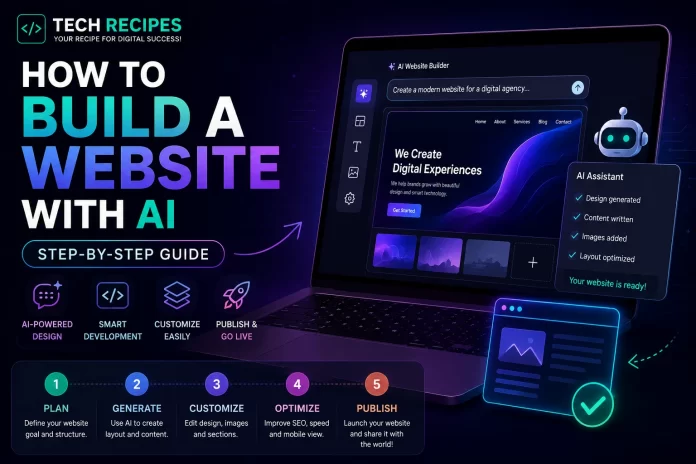
How to Build a Website with AI (Step-by-Step Guide)

how to build a website with AI

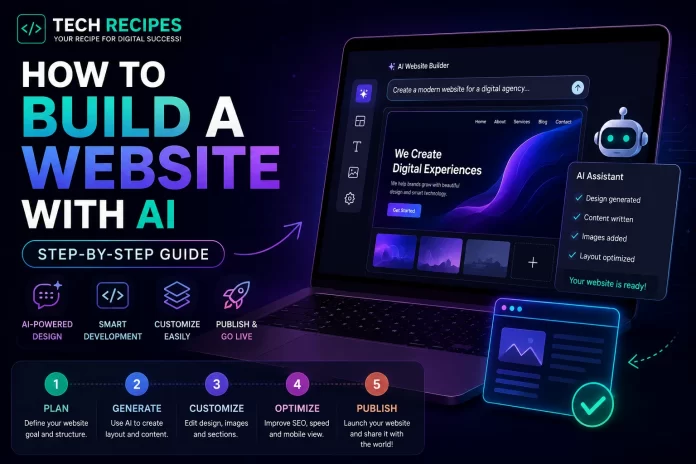
How to Build a Website with AI

AI website builders and coding assistants are making web development dramatically faster in 2026.

Today, beginners and developers can generate layouts, write code, create content, design interfaces, and even deploy websites using AI-powered tools.

Whether you want to build:

  • A business website
  • A portfolio
  • A SaaS landing page
  • An eCommerce store
  • A blog
  • A startup MVP

AI tools can significantly reduce development time and simplify the process.

In this guide, we will show you exactly how to build a website with AI step by step.


What You Need Before Starting

Before building your AI-powered website, you should prepare:

  • A website idea
  • Your target audience
  • A domain name
  • Hosting (optional for some AI builders)
  • Basic content ideas

Step 1: Choose the Right AI Website Tool

Different AI tools are designed for different types of websites.

ToolBest For
LovableBeginner-friendly websites & MVPs
Bolt.newFull-stack AI development
v0Frontend UI generation
ReplitBrowser-based coding workflows
CursorProfessional AI-assisted coding
WordPress + AIContent websites & SEO

For most beginners:

  • Use Lovable for simple AI-generated websites
  • Use WordPress for SEO-focused content sites
  • Use Bolt.new for startup MVPs

Step 2: Generate Your Website Layout with AI

Modern AI website builders can generate layouts using simple prompts.

Example prompt:

Build a modern SaaS landing page for an AI coding platform with a hero section, pricing table, testimonials, and dark mode design.

AI tools can instantly generate:

  • Homepage layouts
  • Navigation menus
  • Pricing sections
  • Feature grids
  • Call-to-action sections
  • Contact pages

Step 3: Customize the Design

AI-generated websites are a starting point, not a finished product.

You should customize:

  • Colors
  • Typography
  • Branding
  • Images
  • Content
  • Spacing and layout

The biggest mistake beginners make is publishing generic AI-generated designs without customization.

Unique branding still matters significantly for trust and conversions.


Step 4: Generate Website Content with AI

AI writing tools can help generate:

  • Homepage copy
  • Product descriptions
  • Blog posts
  • FAQs
  • SEO meta descriptions
  • Call-to-action text

However, you should always edit and improve AI-generated content manually.

Generic AI content without expertise or originality performs poorly long-term.


Step 5: Add AI Coding Assistance

If you want more customization, AI coding tools can help modify your website.

Popular AI coding tools include:

  • Cursor
  • GitHub Copilot
  • Claude Code
  • Codeium

These tools can help:

  • Edit HTML/CSS
  • Generate JavaScript
  • Create animations
  • Build APIs
  • Fix bugs
  • Improve responsiveness

Step 6: Optimize for Mobile Devices

Most modern traffic comes from mobile users.

Always test your AI-generated website on:

  • Phones
  • Tablets
  • Desktop screens

Check:

  • Text readability
  • Navigation menus
  • Button spacing
  • Loading speed
  • Responsive layouts

Step 7: Improve SEO

SEO is still critical in 2026.

Even the best AI-generated website will struggle without search optimization.

Important SEO steps:

  • Use proper page titles
  • Write meta descriptions
  • Optimize images
  • Use internal links
  • Create helpful content
  • Improve page speed

For SEO-focused sites, WordPress remains one of the strongest long-term platforms.


Step 8: Add Analytics & Tracking

Before launching, install:

  • Google Analytics
  • Search Console
  • Heatmaps
  • Conversion tracking

Many beginners launch websites without tracking user behavior, which makes optimization difficult later.


Step 9: Launch Your Website

Once everything is ready:

  • Connect your domain
  • Set up hosting
  • Enable SSL
  • Test all pages
  • Check forms and buttons
  • Verify mobile responsiveness

Then publish your website publicly.


Best AI Website Building Workflows in 2026

GoalRecommended Workflow
SEO blogWordPress + AI coding tools
SaaS MVPBolt.new + Cursor
Simple startup siteLovable
Frontend UIv0 + Cursor
Rapid prototypingReplit + AI assistants

Can AI Build an Entire Website Automatically?

AI can generate large parts of a website automatically, but human input is still important.

The highest-performing websites usually combine:

  • AI speed
  • Human creativity
  • Branding
  • SEO strategy
  • UX optimization

Purely generic AI-generated websites often struggle with differentiation and long-term SEO performance.


Common Mistakes to Avoid

  • Publishing generic AI designs
  • Ignoring SEO
  • Skipping mobile optimization
  • Over-relying on AI content
  • Not customizing branding
  • Using too many AI tools at once

Final Thoughts

AI website builders and coding tools are dramatically lowering the barrier to building websites in 2026.

Whether you are a beginner, startup founder, or developer, AI can help you launch websites faster and reduce repetitive development work significantly.

However, the best results still come from combining AI efficiency with strong branding, customization, and real human expertise.

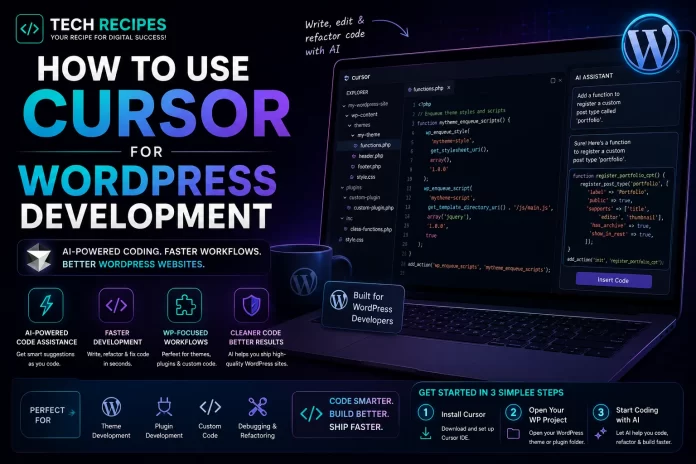
How to Use Cursor for WordPress Development

use-cursor-for-wordpress-development

How to Use Cursor for WordPress Development

AI coding tools are transforming WordPress development workflows, and Cursor is currently one of the most powerful AI IDEs available for developers.

WordPress developers can use Cursor to:

  • Generate plugin code
  • Create custom themes
  • Build WooCommerce functionality
  • Debug PHP errors
  • Refactor old code
  • Create Gutenberg blocks
  • Generate APIs and integrations

In this guide, we will show you exactly how to use Cursor for WordPress development in 2026.


What is Cursor?

Cursor is an AI-powered code editor built on top of VS Code.

Unlike traditional autocomplete tools, Cursor is designed around AI-first development workflows with codebase understanding, AI chat, multi-file editing, and natural language coding assistance.


Why Cursor Works Well for WordPress Development

WordPress projects often involve:

  • Large PHP codebases
  • Theme structures
  • Plugin ecosystems
  • WooCommerce customizations
  • Hooks and filters
  • Legacy code

Cursor performs especially well in these environments because it can understand project context across multiple files instead of only generating isolated snippets.


Step 1: Install Cursor

Download and install Cursor on your computer.

After installation:

  • Open your WordPress project folder
  • Import existing plugins or themes
  • Configure PHP extensions if needed

Cursor works similarly to VS Code, so most developers adapt quickly.


Step 2: Open Your WordPress Project

Open:

  • Theme folders
  • Plugin projects
  • WooCommerce customizations
  • Headless WordPress apps

Cursor will analyze the project structure and begin understanding relationships between files.

This codebase awareness is one of Cursor’s biggest advantages for WordPress development.


Step 3: Use AI Chat for WordPress Tasks

Cursor allows developers to interact with AI directly inside the editor.

Example prompts:

Create a custom WooCommerce checkout field with validation.

Generate a WordPress shortcode for displaying recent products.

Explain this plugin architecture and suggest improvements.

Refactor this legacy PHP code to modern WordPress standards.

The quality of prompts matters significantly.
Specific prompts usually produce better results than vague requests.


Step 4: Generate Plugin Boilerplate

Cursor can generate starter plugin structures quickly.

Example request:

Create a WordPress plugin for custom product badges in WooCommerce.

Cursor can generate:

  • Plugin headers
  • Admin settings
  • Hooks and filters
  • Custom post types
  • REST API endpoints
  • WooCommerce integrations

This dramatically speeds up repetitive development work.


Step 5: Build Custom Themes Faster

Theme development becomes significantly faster with AI assistance.

Cursor can help:

  • Generate template files
  • Create responsive layouts
  • Write CSS and Tailwind code
  • Build Gutenberg blocks
  • Optimize frontend components

Frontend-heavy WordPress developers can combine Cursor with tools like v0 for even faster UI workflows.


Step 6: Debug WordPress Errors

One of Cursor’s biggest strengths is debugging assistance.

Developers can paste:

  • PHP errors
  • WooCommerce issues
  • Fatal logs
  • Database queries
  • Performance bottlenecks

and ask Cursor to explain and fix the issue.

This is especially valuable for debugging older plugins and legacy WordPress codebases.


Step 7: Refactor Old WordPress Code

Many WordPress projects contain outdated or poorly structured code.

Cursor can help modernize:

  • Legacy PHP functions
  • Deprecated WordPress APIs
  • Large procedural plugins
  • WooCommerce customizations

However, developers should still review AI-generated refactoring carefully before deployment.


Step 8: Improve WooCommerce Development

WooCommerce development often involves repetitive customization tasks.

Cursor can accelerate:

  • Checkout customizations
  • Cart modifications
  • Dynamic pricing
  • Product filters
  • Custom shipping logic
  • Payment integrations

This can save developers significant development time.


Step 9: Use Cursor for Learning

Cursor is not only useful for experienced developers.

Beginners can use it to:

  • Understand WordPress hooks
  • Learn PHP workflows
  • Study plugin structures
  • Explore WooCommerce architecture
  • Understand theme development

However, developers should avoid blindly copying generated code without understanding how it works.


Best Cursor Workflows for WordPress Developers

TaskCursor Benefit
Plugin developmentGenerate boilerplate & hooks
Theme creationFrontend acceleration
WooCommerceRapid customization workflows
DebuggingError analysis & fixes
RefactoringModernizing legacy code
API integrationsGenerate endpoints & logic

Common Mistakes to Avoid

  • Trusting AI-generated code blindly
  • Skipping security reviews
  • Ignoring WordPress coding standards
  • Overcomplicating prompts
  • Using AI without understanding PHP fundamentals

AI tools accelerate development, but developers still need to review security, performance, and compatibility carefully.


Is Cursor Better Than GitHub Copilot for WordPress?

For many professional WordPress developers, yes.

Cursor’s codebase understanding and AI-native workflows are often more useful than simple autocomplete systems.

GitHub Copilot remains excellent for lightweight coding assistance, but Cursor is generally stronger for larger WordPress projects and complex WooCommerce workflows.


Final Thoughts

Cursor is becoming one of the most powerful AI development tools for WordPress developers in 2026.

It can dramatically improve productivity, speed up plugin and theme development, simplify debugging, and modernize WordPress workflows.

However, the best developers use AI as a productivity accelerator rather than a replacement for real engineering knowledge and code review.

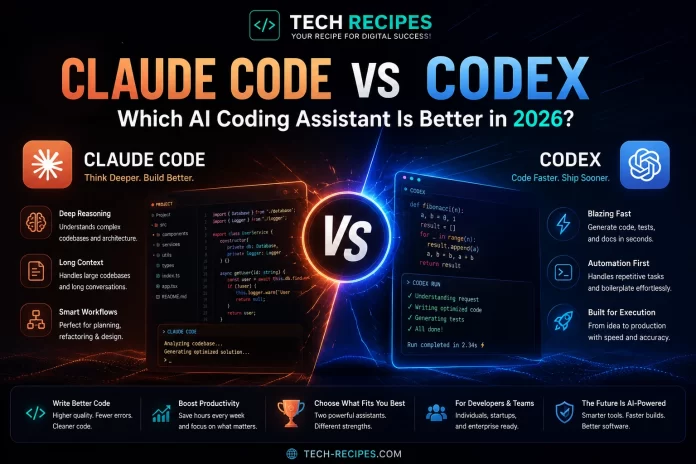
Claude Code vs Codex: Which AI Coding Assistant Is Better in 26th May 2026?

Claude Code vs Codex

Claude Code vs Codex: Which AI Coding Assistant Is Better in 2026?

AI coding assistants are evolving rapidly, and two of the most advanced tools in 2026 are Claude Code and OpenAI Codex.

Both platforms help developers generate code, debug applications, refactor projects, and accelerate software development workflows using AI.
However, they approach development very differently.

In this comparison, we tested Claude Code vs Codex based on:

  • Code quality
  • Reasoning ability
  • Autonomous coding workflows
  • Developer experience
  • Performance
  • Pricing
  • Best use cases

Quick Verdict

ToolBest ForVerdict
Claude CodeReasoning & large codebasesBest for deep engineering workflows
OpenAI CodexAutonomous execution & speedBest for fast production workflows

Claude Code is generally stronger for debugging, architecture analysis, and long-context reasoning.
Codex is stronger for autonomous task execution, rapid generation, and production-oriented workflows.


What is Claude Code?

Claude Code is Anthropic’s AI coding assistant focused on deep reasoning, long-context understanding, and collaborative coding workflows.

It is especially popular among developers working on large codebases and architecture-heavy projects.

Key Features

  • Large context windows
  • Strong reasoning capabilities
  • Codebase understanding
  • Debugging assistance
  • Refactoring workflows
  • Terminal-first workflows

What is OpenAI Codex?

OpenAI Codex is an AI coding platform designed for autonomous coding workflows, rapid task execution, and cloud-based development assistance.

Codex has expanded significantly in 2026 with desktop, CLI, and mobile integrations. :contentReference[oaicite:0]{index=0}

Key Features

  • Autonomous coding agents
  • Cloud sandbox execution
  • Parallel task workflows
  • Fast code generation
  • Multi-agent workflows
  • ChatGPT ecosystem integration

Claude Code vs Codex: Feature Comparison

FeatureClaude CodeOpenAI Codex
Reasoning qualityExcellentVery Good
Autonomous executionModerateExcellent
Long-context understandingExcellentStrong
SpeedGoodExcellent
Codebase analysisExcellentVery Good
Cloud executionNoYes
Terminal workflowsExcellentStrong

Reasoning & Code Quality

Claude Code

Claude Code is widely considered one of the strongest AI coding tools for deep reasoning and architecture-heavy workflows.

It performs especially well when debugging complex systems, reviewing codebases, and understanding large project structures. :contentReference[oaicite:1]{index=1}

Many developers prefer Claude Code for collaborative engineering workflows because it behaves more like a senior pair programmer.

OpenAI Codex

Codex focuses more heavily on rapid execution and autonomous task completion.

It can generate production-ready code quickly and perform multiple coding tasks in parallel using cloud-based workflows. :contentReference[oaicite:2]{index=2}

Codex is often faster than Claude Code for straightforward implementation tasks.


Developer Experience

Claude Code

Claude Code feels highly collaborative and conversational.

It tends to ask clarifying questions, explain reasoning, and guide developers through architecture and debugging workflows. :contentReference[oaicite:3]{index=3}

This makes it attractive for developers working on complex systems or exploratory engineering tasks.

OpenAI Codex

Codex feels more autonomous and execution-focused.

It is optimized around fast implementation, async workflows, and cloud-based coding agents. :contentReference[oaicite:4]{index=4}

Developers already inside the ChatGPT ecosystem may find Codex especially convenient.


Performance & Speed

Codex generally performs faster for autonomous coding tasks and production-oriented workflows. :contentReference[oaicite:5]{index=5}

Claude Code prioritizes reasoning depth and context quality over raw execution speed.

This creates a tradeoff:

  • Claude Code → deeper reasoning
  • Codex → faster execution

Cloud vs Local Workflows

Claude Code

Claude Code typically works directly with local environments and terminal workflows.

This is attractive for developers who prefer working closely with local files and infrastructure. :contentReference[oaicite:6]{index=6}

OpenAI Codex

Codex uses cloud-based execution environments and autonomous agents.

This allows it to run coding tasks asynchronously and manage workflows without depending entirely on local systems. :contentReference[oaicite:7]{index=7}


Benchmarks & Real-World Results

Independent comparisons suggest both tools perform at a very high level, but they excel in different areas.

Some benchmark studies show Codex leading in terminal and production-oriented tasks, while Claude Code performs strongly in reasoning-heavy workflows and documentation quality. :contentReference[oaicite:8]{index=8}

Many advanced developers now use both tools together depending on the task type. :contentReference[oaicite:9]{index=9}


Which Tool is Better for Beginners?

Codex is generally easier for beginners already using ChatGPT because of its ecosystem integration and autonomous workflows.

Claude Code has a steeper learning curve but rewards developers who want deeper engineering workflows.


Which Tool is Better for Professional Developers?

Professional developers working on complex systems may prefer Claude Code for debugging, architecture analysis, and deep context reasoning.

Developers focused on rapid implementation and production workflows may prefer Codex.


Best Use Cases

Choose Claude Code If:

  • You work on large codebases
  • You need deep reasoning
  • You prioritize debugging workflows
  • You prefer collaborative AI interaction
  • You work heavily in terminal environments

Choose Codex If:

  • You want autonomous coding agents
  • You prioritize speed
  • You need cloud execution workflows
  • You use the ChatGPT ecosystem heavily
  • You want rapid production implementation

Are AI Coding Assistants Replacing Developers?

No. AI coding assistants dramatically improve productivity, but developers still need to validate architecture, review generated code, handle security, and manage real-world engineering tradeoffs.

Recent research also highlights reliability and reproducibility challenges in AI-generated code workflows. :contentReference[oaicite:10]{index=10}


Final Verdict

Claude Code and OpenAI Codex are currently two of the most advanced AI coding platforms in 2026.

Claude Code is generally the stronger option for reasoning-heavy engineering workflows, debugging, and large-scale code understanding.

OpenAI Codex is the stronger platform for autonomous execution, rapid implementation, and cloud-based development workflows.

For many advanced developers, the best workflow may actually involve using both tools strategically depending on the project and task type.

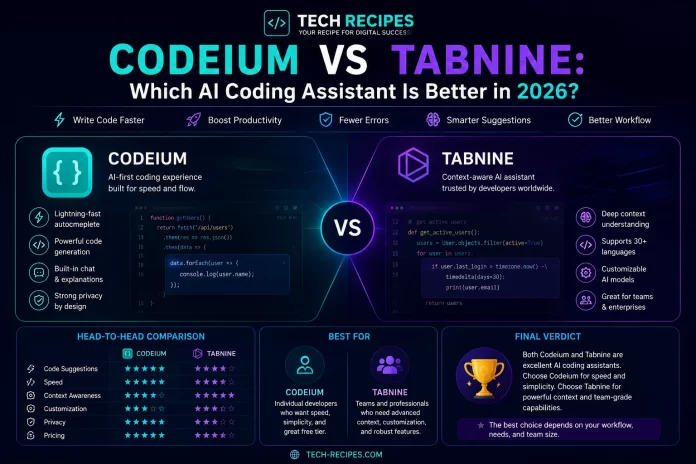
Codeium vs Tabnine: Which AI Coding Assistant Is Better in 26th May 2026?

codeium-vs-tabnine

Codeium vs Tabnine: Which AI Coding Assistant Is Better in 2026?

AI coding assistants are becoming essential tools for developers, and two popular options in 2026 are Codeium and Tabnine.

Both platforms focus on AI-powered autocomplete and coding assistance, but they target different developer needs and workflows.

In this comparison, we tested Codeium vs Tabnine based on:

  • Autocomplete quality
  • Developer productivity
  • Privacy & security
  • IDE integrations
  • Ease of use
  • Pricing
  • Best use cases

Quick Verdict

ToolBest ForVerdict
CodeiumFree AI coding workflowsBest for individuals & beginners
TabnineEnterprise privacy & teamsBest for enterprise workflows

If you want a powerful free AI coding assistant with excellent autocomplete, Codeium is the better option.
If your priority is enterprise-grade privacy, private AI models, and team workflows, Tabnine is the stronger platform.


What is Codeium?

Codeium is an AI coding assistant focused on autocomplete, AI suggestions, and developer productivity.

It has become popular because of its generous free plan and strong IDE integrations.

Key Features

  • AI autocomplete
  • IDE integrations
  • Chat assistance
  • Code generation
  • Fast onboarding
  • Free plan

What is Tabnine?

Tabnine is an AI coding assistant designed heavily around privacy-focused workflows and enterprise development environments.

The platform supports private AI models and secure coding environments for teams and organizations.

Key Features

  • Private AI models
  • Enterprise support
  • Autocomplete assistance
  • Team workflows
  • Secure environments

Codeium vs Tabnine: Feature Comparison

FeatureCodeiumTabnine
Free planExcellentLimited
Autocomplete qualityVery GoodVery Good
Privacy featuresModerateExcellent
Enterprise supportLimitedStrong
IDE integrationsStrongStrong
Beginner friendlyExcellentGood
Private AI modelsNoYes

Autocomplete & Coding Assistance

Codeium

Codeium performs very well for autocomplete and inline coding suggestions.

It is especially attractive for developers who want fast AI assistance without paying for premium subscriptions.

The platform supports many programming languages and integrates smoothly with popular IDEs.

Tabnine

Tabnine also offers strong autocomplete capabilities and reliable coding suggestions.

Its main advantage is not necessarily better suggestions, but stronger enterprise controls and privacy-focused workflows.


Privacy & Security

Codeium

Codeium is suitable for most individual developers and smaller teams.

However, organizations with strict security requirements may prefer platforms with private AI deployment options.

Tabnine

Privacy is one of Tabnine’s biggest strengths.

The platform supports private AI models and secure enterprise environments, making it attractive for companies handling sensitive codebases.


Ease of Use

Codeium

Codeium is extremely easy to set up and beginner friendly.

Most developers can install it and start using AI suggestions within minutes.

Tabnine

Tabnine is also relatively simple to use, although some enterprise workflows may require additional configuration.


Pricing Comparison

ToolPricing Style
CodeiumStrong free plan available
TabnineEnterprise-focused pricing

Codeium provides better value for individual developers and students.
Tabnine is more attractive for enterprise teams that prioritize privacy and infrastructure control.


Which Tool is Better for Beginners?

Codeium is generally better for beginners because of its free plan, easy onboarding, and simple workflows.

It provides an accessible entry point into AI-assisted coding.


Which Tool is Better for Enterprise Teams?

Tabnine is the stronger option for enterprise teams and organizations that require private deployments and secure coding environments.

Its privacy-focused infrastructure makes it attractive for corporate development workflows.


Best Use Cases

Choose Codeium If:

  • You want a free AI coding assistant
  • You are a student or beginner
  • You need fast autocomplete
  • You want simple onboarding
  • You work independently

Choose Tabnine If:

  • You work in enterprise environments
  • You prioritize privacy
  • You need private AI models
  • You manage team workflows
  • You handle sensitive codebases

Are AI Coding Assistants Worth It?

Yes. AI coding assistants can significantly improve productivity, reduce repetitive coding tasks, and speed up development workflows.

However, developers should still review generated code carefully and maintain strong programming fundamentals.


Final Verdict

Codeium and Tabnine are both strong AI coding assistants in 2026, but they target different audiences.

Codeium is the better option for most individual developers, students, and beginners because of its strong free plan and easy onboarding.

Tabnine is the stronger choice for enterprise teams and organizations that prioritize privacy, security, and infrastructure control.

For most independent developers, Codeium currently provides better overall value.

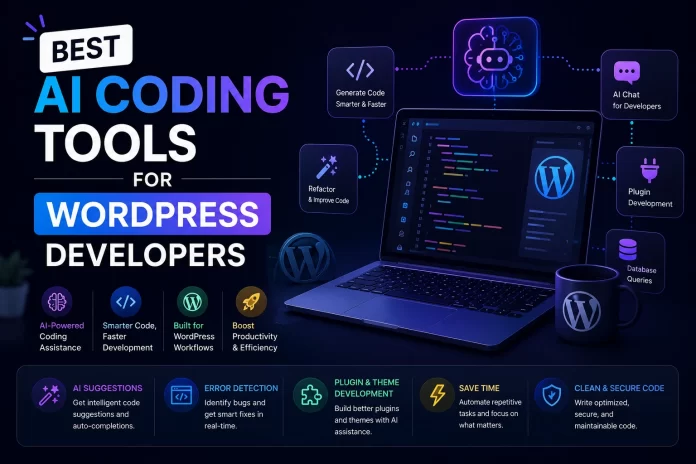
Best AI Coding Tools for WordPress Developers in 26th May 2026

wordpress coding ai tools

Best AI Coding Tools for WordPress Developers in 2026

AI coding tools are rapidly changing WordPress development workflows.
Developers can now generate plugins, build themes, debug PHP errors, create custom WooCommerce functionality, and automate repetitive coding tasks using AI-powered development tools.

Whether you build WordPress themes, WooCommerce stores, custom plugins, or client websites, AI development platforms can significantly improve productivity.

In this guide, we tested the best AI coding tools for WordPress developers in 2026 based on:

  • PHP support
  • WordPress workflow integration
  • Code quality
  • Debugging assistance
  • Theme and plugin development
  • Ease of use
  • Developer productivity

Quick List: Best AI Coding Tools for WordPress Developers

ToolBest ForType
CursorProfessional WordPress workflowsAI IDE
GitHub CopilotPHP autocomplete assistanceAI Coding Assistant
Claude CodeDebugging & architectureAI Assistant
CodeiumFree AI coding workflowsAI Assistant
ReplitCloud development & testingCloud IDE
v0Frontend UI generationAI UI Builder
Bolt.newRapid prototypingAI App Builder
TabnineEnterprise workflowsAI Assistant

1. Cursor

Cursor is currently one of the strongest AI coding tools for WordPress developers working on custom themes, plugins, APIs, and WooCommerce projects.

Its AI-native IDE workflows and codebase understanding are especially useful for large WordPress projects with many files and integrations.

Best Features

  • AI-powered PHP workflows
  • Codebase-aware AI assistance
  • Multi-file editing
  • Refactoring support
  • Integrated AI chat

Best For

Professional WordPress developers working on advanced custom projects.

Pros

  • Excellent for large codebases
  • Strong debugging workflows
  • Powerful AI assistance
  • Great for WooCommerce customization

Cons

  • More advanced than beginner tools
  • Requires learning AI workflows

Verdict: Cursor is currently one of the best AI IDEs for modern WordPress development.


2. GitHub Copilot

GitHub Copilot is excellent for speeding up repetitive WordPress development tasks and generating PHP boilerplate code.

Best Features

  • Autocomplete assistance
  • PHP code generation
  • IDE integrations
  • Inline suggestions

Best For

Developers who want lightweight AI assistance inside existing WordPress workflows.


3. Claude Code

Claude Code is highly effective for debugging, explaining complex WordPress logic, and understanding plugin architecture.

It performs especially well with larger WooCommerce and custom plugin codebases.

Best Features

  • Strong reasoning
  • Large context understanding
  • Architecture analysis
  • Code explanations

4. Codeium

Codeium provides free AI coding assistance for WordPress developers looking for autocomplete and coding suggestions without expensive subscriptions.

Best Features

  • Free plan
  • PHP support
  • IDE integrations
  • Autocomplete workflows

5. Replit

Replit allows WordPress developers to prototype PHP workflows, APIs, and frontend experiments directly in the browser.

While it is not a replacement for full local WordPress environments, it can accelerate testing and rapid development workflows.

Best Features

  • Cloud IDE
  • Browser workflows
  • AI coding assistant
  • Collaboration features

6. v0

v0 is useful for WordPress developers building modern frontend interfaces, landing pages, and React-based headless WordPress projects.

Best Features

  • React generation
  • Tailwind support
  • Rapid UI generation
  • Frontend acceleration

7. Bolt.new

Bolt.new can help WordPress developers prototype dashboards, frontend tools, SaaS integrations, and AI-powered workflows rapidly.

Best Features

  • Rapid prototyping
  • AI app generation
  • Full-stack workflows
  • Browser development

8. Tabnine

Tabnine focuses on enterprise-friendly AI coding workflows and privacy-focused development environments.

Best Features

  • Private AI models
  • Enterprise support
  • Autocomplete assistance
  • Team workflows

How AI Helps WordPress Developers

AI coding tools can dramatically speed up common WordPress development tasks.

  • Generate plugin boilerplate
  • Create WooCommerce customizations
  • Debug PHP errors
  • Build custom themes
  • Generate WordPress hooks
  • Create REST API endpoints
  • Refactor old code
  • Build Gutenberg blocks

Are AI Coding Tools Safe for WordPress Development?

AI-generated code should always be reviewed carefully before deployment.

WordPress projects often involve security-sensitive functionality, database queries, user authentication, and plugin compatibility issues.

Developers should validate performance, security, and compatibility manually instead of blindly trusting generated code.


Best Tool by Use Case

  • Best overall: Cursor
  • Best autocomplete: GitHub Copilot
  • Best debugging: Claude Code
  • Best free tool: Codeium
  • Best frontend workflows: v0
  • Best rapid prototyping: Bolt.new

Final Thoughts

AI coding tools are becoming essential for modern WordPress development workflows in 2026.

Developers who learn AI-assisted workflows now can significantly improve productivity, reduce repetitive tasks, and accelerate client projects.

For most professional WordPress developers, Cursor currently offers the strongest overall AI development experience.

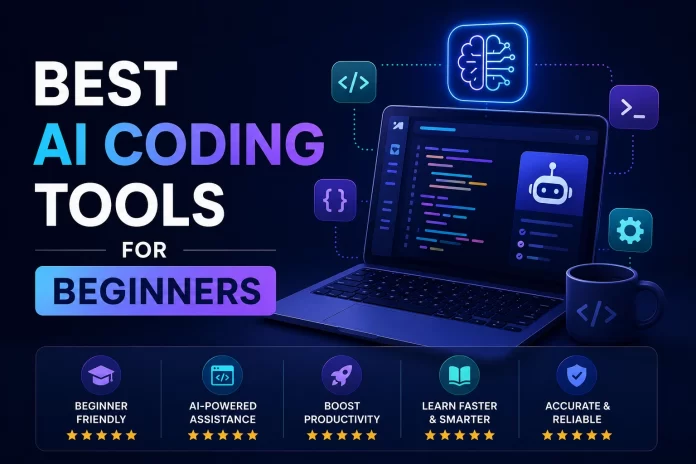
Best AI Coding Tools for Beginners in 26th May 2026

ai tools for begginers

Learning programming has changed dramatically thanks to AI coding tools.
Beginners can now generate code, debug errors, build websites, and create applications faster than ever before using AI-powered development platforms.

However, not every AI coding tool is beginner friendly.
Some platforms are designed for experienced developers, while others focus on simplicity, learning, and rapid app creation.

In this guide, we tested the best AI coding tools for beginners in 2026 based on:

  • Ease of use
  • Learning curve
  • AI assistance quality
  • Beginner workflows
  • Pricing
  • Educational value
  • Best use cases

Quick List: Best AI Coding Tools for Beginners

ToolBest ForDifficulty
GitHub CopilotLearning coding with AI helpEasy
ReplitBrowser-based codingEasy
LovableAI app buildingVery Easy
CursorLearning professional workflowsModerate
CodeiumFree AI coding assistanceEasy
v0Frontend UI generationEasy
Bolt.newRapid app prototypingModerate
GlideNo-code app buildingVery Easy

1. GitHub Copilot

GitHub Copilot is one of the best AI coding tools for beginners because it integrates directly into popular code editors and provides real-time coding assistance.

Beginners can learn programming concepts while receiving AI-generated suggestions and autocomplete recommendations.

Best Features

  • Autocomplete assistance
  • Inline code suggestions
  • IDE integrations
  • Beginner-friendly workflows

Best For

New developers learning coding fundamentals inside VS Code or other IDEs.

Pros

  • Easy setup
  • Strong coding assistance
  • Improves productivity
  • Helpful learning support

Cons

  • Can create dependency on AI suggestions
  • Less effective for understanding deeper concepts

2. Replit

Replit is one of the easiest ways for beginners to start coding because it runs entirely in the browser without requiring local setup.

Users can write code, run projects, and deploy applications directly online.

Best Features

  • Browser-based IDE
  • AI coding assistance
  • Instant deployment
  • Collaboration features

Best For

Beginners learning coding without complex development setup.


3. Lovable

Lovable helps beginners create applications using prompts instead of traditional coding.

This makes it attractive for non-technical users and startup founders who want to build MVPs quickly.

Best Features

  • Prompt-based app generation
  • Beginner-friendly workflows
  • Fast MVP creation
  • Modern UI generation

Best For

Beginners who want to create apps without deep programming knowledge.


4. Cursor

Cursor is one of the most powerful AI coding tools available today, but it has a slightly steeper learning curve compared to beginner-focused platforms.

However, beginners who want to learn modern AI development workflows can benefit significantly from Cursor.

Best Features

  • AI-native IDE
  • Advanced coding workflows
  • Codebase understanding
  • AI chat assistance

Best For

Beginners who want to transition into professional AI-assisted development.


5. Codeium

Codeium is one of the best free AI coding assistants for beginners.

It provides autocomplete and coding suggestions without requiring expensive subscriptions.

Best Features

  • Free plan
  • Autocomplete assistance
  • IDE support
  • Simple onboarding

Best For

Students and beginner developers looking for affordable AI coding tools.


6. v0

v0 helps beginners generate modern frontend interfaces and React components using prompts.

It is especially useful for learning frontend design workflows and rapid prototyping.

Best Features

  • React generation
  • Tailwind support
  • Rapid UI generation
  • Modern frontend workflows

7. Bolt.new

Bolt.new allows beginners to generate full-stack applications directly in the browser using AI prompts.

While more advanced than beginner-only tools, it can accelerate learning dramatically.

Best Features

  • Full-stack app generation
  • Rapid prototyping
  • Browser workflows
  • AI-powered coding

8. Glide

Glide helps users create applications from spreadsheets using no-code workflows.

It is one of the easiest app builders available for complete beginners.

Best Features

  • Spreadsheet integration
  • No-code workflows
  • Rapid deployment
  • Very beginner friendly

How to Choose the Best AI Coding Tool for Beginners

The best AI coding tool depends on your goals and technical experience.

  • Choose GitHub Copilot for learning coding inside real IDEs
  • Choose Replit for browser-based development
  • Choose Lovable for simple AI app creation
  • Choose Cursor for advanced AI workflows
  • Choose Glide for no-code applications

Should Beginners Learn Coding Without AI?

Beginners should still learn programming fundamentals instead of relying entirely on AI-generated code.

AI coding tools are best used as learning accelerators rather than replacements for understanding software development concepts.

Developers who rely too heavily on AI without understanding the code may struggle with debugging, architecture, and problem solving later.


Are AI Coding Tools Worth It for Beginners?

Yes. AI coding tools can dramatically accelerate learning, reduce frustration, and help beginners build real projects faster.

However, the most successful beginners use AI as a support tool while continuing to learn programming fundamentals and development principles.


Final Thoughts

AI coding tools are making software development more accessible than ever before.

Whether you want to learn programming, build your first app, or launch a startup MVP, modern AI development platforms can help you move significantly faster in 2026.

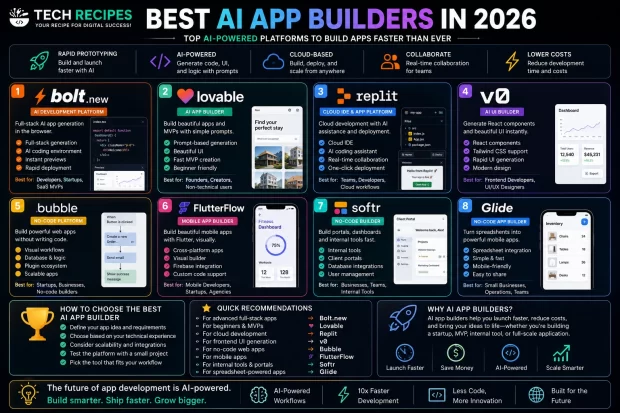
Best AI App Builders in 26th May 2026 (Tested & Compared)

Best AI APP Builders

Best AI App Builders in 2026

AI app builders are changing how startups, developers, and creators build software.
Modern AI development platforms can now generate interfaces, backend logic, databases, workflows, and even deploy applications using natural language prompts.

In this guide, we tested the best AI app builders in 2026 based on:

  • Ease of use
  • Frontend generation
  • Full-stack capabilities
  • AI coding workflows
  • Developer flexibility
  • Rapid prototyping speed
  • Best use cases

Whether you are a startup founder, solo creator, or experienced developer, these are the best AI app builders available today.


Quick List: Best AI App Builders

ai application builders
ToolBest ForType
Bolt.newFull-stack AI app generationAI Development Platform
LovableBeginner-friendly MVPsAI App Builder
ReplitCloud development workflowsCloud IDE
v0Frontend UI generationAI UI Builder
BubbleNo-code applicationsNo-Code Platform
FlutterFlowMobile app generationVisual App Builder
SoftrInternal tools & portalsNo-Code Builder
GlideSpreadsheet-powered appsNo-Code Builder

1. Bolt.new

Bolt.new is one of the most powerful AI app builders in 2026 for developers and technical users.

The platform focuses on generating full-stack applications directly in the browser using AI-powered workflows.

Best Features

  • Full-stack app generation
  • Browser-based workflows
  • Rapid prototyping
  • AI-powered coding environment
  • Instant previews

Best For

Developers, startups, SaaS MVPs, and rapid full-stack prototyping.

Pros

  • Excellent flexibility
  • Fast iteration speed
  • Developer-oriented workflows
  • Strong AI integration

Cons

  • More technical than beginner tools
  • Requires some development understanding

Verdict: Bolt.new is currently one of the best AI app builders for serious app development workflows.


2. Lovable

Lovable focuses on making app creation accessible for non-technical users and founders.

Users can generate interfaces, workflows, and MVPs using simple prompts and AI-assisted workflows.

Best Features

  • Prompt-based app generation
  • Beautiful UI generation
  • Fast MVP creation
  • Beginner-friendly workflows

Best For

Non-technical founders, startups, creators, and rapid MVP development.


3. Replit

Replit combines cloud development, deployment, collaboration, and AI coding assistance inside a browser-based environment.

Best Features

  • Cloud IDE
  • AI coding assistant
  • Deployment workflows
  • Real-time collaboration
  • Browser-based development

Best For

Full-stack development, team collaboration, and cloud-based coding workflows.


4. v0

v0 specializes in frontend UI generation using prompts and AI workflows.

It helps developers generate React components, landing pages, dashboards, and modern interfaces rapidly.

Best Features

  • React generation
  • Tailwind CSS support
  • Rapid UI prototyping
  • Prompt-based frontend workflows

Best For

Frontend developers, React workflows, and rapid interface generation.


5. Bubble

Bubble remains one of the most popular no-code app builders for startups and business applications.

Best Features

  • Visual workflows
  • No-code logic building
  • Database management
  • Plugin ecosystem

Best For

Business applications, SaaS MVPs, and non-technical startup founders.


6. FlutterFlow

FlutterFlow focuses on mobile app generation using visual workflows powered by Flutter.

Best Features

  • Mobile app generation
  • Flutter support
  • Visual builder
  • Cross-platform workflows

Best For

iOS and Android app development.


7. Softr

Softr allows users to create portals, dashboards, and internal tools without traditional coding.

Best Features

  • Internal tools
  • Client portals
  • Database integrations
  • Rapid business workflows

8. Glide

Glide helps users build lightweight applications powered by spreadsheets and simple workflows.

Best Features

  • Spreadsheet integration
  • Simple app generation
  • Rapid deployment
  • Beginner-friendly workflows

How to Choose the Best AI App Builder

The best AI app builder depends on your technical experience and project goals.

  • Choose Bolt.new for advanced AI development
  • Choose Lovable for beginner-friendly MVP creation
  • Choose Replit for cloud development workflows
  • Choose v0 for frontend UI generation
  • Choose Bubble for no-code business applications
  • Choose FlutterFlow for mobile apps

Are AI App Builders Worth It?

Yes. AI app builders can dramatically reduce development time, speed up prototyping, and help startups validate ideas faster.

However, complex applications still require developer oversight, optimization, and architecture planning.


Final Thoughts

AI app builders are evolving rapidly, and they are already transforming software development workflows in 2026.

Whether you are building a SaaS startup, mobile app, dashboard, or prototype, modern AI app builders can help you launch faster and reduce development friction significantly.

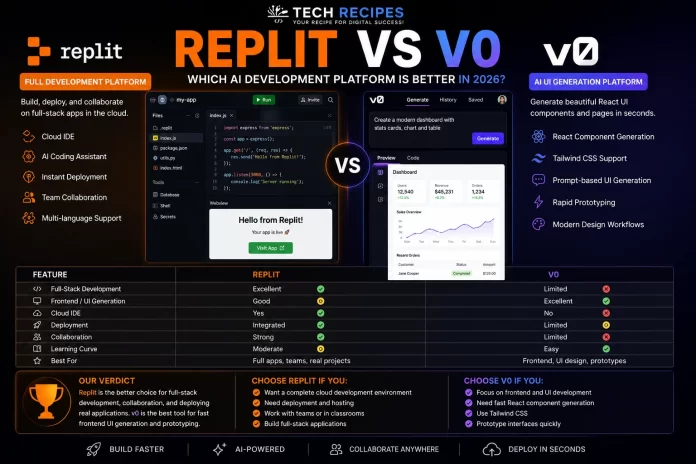
Replit vs v0: Which AI Development Platform Is Better in 26th May 2026?

Replit vs v0

AI development platforms are evolving rapidly, and two of the most discussed tools in 2026 are Replit and v0.

Both platforms help developers build applications faster using AI-powered workflows, but they focus on very different development experiences.

In this comparison, we tested Replit vs v0 based on:

  • Frontend generation
  • Full-stack development
  • Ease of use
  • Developer flexibility
  • AI workflows
  • Collaboration features
  • Best use cases

Quick Verdict

ToolBest ForVerdict
ReplitCloud development & collaborationBest full development environment
v0Frontend UI generationBest for rapid interface creation

If you want a complete browser-based coding environment with deployment and collaboration, Replit is the better choice.
If you mainly want fast frontend UI generation using prompts, v0 is one of the strongest AI tools available.


What is Replit?

Replit is a browser-based development platform that combines coding, hosting, collaboration, deployment, and AI assistance inside a cloud IDE.

It allows developers to build and deploy applications entirely from the browser without local setup.

Key Features

  • Cloud IDE
  • AI coding assistant
  • Instant deployment
  • Team collaboration
  • Browser-based workflows
  • Multi-language support

What is v0?

v0 is an AI-powered frontend generation tool focused on creating React components and modern interfaces using prompts.

The platform is designed to accelerate frontend workflows and help developers prototype UI rapidly.

Key Features

  • React component generation
  • Tailwind CSS support
  • Prompt-based UI generation
  • Rapid frontend prototyping
  • Modern design workflows

Replit vs v0: Feature Comparison

FeatureReplitv0
Full-stack developmentExcellentLimited
Frontend generationGoodExcellent
Cloud IDEYesNo
Deployment workflowsIntegratedLimited
Developer collaborationStrongLimited
UI generationModerateExcellent
Learning curveModerateEasy

Frontend & UI Generation

v0

v0 excels at generating modern frontend interfaces quickly using prompts.

Developers can generate React components, landing pages, dashboards, and Tailwind-based UI layouts in seconds.

This makes v0 highly attractive for frontend developers and rapid prototyping workflows.

Replit

Replit supports frontend development but focuses more heavily on complete development environments rather than specialized UI generation.


Full-Stack Development

Replit

Replit is significantly stronger for full-stack development workflows.

It provides coding, hosting, databases, collaboration, and deployment in a unified environment.

Developers can build complete applications entirely from the browser.

v0

v0 focuses mainly on frontend generation rather than full-stack architecture or backend workflows.


Ease of Use

v0

v0 is extremely simple to use.
Users can generate frontend layouts using natural language prompts with minimal setup.

Replit

Replit has more features and capabilities, which creates a slightly steeper learning curve compared to v0.

However, it offers much more flexibility for real application development.


Developer Collaboration

Replit

Replit offers strong real-time collaboration features similar to cloud document editing for developers.

This makes it useful for teams, classrooms, and collaborative projects.

v0

v0 is more focused on interface generation workflows rather than collaborative software development.


Which Tool is Better for Beginners?

v0 is easier for complete beginners who simply want to generate modern interfaces quickly.

Replit is better for users who want to learn real development workflows inside a cloud environment.


Which Tool is Better for Startups?

Both platforms can help startups prototype products faster, but they serve different needs.

  • Choose v0 for rapid frontend MVP design
  • Choose Replit for full application development and deployment

Best Use Cases

Choose Replit If:

  • You want full-stack development
  • You need cloud hosting
  • You work collaboratively
  • You want browser-based coding
  • You build complete applications

Choose v0 If:

  • You focus on frontend development
  • You want fast UI generation
  • You use React and Tailwind
  • You prototype interfaces rapidly
  • You want simple AI UI workflows

Are AI Development Platforms Worth It?

Yes. AI-powered development platforms can dramatically reduce setup time, accelerate prototyping, and simplify repetitive development tasks.

However, developers still need to validate generated code, optimize performance, and maintain application architecture carefully.


Final Verdict

Replit and v0 are both excellent AI development platforms, but they solve different problems.

Replit is the better choice for developers who want a complete cloud-based development environment with deployment and collaboration.

v0 is one of the strongest AI frontend generation tools available today and excels at rapid UI workflows.

For most frontend-focused developers, v0 is incredibly efficient.
For full-stack development and real-world applications, Replit offers the stronger long-term platform.

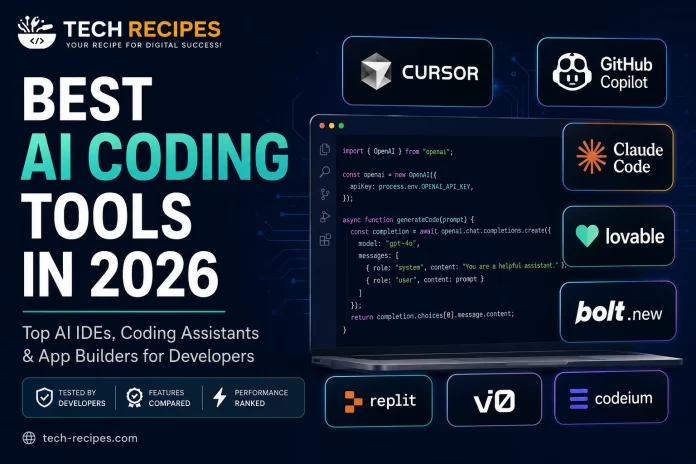
Best AI Coding Tools in 26th May 2026 (Tested by Developers)

ai coding tools

Best AI Coding Tools in 2026

AI coding tools are transforming how developers build websites, apps, automations, APIs, and full SaaS products.
From AI-powered IDEs to full app generators, modern developer workflows are becoming dramatically faster and more efficient.

In this guide, we tested and compared the best AI coding tools in 2026 based on:

  • Code quality
  • Developer experience
  • Speed
  • AI accuracy
  • Workflow integration
  • Pricing
  • Best use cases

Whether you are a beginner, startup founder, WordPress developer, or experienced engineer, these are the best AI coding tools available today.


Quick List: Best AI Coding Tools

ToolBest ForType
CursorProfessional developersAI IDE
GitHub CopilotCode autocompleteAI Assistant
Claude CodeLarge codebase reasoningAI Coding Assistant
LovableAI app generationAI App Builder
Bolt.newRapid prototypingAI Full-Stack Builder
ReplitBrowser-based developmentCloud IDE
v0Frontend UI generationAI UI Builder
CodeiumFree AI coding assistantAI Assistant

1. Cursor

Cursor has quickly become one of the most popular AI IDEs for professional developers.
Built on top of VS Code, Cursor adds deep AI coding workflows directly into the editor.

Best Features

  • AI code generation
  • Multi-file editing
  • Codebase understanding
  • AI chat inside IDE
  • Fast autocomplete
  • Refactoring assistance

Best For

Developers working on real-world production projects, SaaS applications, APIs, and full-stack apps.

Pros

  • Excellent developer experience
  • Powerful AI workflows
  • Very fast performance
  • Strong codebase awareness

Cons

  • Paid plans can become expensive
  • Requires learning new workflows

Verdict: Cursor is currently one of the best AI coding tools for serious developers.


2. GitHub Copilot

GitHub Copilot remains one of the most widely used AI coding assistants.
It integrates directly into VS Code and other IDEs to provide autocomplete, suggestions, and AI-generated code.

Best Features

  • Excellent autocomplete
  • Strong IDE integrations
  • Fast suggestions
  • Good beginner experience

Best For

Developers looking for AI assistance directly inside existing workflows.

Pros

  • Easy to use
  • Large ecosystem
  • Strong productivity gains

Cons

  • Less powerful than newer AI IDEs
  • Limited multi-file reasoning

3. Claude Code

Claude Code is becoming popular among developers working with larger codebases and complex reasoning tasks.
Its ability to understand architecture and explain code makes it highly valuable for debugging and refactoring.

Best Features

  • Strong reasoning
  • Long context windows
  • Code explanation
  • Architecture analysis

Best For

Debugging, reviewing large projects, and understanding complex systems.


4. Lovable

Lovable focuses on AI-powered app generation using prompts.
It allows users to generate interfaces, logic, and workflows quickly without deep technical knowledge.

Best Features

  • AI-generated apps
  • Rapid MVP creation
  • Modern UI generation
  • Fast prototyping

Best For

Startups, founders, and non-technical creators building MVPs quickly.


5. Bolt.new

Bolt.new enables developers to generate and deploy full-stack applications directly in the browser.
It is one of the fastest-growing AI developer tools in 2026.

Best Features

  • Full-stack app generation
  • Browser-based workflows
  • Instant previews
  • Fast iteration

Best For

Rapid startup prototyping and experimental projects.


6. Replit

Replit combines cloud development with AI-assisted coding and deployment.
It is especially useful for beginners, collaborative projects, and lightweight app development.

Best Features

  • Cloud IDE
  • Instant hosting
  • Team collaboration
  • AI assistant integration

7. v0

v0 specializes in generating frontend interfaces and React components using prompts.
Frontend developers use it to accelerate UI development dramatically.

Best Features

  • React component generation
  • Tailwind support
  • Fast UI prototyping
  • Frontend acceleration

8. Codeium

Codeium offers a free AI coding assistant with autocomplete and AI suggestions.
It is popular among developers looking for a low-cost alternative to GitHub Copilot.

Best Features

  • Free plan
  • Autocomplete
  • IDE integrations
  • Fast setup

How to Choose the Best AI Coding Tool

The right AI coding tool depends on your workflow and goals.

  • Choose Cursor for professional AI development workflows
  • Choose Copilot for simple autocomplete assistance
  • Choose Lovable or Bolt.new for rapid app generation
  • Choose v0 for frontend development
  • Choose Claude Code for reasoning and debugging

Are AI Coding Tools Worth It?

Yes. AI coding tools can dramatically improve productivity, reduce repetitive tasks, speed up debugging, and help developers prototype faster.
However, experienced developers still need to review, optimize, and validate generated code carefully.


Final Thoughts

AI coding tools are evolving rapidly, and developers who learn modern AI workflows now will gain a significant advantage over traditional development approaches.

Whether you are building SaaS products, WordPress projects, automations, or full-stack applications, these AI tools can help you code faster and more efficiently in 2026.