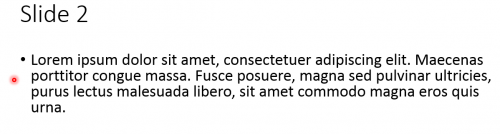
When presenting a PowerPoint project, having a pointing device to emphasize certain aspects is helpful. Keep reading to find out how you can use your mouse for this purpose.
Even if you have a handheld laser pointer, using your mouse as a pointer may be a better alternative. If I am already sitting at the computer to control which slides are shown, then I might as well use the mouse to point out and highlight the important aspects of my talk. Additionally, with the mouse, the pointer that appears on your slide show can be altered in color. This is useful for slide shows with brighter backgrounds.
Green laser pointers are great for pointing out constellations and heavenly bodies. Plus, every pet loves chasing a laser dot around the floor. However, when actually doing a presentation, your mouse is probably the most effective tool you have.
1.From the PowerPoint ribbon, select the Play From The Beginning option.
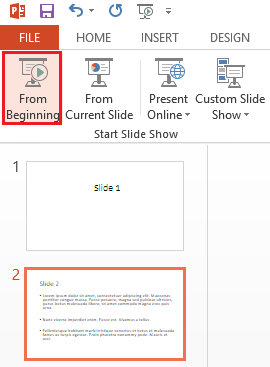
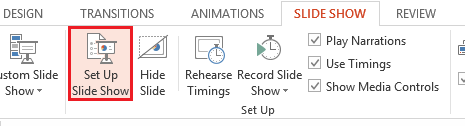
2.Now, from the ribbon, select Slide Show, and then select Set Up Slide Show.
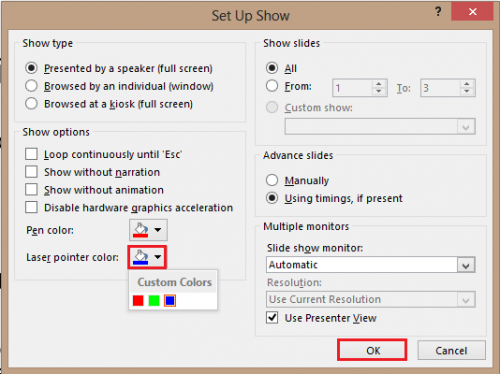
3.The Set Up Show window should come up. Select the desired Laser pointer color from the three given options. Then click OK.
Press the left Ctrl key and the left button on your mouse. You should now notice a small dot appear. Drag your mouse around to move the pointer.