

If you don’t like using the built-in Chrome PDF Viewer, you can disable it and go back to doing like you did before.
1. Open the Google Chrome Brower.
2. Go to the address bar and type in about:plugins.
3. Press Enter on your keyboard.
4. Locate Chrome PDF Viewer in the list of of installed plug-ins.
5. Click the associated Disable link.
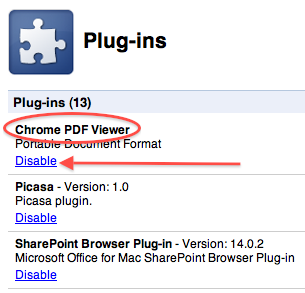
The built-in PDF Viewer will be disabled. If you decide that you want it back, go back to about:plugins, locate the plug-in and click the associated Enable link.




