

Taking screenshots in OS X is very simple. Here are the shortcuts to do it.
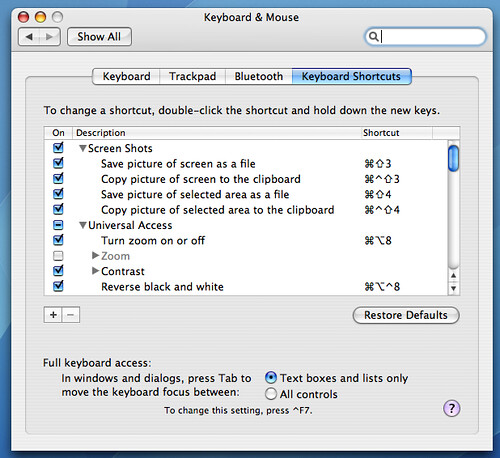
Command+Shift+3 Capture entire screen and save as a file
Command+Control+Shift+3 Capture entire screen and copy to the clipboard
Command+Shift+4 Capture selected area and save as a file
Command+Control+Shift+4 Capture selected area and copy to the clipboard
Command+Shift+4 then Space bar Capture window, menu, desktop icon, or menu bar and save as a file
Command+Control+Shift+4 then Space bar Capture window, menu, desktop icon, or menu bar and copy to clipboard




