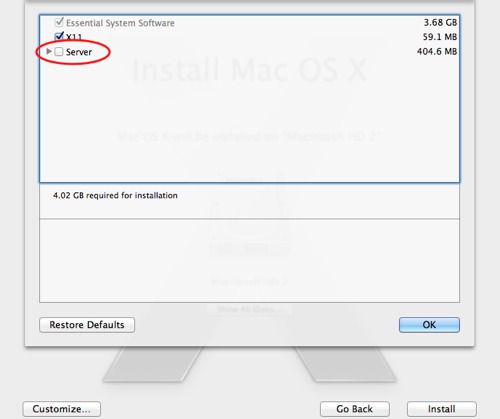
OS X server is now bundled as a optional install with OS X Lion. Here is how to find and install it.
The rumor that the “server” version of OS X will now be bundled with 10.7 Lion has turned out to be true. Several people have had difficulty in finding it. Here is how to install the server version:
1. Open the OS X Lion install application
2. Start the install process
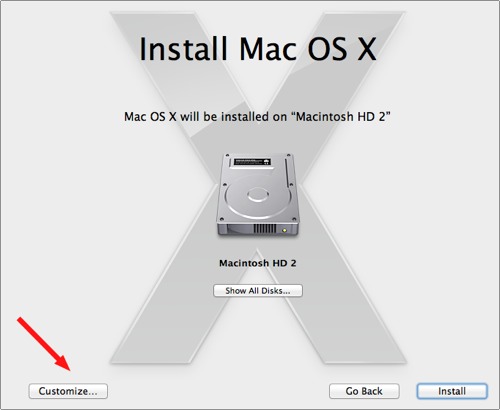
3. When you get to the following Install Mac OS X screen, select the Customize… button
4. Select Server and the associated options and continue with your installation.