

Facebook Groups by default will email all the members every time something new is posted to a group. In a discussion with many comments, this can flood an email inbox very quickly. This tutorial describes how to modify or disable the emails you receive from your Facebook Groups.
While testing facebook groups, I noticed my email inbox was flooded with emails from Facebook. By default, Facebook emails you every single time something new is posted to the group.
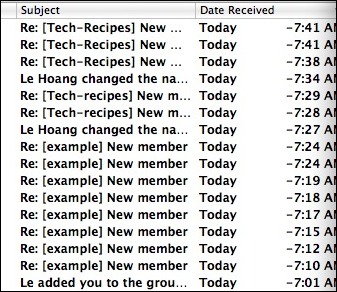
Here is how to prevent facebook from emailing you about activity in your group:
1. Go to your group’s page on FB. If you don’t know how, click on one of the links in the Facebook Group emails that you are receiving.
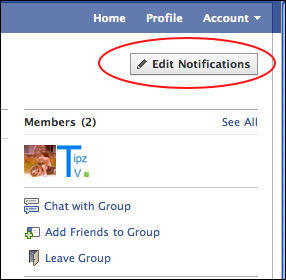
2. Click the Edit Notifications button on the upper right-hand side on the page.
3. Select when and if you want email notifications sent to you. Then press the Save Settings button.
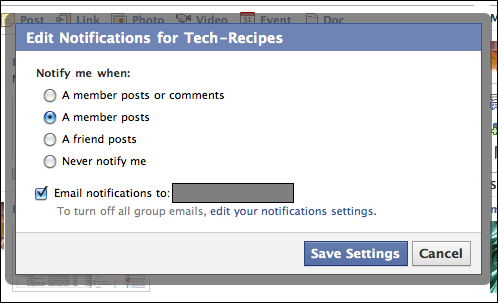
By using these settings, you can decide how much email notifications you want to receive from your Facebook Groups.




