The status feature in Yahoo is usually used to show to your friends what you are up to. However, when you use Yahoo! Music, the status will be changed to what you are listening to. If you don’t want to display a song name in the status field, there’s a way to prevent it from happening.
1. Launch Yahoo Messenger.
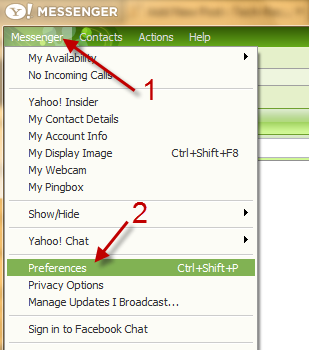
2. Go to Messenger -> Preferences (Ctrl+Shift+P).
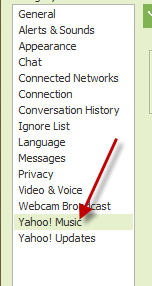
3. In the Preferences window, go to Yahoo! Music.
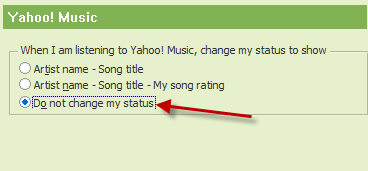
4. Under When I am listening to Yahoo! Music, change my status to show, change from Artist name – song title to Do not change my status.
5. Hit OK.