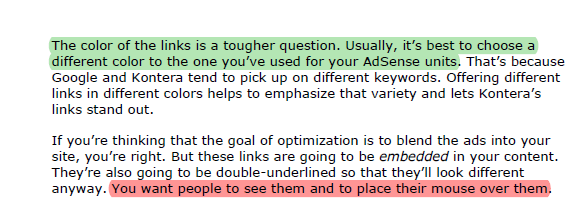
Highlighting texts or lines in a document allows users to identify important information quickly and easily. This tutorial describes how to highlight or remove highlighting of text within a PDF document. How to highlight text in the same document with different colors is also described.
Note: Works on Adobe Reader 10.
To highlight texts and lines:
1. Open your PDF file with Adobe Reader.
2. Choose Highlight text from the toolbar.
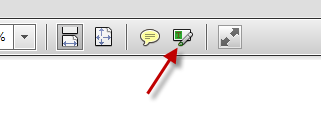
or choose Comment->Highlight Text.
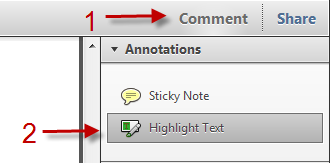
3. Highlight important texts and lines by holding the left mouse.
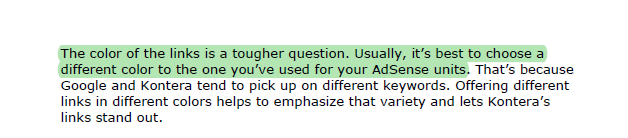
To remove a highlight from text and lines:
1. Right click on the highlighted part.
2. Choose Delete.
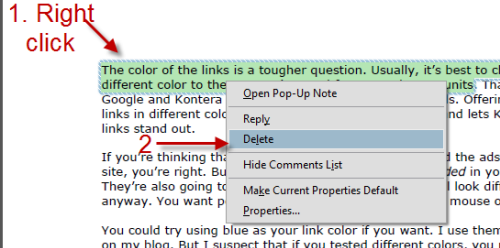
To highlight texts and lines with different colors in a same document:
1. Choose Comment from the toolbar.
2. Right click on Highlight Text->Tool Default Properties.
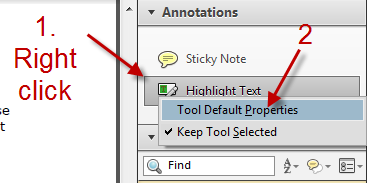
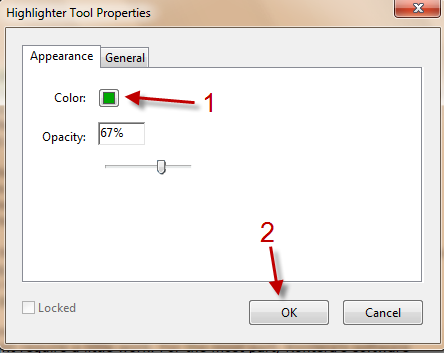
3. In Highlighter Tool Properties window, click on Color, set your color and hit OK.