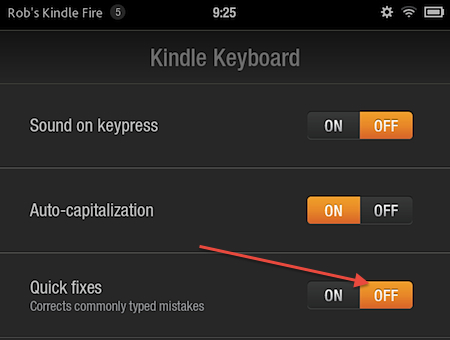
The Kindle Fire has automatic spelling correction enabled by default. As with autocorrect on any device, it is not always helpful to every user, in fact in can actually create more problems than it solves. Here’s how to disable automatic spelling correction.
1. Go to the Kindle Fire’s home screen.
2. Go to the upper-right corner and select the Settings icon.
3. Select More.
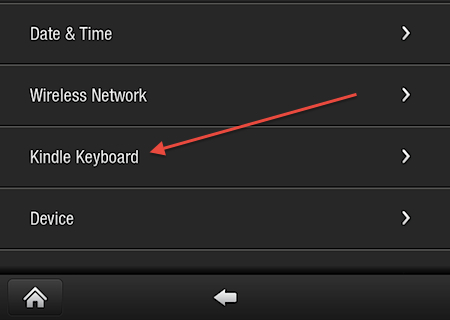
4. Towards the bottom of the screen, select Kindle Keyboard.
5. Go to Quick fixes and select OFF.