

Facebook’s messaging system can be difficult to keep neat and tidy. By archiving and deleting conversations, you can keep your Facebook inbox under better control.
To archive a conversation:
1. Log in to your Facebook account.
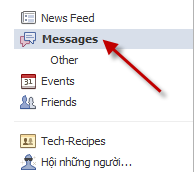
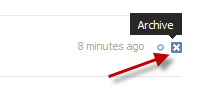
2. Go to Messages, find the conversation you want to archive and click the X button.
This X can be found on the far right on the list of messages.
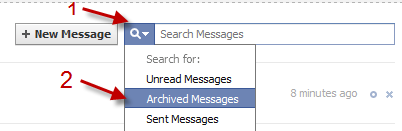
3. You can later find the conversation by clicking on the small arrow next to the magnifying glass and choose Archived Messages.
To delete a conversation:
1. Go to Messages, click on the conversation you want to delete.
2. Choose Actions->Delete…
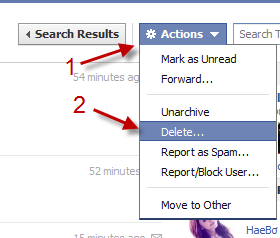
Note: Deleted conversations can not be recovered.




