

One can easily shutdown from a command line or from a shortcut. This works on all modern version of Windows from XP to Windows 8.
Shutdown.exe is an excellent command line trick. This program allows you to restart or shutdown your local or remote computers.
This has been tested on XP, Vista, Windows 7, and Windows 8.
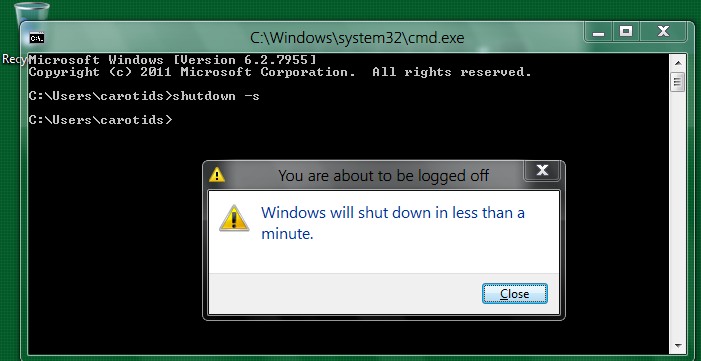
shutdown -s will shutdown your local system, for example. You can also insert this into batch files or shortcuts for more powerful uses.
The Windows XP help on shutdown.exe can be found below:
Usage: shutdown [-i | -l | -s | -r | -a] [-f] [-m computername] [-t xx] [-c “comment”] [-d up:xx:yy]
No args Display this message (same as -?)
-i Display GUI interface, must be the first option
-l Log off (cannot be used with -m option)
-s Shutdown the computer
-r Shutdown and restart the computer
-a Abort a system shutdown
-m computername Remote computer to shutdown/restart/abort
-t xx Set timeout for shutdown to xx seconds
-c “comment” Shutdown comment (maximum of 127 characters)
-f Forces running applications to close without warning
-d [u][p]:xx:yy The reason code for the shutdown
u is the user code
p is a planned shutdown code
xx is the major reason code (positive integer less than 256)
yy is the minor reason code (positive integer less than 65536)




