Utorrent 2.2: How to Install or Uninstall Apps

The new Utorrent 2.2 allows users to install apps within Utorrent itself. This tutorials shows how to install (or uninstall) applications within Utorrent.

To install apps:

1. Launch Utorrent.

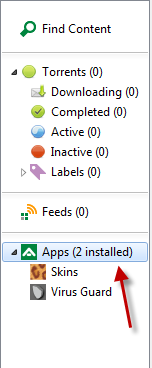
2. Click on Apps on the left sidebar.
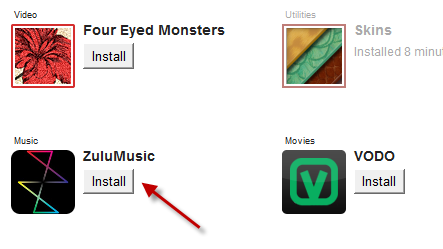
3. Choose your app and hit Install.
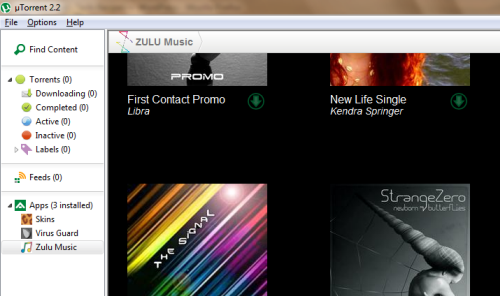
4. The install process will begin.

5. Enjoy your new app right inside Utorrent.
To uninstall apps:

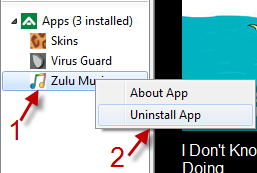
1. Your installed apps will appear on the left sidebar, right below Apps section.
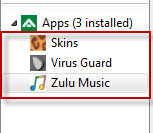
2. Right click on the app you want to remove and choose Uninstall App.
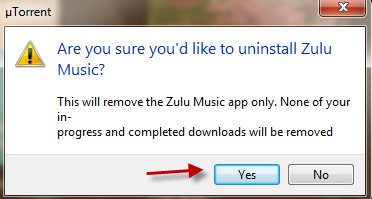
3. Choose Yes in the pop up window and then that app will be removed.

 

About Lê Hoàng

When not creating exciting new Android games, Lê Hoàng is here crafting tutorials, tweaks, and fixes for your enjoyment.
View more articles by Lê Hoàng

The Conversation

Follow the reactions below and share your own thoughts.

One Response to “Utorrent 2.2: How to Install or Uninstall Apps”

  1. January 15, 2012 at 11:09 am, Gaby de Wilde said:

    That was the easy way.

    What if the app freezes the client?

    Reply

Leave a Reply

You may also like-

Use your Android Device to Control Torrent Downloads on your Main ComputerSetup the Android app Torrent-fu to connect to your desktop pc's uTorrent / Transmission program and manage your torrent downloads! One can add custom ...