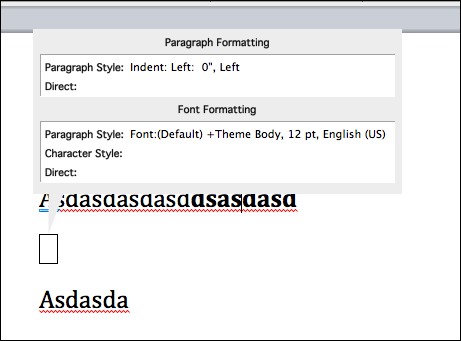
View special characters and formatting codes in Word.
Sometimes Word will just format things oddly and it’s not really clear what is going on. Seeing the formatting codes will really help.
1. Go into the Format menu
2. Click Reveal Formatting
3. Under options in the Reveal Formatting window, select the Show all formatting marks check box.
Do this again to turn it off or just close the Reveal Formatting window.
Shortcut: SHIFT-F1 and then click on your text.
Word 2007/2010
1. Go to the Ribbon and select the Home tab.
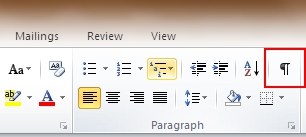
2. Go to the Paragraph section of the Ribbon.
3. Select the Show/Hide button. Turn it off by selecting the Show/Hide button again.
If not all of the formatting marks disappear when you turn it off:
1. Click the File button  .
.
2. Select Options.
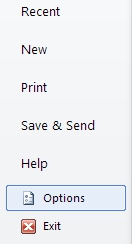
3. From the left pane, select Display.
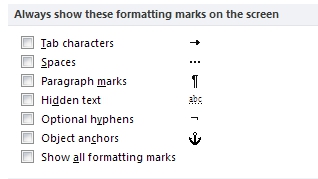
4. Find the Always show these formatting marks on the screen section and uncheck the corresponding checkmarks for the formatting marks.
5. Click the OK button.
Word for Mac 2008/2011
VIEW SPECIAL CHARACTERS —
1. Click the Word menu
2. Click Preferences
3. Click View
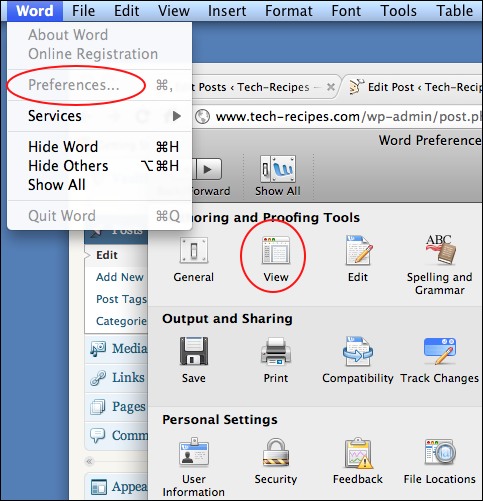
4. Click All or your specific request under Nonprinting characters
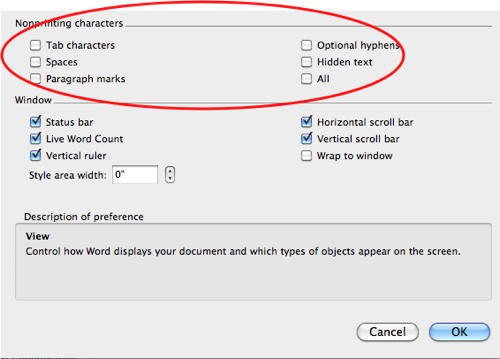
5. Click OK
VIEW FORMATTING–
1. Click the View menu
2. Click the Reveal Formatting selection
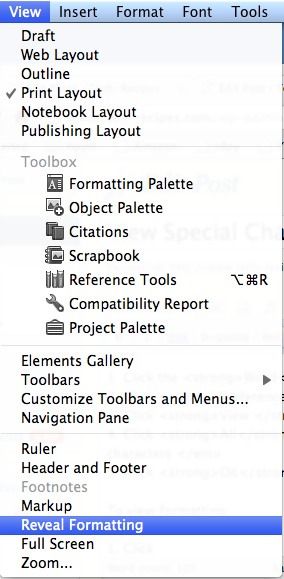
3. Now click on the area to see the formatting of that area