
Google Wave: How to open multiple waves

Contributor Icon Contributed by seamonkey420 Date Icon November 23, 2009  
Tag Icon Tagged: Google

This recipe shows you how to open multiple waves when using the Google Wave preview.

This is a very easy feature to use.

When in your Inbox or All folder in Wave, click on the first wave you want open and then hold CTRL and click on the next wave you want to also open in the right pane.
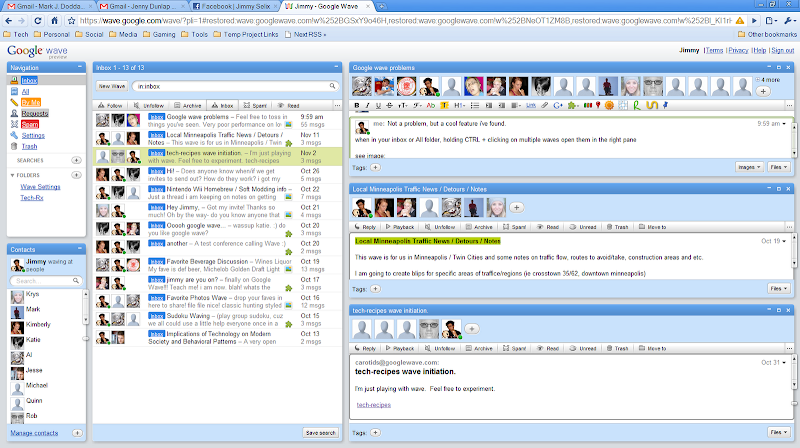
  • To close any of the windows, just use the X in that wave window.
  • To maximize that wave, use the maximize button.

Happy waving!

Previous recipe | Next recipe |
 
  • Wave users can add richly formatted text, photos, videos, maps and more to their conversations. It's as simple as copying-and-pasting a link or dragging-and-dropping a file. It's also possible to edit any part of a wave at any time, bring new participants into an existing wave, and playback the wave to see what's already been said.
blog comments powered by Disqus



