We have all accidentally closed a tab in Google’s Chrome browser. This can be a very frustrating situation. Chrome is quite forgiving and allows you to easily reopen the closed tab, even if you have closed other tabs after it. These instructions for windows and mac computers will show you the different ways for restoring or undoing an accidentally closed tab. Updated with new methods and to point out the different methods used on Windows and OS X systems.
As Google has improved Chrome through out the various versions, this has become easier and easier.
Keyboard Shortcuts
Using the keyboard shortcut Ctrl+Shift+T, Chrome will open the last tab that was closed on a Windows system. Likewise, command+Shift+T reopens to last tab on a Mac system.
If you use the keyboard shortcut again, and it will open the tab that was closed before that. This can be repeated to restore up to the last 10 tabs that have been closed during your browsing session.
New Tab Page
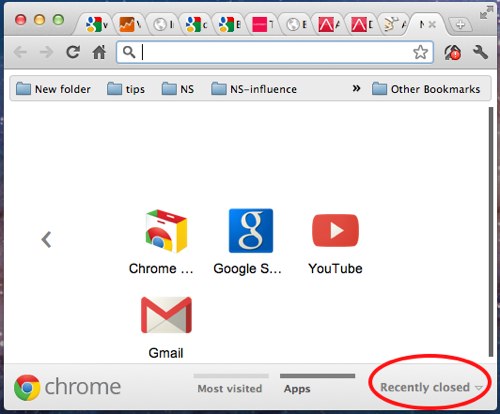
Open up a new tab. Go to Recently closed section located in the lower-right of the page. You will find the last 3 tabs that have recently been closed during your browser session. This works on all versions of Chrome.
Windows Right-Click
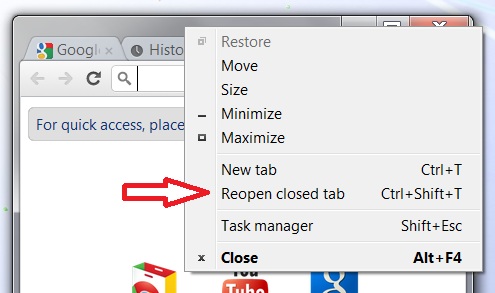
In Chrome running on Windows, you can also right-click on the window frame above the toolbar. The context menu that appears will have Reopen closed tab as an option.
OS X Menu Selection
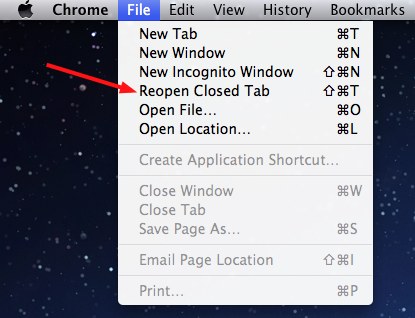
Since the Chrome browser on mac systems continues to have a menu, you can reopen tabs using this method as well. Go to the Chrome menu, select File, and then click Reopen Closed Tab.