


After a large number of applications on your Android device have been adjusted, it will be hard to remember which applications are altering the function of your phone or tablet. By globally resetting all preferences, you can start from scratch to get control of the situation.
After upgrading my mobile data plan, I needed to remove the background data limit for most of my apps. The problem is that I do not remember exactly which apps have this setting enabled. Going through every single app to find out is extremely painful and inefficient. The easiest method would be to just globally reset all app preferences to their default settings at once.
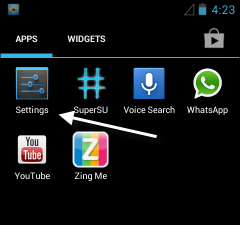
1. Open the app drawer and select the Settings option.
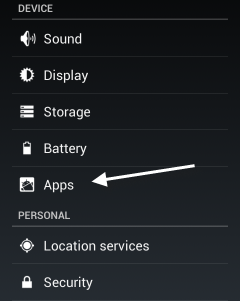
2. In the Settings screen, scroll down to the device section and choose the Apps option.
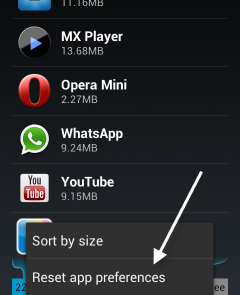
3. Press the menu key on your phone to open the device section’s menu and then choose Reset app preferences.
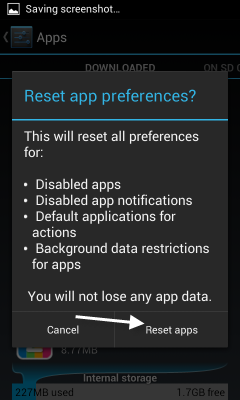
4. When the warning window displays on the screen, just tap Reset apps. This action will reset all disabled apps, disabled app notifications, default applications for actions and background data restrictions for apps.
5. Return back to the drawer or the Settings page to reconfigure your apps from their default settings.





