

This recipes explains how to reimport your collection in the Zune software. If you delete a song/video/photo, you cannot add it by just removing the folder and readding the folder in the Settings > Collections screen.
If your like me and mess around with your Collection in the Zune software, you at some point probably want to delete all of your collection and in turn reimport it or had deleted a few songs you wanted to reimport.
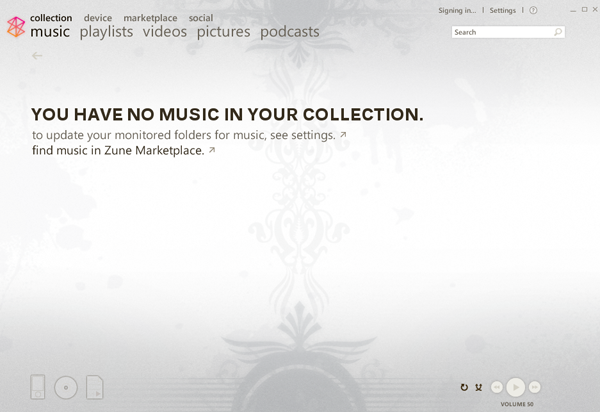
However, just by removing the folders from the Settings > Collection and then readding the folder does not allow you to reimport the songs since the delete is recorded in the Zune collection/store file.
To reimport your media, you need to remove the ZuneStore file.
1. Close the Zune software, make sure its not open or you will get Cannot Delete, File is in use errors.
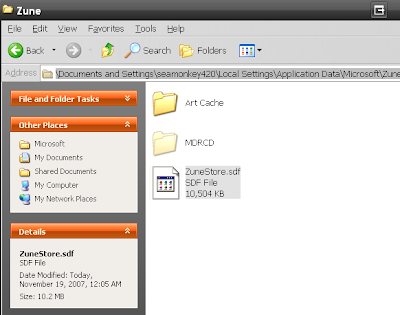
2. Open up Windows Explorer or My Computer and go to C:\Documents and Settings\Your Login ID\Local Settings\Application Data\Microsoft\Zune
Here you will see ZuneStore.sdf file; rename it to ZuneStore.sdf.orig or just delete it.
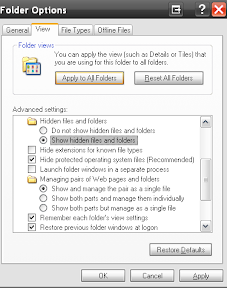
(if you can’t see the local settings folder, you will need to turn on the “Show Hidden files/folders” option in Windows Explorer, go to Tools > Folder Options > “Show Hidden files and folders” ).
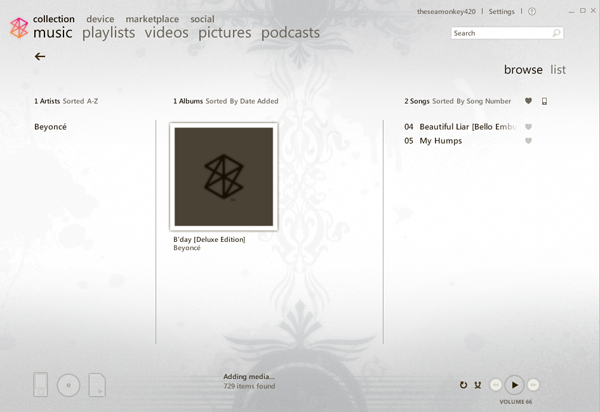
Now reopen the Zune software and voila! You should start seeing your media being readded immediately. Your collections settings/folders should still be saved too.
NOTE:
-Also, there is now an option in Settings > Collection > Restore Files previously deleted from collection to do this same thing.
-Any metadata changes (song/artist/album art) will be saved since the software embeds this info into the files themselves.




