

Outlook allows the user to add holidays from multiple countries into the calendar.
Outlook has always driven me crazy that holidays are not included by default in your calendar. Luckily, adding these events are pretty easy.
1. Open Outlook
2. Click the File menu
3. Select Import
4. Select Holidays
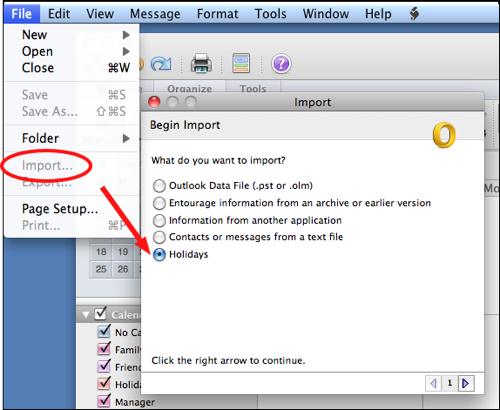
5. Click the right arrow
6. Select your country or region
7. Right click the arrow again.
8. After the import occurs, click the Finish button.




