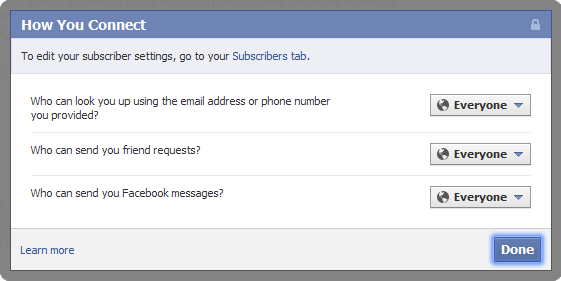
Users are very concerned about the privacy issues regarding Facebook. One of the big concerns is how spammers and marketers can contact you and collect information about you. You can reduce your exposure to strangers by limiting how people can find you, if people can attempt to befriend you, and who can directly message you.
Many Facebook users want to lock down their account and become more hidden to people who are not Facebook friends. First, you can block how people can find you using the Facebook search features. Next, you can limit you can request to become your Facebook friend. Finally, you can block people from sending you messages through Facebook.
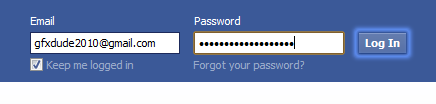
1. Go to Facebook and login to your account.
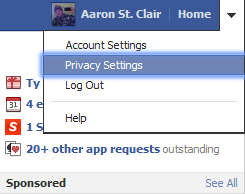
2. In the upper-right corner, click the drop-down arrow beside Home. Select Privacy Settings.
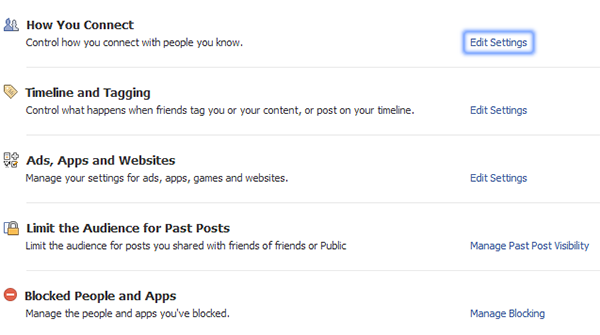
3. On the Privacy Settings page, you’ll see How You Connect below your Default Privacy settings. Click Edit Settings.
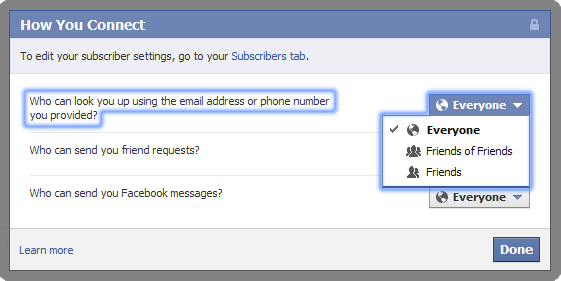
4. In the How You Connect window that pops up, you have three different controls to set. The first option controls who you want to be able to search for you using your email address or cell phone number. Set this to your preference.
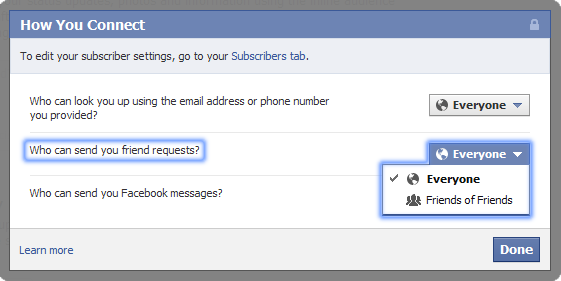
5. The next option controls what people can send you an actual friend request. Set this accordingly.
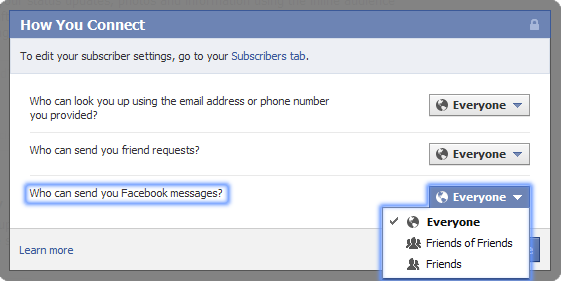
6. The final option to set is who can send you a message over Facebook. Again, select your preference.
7. Finally, click the Done button in the bottom right of the How To Connect window to save your settings.