If you access Hotmail using its website to view your email over public or unsecure wireless networks, you should use SSL Encryption to help keep your account safe from hackers.
NOTE: Enabling automatic HTTPS will only work for Hotmail’s site, if you use Outlook or Windows Live Mail to acces your account, this setting can cause errors.
1. Go to Hotmail and login to your account.
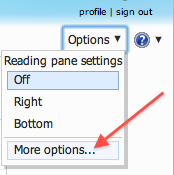
2. Go to the upper-right corner and click Options. Select More options.
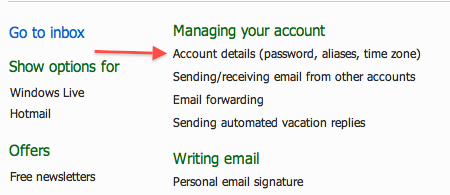
3. Under Managing your account, click Account details (password, aliases, time zone).
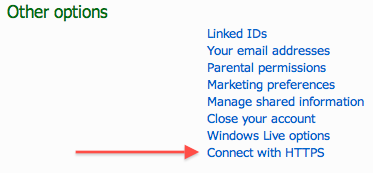
4. Scroll down to the Other options section. Click Connect with HTTPS.
5. Select the Use HTTPS automatically radio button.
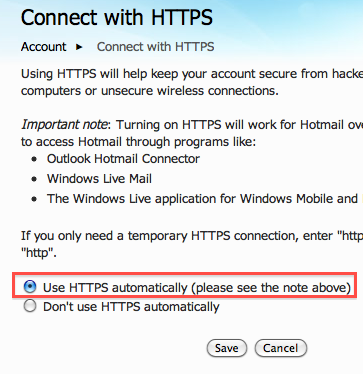
6. Click the Save button.