Two methods exist for determining how much time has been spent editing your file in Excel, Word, or PointPoint.
The Android Developer Console provides many insightful statistics about your company’s apps. This console is so helpful that developers who work as a group will find it inconvenient to access the dashboard using one account only. Luckily, it is possible for multiple accounts to access the console without sharing passwords.
Ever been the only one in a group to have broadband internet access? By following this tech-recipes tutorial you can share your internet connection securely by using your system as a wireless hotspot.
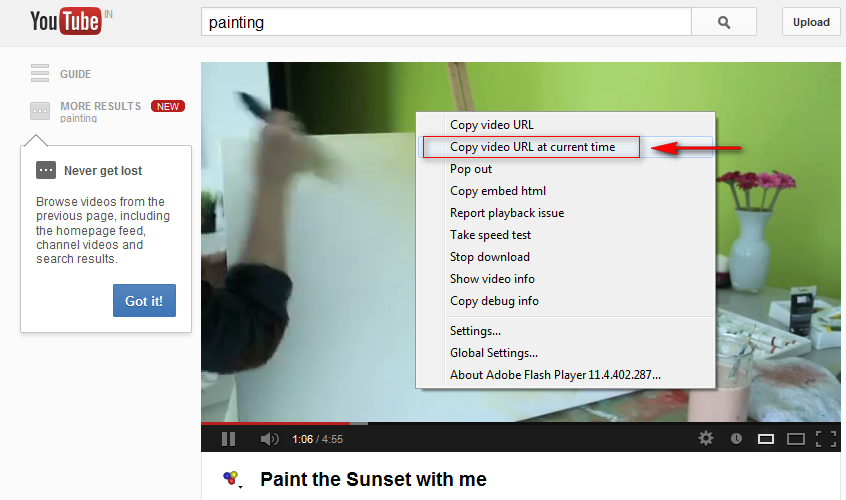
If you want to show somebody a specific part of a YouTube video, you can create a link that jumps them automatically to the correct location.
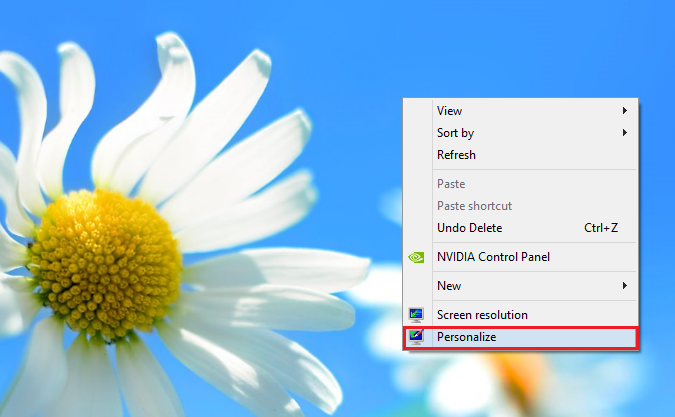
Depending on your wallpaper, Windows 8 can automatically adjust the border and taskbar colors. Fortunately, Windows does not strip away your power to personalize. You can still manually set the border and taskbar colors through these steps.
Once a PowerPoint presentation has been perfected, you will want to convert it for sharing and distribution. Frequently this is done by exporting to video. This process creates a .wmv file which can be published online, shared through email, or played continuously.
You may have noticed that Windows 8 does not, by default, ask for a password when waking up from sleep. Most users are fine with this setting, but the more security-minded will worry about their PC’s safety.
The temporal data types in MySQL can be confusing. Hopefully, this example and discussion will help to explain the differences in the timestamp and datetime data types.
If you are in a call with your friend using Skype and your friend decides to share his screen with you, the screen will automatically show up on your side. This may cause uncomfortable situations when you are in public or at work. Fortunately, you can configure the program to display a notification and let you decide whether to display the screen or not. Continue reading to find out how.
Some documents will contain confidential information that is for your eyes only. You probably want to keep it that way. Encrypting your document with a password is an easy way to do that. Discussed are directions for all modern versions of Word including Word 2013.
Windows comes equipped with features designed specifically for the visually impaired. Through this tech-recipe will demonstrate a simple way of making your computer usable without visual display.
Previous versions of Windows had the mouse pointer shadow option enabled by default. For some reason, Microsoft decided to get rid of it on the newest version of Windows. By following these steps, you can easily enable it.
1...301302303...528Page 302 of 528
error: Content is protected !!