Problems with the master boot record (MBR) of a system may prevent the system from booting. The MBR may be affected by malicious code, become corrupted by disk errors, or be overwritten by other boot loaders when experimenting with multiple operating systems on a host. This tech-recipe describes one method of repairing the MBR for an XP host using the recovery console.
Some Winamp skins allow for enhanced visual effects on Windows 2000 and Windows XP systems by supporting Desktop Alpha Blending. This mode can provide smoother edges and enhanced shadow effects which can improve the look of skins that seem to have jagged edges. The downside to this mode is that it is CPU intensive, so if you are running a slower machine, you should opt not to use this mode. Read on to find out how to enable Desktop Alpha Blending.
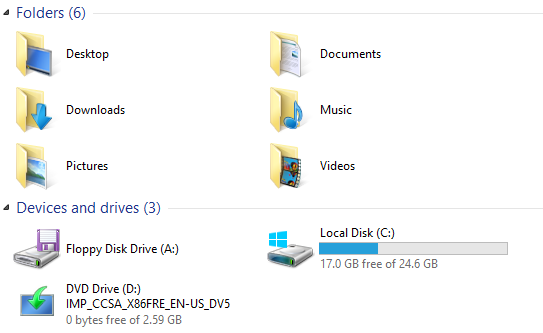
Library folders such as Downloads, Music, Pictures, Documents, and Videos have been moved to the center view when browsing My Computer with Windows 8.1. Now appearing above the drives, these useful folders were in the left sidebar in the previous versions. Although they can be collapsed by clicking on the Folders option at the top, you may want to remove them completely to save space for other items.
By default, Word 2003 requires that you hold down the Ctrl key whenever you want to visit a hyperlink. This is to prevent you from mistakingly going to websites listed in the document. This tech-recipe describes how to disable this function and allow hyperlinks to be clicked without the need for the Ctrl key:
Foxit Reader contains a feature that smoothes text so that it displays better on LCD screens and laptops. Read on to find out how to enable this feature.
Winamp 5 installs shell extensions to Windows Explorer for right-clicking multimedia files to play, enqueue, or to add to the Winamp bookmarks list. Use the steps provided in this tutorial to clean this up.
Windows 8 lets users take advantage of the corners of the screen to switch between apps or access common settings faster. However, this feature mostly targets touch screen users, so normal desktop users may not find it useful. If you do not use the feature, you can disable it to prevent accidental clicks when you are working.
If your Windows 8 tablet is running out of battery or you need better screen readability when you use it under direct sunlight, you can switch from a normal modern theme to a high contrast theme.
During working hours or during sleep hours, you may want to turn off all notifications on your laptop or tablet to avoid disruption. Instead of manually turning off notifications for every single app, you can turn on the Quiet hours feature in the system setting so that all notifications during that period will be muted automatically.
By default, Adobe Reader 7 retains a list of up to five of the most recently accessed PDFs. This makes it easy to locate a document that you have currently viewed. However, if you read many PDFs, you might want it to increase the number of recently-accessed files that it lists. To do this, use the steps provided in this tutorial.
By default, Winamp reports anonymous usage statistics back to their server. To provide yourself with a little more privacy, you can stop reporting these stats by following the directions below:
By default, Winamp 5 will attempt to restore associations of various multimedia files when the application is launched. This can be rather annoying if you do not prefer to use Winamp to play all of your multimedia content. To prevent Winamp 5 from performing this action, use the steps provided in this tutorial.
1...262263264...528Page 263 of 528
error: Content is protected !!