By default, when you hover your mouse pointer over a section of an Excel 2003 chart, it will display tooltips. While these are intended to be helpful, some users might find them distracting over time. To disable the Excel Chart tips, use the steps in this tech-recipe.
There may be instances when you want an email message to be inaccessible after a certain date and/or time. This may be due to security measures or to information that is only valid for a specific amount of time. Keep reading to find out how this is done.
Instead of the default black grid lines in your Excel spreadsheet, you can change them to any color you choose. Here is how to do it.
With PowerPoint, utilizing the ruler and guides will help you to align your content with much greater precision in a presentation. This tech-recipe describes how this is done.
In Scheme, cons adds the first item supplied into the first position of the list supplied in the second position, no matter what it may be. This will be useful for streams later on. This Tech-Recipe provides a simple demostration of the cons feature in Scheme.
With Winamp, if you are experiencing problems with the screensaver appearing when you are watching a video, you can disable this option to stop the interruption. Keep reading to find out how.
In Scheme, cdr simply displays everything but the first element of a list, no matter what it is, be it a character, symbol, int, or even several lists or any combination. This is also useful for streams later on. This Tech-Recipe shows a simple demostration of the cdr feature in Scheme.
This tutorial contains a simple demonstration of the car feature in Scheme. The car command simply displays the first element of a list, no matter what it is, be it a character, symbol, int, or even another list. This is useful for streams later on.
You can configure Visual Studio 2005 to open much more quickly by having it open to an empty environment instead of going to the default Start page. Keep reading to find out how to do this.
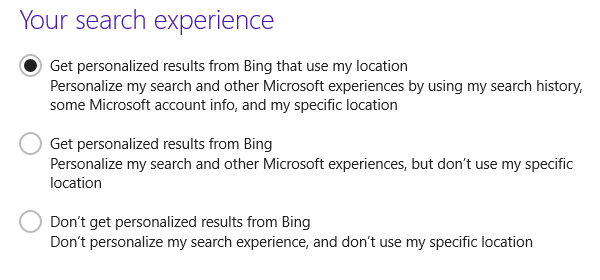
In Windows 8, users cannot only search for files in the hard drive, but they can also search for information online. The results are provided by Bing, Microsoft’s search engine. If you want to keep your searches local, you can disable the Bing integration.
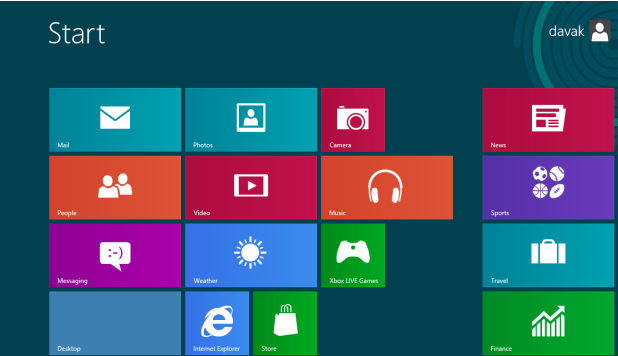
In Windows 8.1, whenever you click the Start button, the system takes you to the Start screen with live tiles by default. If you miss the old function of the Start button which lists all installed apps on the system, you are in luck. This tutorial provides a step-by-step guide for you to bring the old function back. Continue reading to find out how.
In Vista, TCP Window Scaling is enabled by default. If your router does not tolerate this feature, it can cause random DNS and connection errors. This is a common cause of Vista limited connection errors.
1...261262263...528Page 262 of 528
error: Content is protected !!