By default, a Word document is always set up with the same alignment, indention, and spacing settings. Even though it is possible to change the format manually while editing a document, it is a good idea to set your frequently used format setting as the default. This will help you save time for other tasks.
Google Chrome offers the sync feature to let you access your browser data and settings from anywhere by just signing in to your account. While this feature can be convenient, it can store very sensitive information like your password, autofill, or bookmarks to Google’s server. If your account is hacked, your personal information can be accessed easily. Luckily, it is simple to delete the synced contents from Google’s servers.
Many parents struggle with the decision to allow their children use iOS devices. From violent games to inappropriate shows, a lot of content exists that parents may not their kids to access. This tutorial will show you how to hide all apps, games, videos and TV shows based on their ratings, without using any third-party app.
When you create an Apple ID, configurable country information is attached to your account. The country information is used to show you more relevant apps and games in the App Store. If you have configured the country incorrectly or want to change it to view content for another country, this tutorial will help you.
If you manage a large Facebook group which has thousands of members, keeping the members’ posts related to the main purpose of the group may be a challenging and difficult task. This is because unrelated questions, comments, or even spam messages may be posted at any time. To keep the content of the group informative and spam-free, you can enable the admin moderation feature so that you can approve the posts manually before showing them to the members of the group.
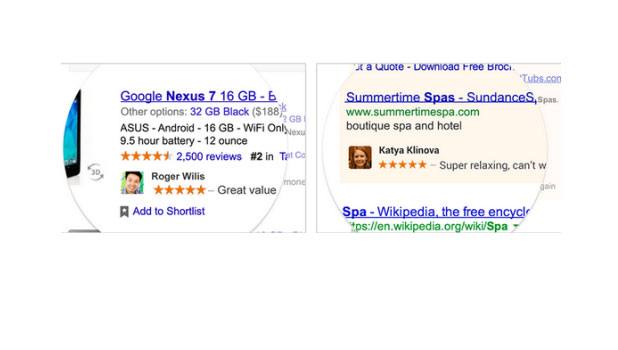
If you use your Google profile to discuss products, people within your circles can see your reviews when searching. Unless you disable this, Google will use your profile image and name as a part of their advertising service.
Even though modern phone displays have great visibility when used outdoors, they require a high level of brightness which drains the battery very fast, especially on AMOLED screens. Switching the phone’s screen to the inverted or high contrast mode is another good solution for using it in sunlight without worrying about draining the battery. Continue reading to find out how to turn on this mode on Windows Phone 8 devices.
If your WiFi network is secured, you will need your password to permit other devices access to your network. However, most of us with a WiFi network connection tend to forget our passwords because the gadgets we use from day to day connect automatically. Fortunately, you can locate your password in a few simple steps. This tutorial explains how.
If you manage multiple email inboxes inside a Google account, you may notice that the service always forces you to reply from the default address even if the email message was sent to another of your inboxes. This may not be a good idea because you may have addresses that you do not want other people to know. For better privacy and to avoid spam, consider setting up Gmail to use the corresponding address when you reply.
If your computer contains important personal information, it is a good habit to change your account password often to prevent unauthorized access to the computer. The steps in this tutorial will show you how.
Much like animation, sound effects play an important role in creating a successful PowerPoint presentation. The steps in this tutorial will help you add add sound effects to your existing slides.
By default, Ubuntu displays the time in a 12-hour format, without any additional information. If you prefer the 24-hour format or want to include the date or month on the clock to make it more useful, the steps in this tutorial will help you.
1...250251252...528Page 251 of 528
error: Content is protected !!