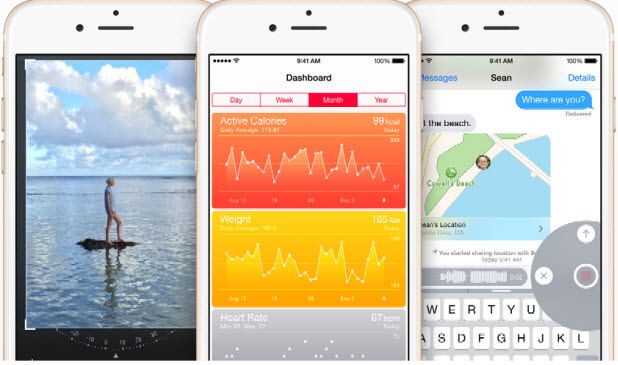
Sharing photos and videos has always been a popular feature of the iPhone and iPad. In the past, the Share feature was limited to system apps only. Fortunately, with the release of iOS 8, third-party apps are now allowed to handle the items. However, you may find you have too many apps or actions in the Share list and need to take extra time to scroll through the list to get to the ones you use most frequently. Using the steps in this tutorial, you will be able to move your favorites to the top of the list and disable the ones that you do not use.
If you have just updated your iPhone or iPad to iOS 8, you probably noticed that the app switcher, which can be launched by double-pressing the home button, is now showing a list of people whom you contacted recently. iPhone users may find this feature helpful since it lets them quickly locate and call or send a text message to a recent contact. However, for iPad and iPod users, this feature could simply be a bother. Also, users who are active mostly on social networks or chat apps may feel the same since the list only shows people in their address book. If this feature is not helpful for you, you can remove the recent contacts from the app switching screen to declutter the interface. Continue reading to find out how.
Location services is one of the most battery-consuming features on iOS. If you use it often, make sure that unnecessary background tasks do not have access to the feature and selected apps are able to take advantage of it only when you are actively using them. By doing so, your device will last as long as possible. Continue reading to find out how.
Batteries typically drain more quickly because of unoptimized apps or excessive tasks running in the background. If your iPhone or iPad is having a battery issue, you can follow this tutorial to find out which apps are causing the problems so that you can take the necessary steps to make the device last longer.
By default in iOS Messages, video and audio messages will be removed from a conversation after two minutes. While removing these messages keeps the storage clean, it also prevents you from viewing older, potentially important messages. Luckily, there is a way to keep your media messages as long as you want.
Since your phone is such a personal device, you most likely store all kinds of photos and videos on it. However, when you let someone else use your phone, make sure that the photos that you wish to remain private are in a safe place and cannot be viewed. The Hide Photo/Video feature on your iPhone or iPad will help you do just that.
When your iPhone or iPad battery is running low and you do not have a charger nearby, you could switch the device’s full-color screen to grayscale mode to extend its battery life. Continue reading to find out how.
If you accidentally delete some of your important photos or videos on the iPhone or the iPad, follow this guide to recover them for free, without using any third-party apps.
Google has released Chrome 37 for Linux, Mac, and Windows. This new version of Chrome is updated with improved font rendering on web pages with DirectWrite support on Windows OS. With DirectWrite, we can expect improvements in performance and better-looking text, without requiring any changes from web programmers. However, some users have complained that after updating to Chrome 37 they are seeing unclear, blurred text. If you have experienced this issue, you can try disabling DirectWrite on Chrome to see if this corrects the problem.
At times, answering a phone call may not be possible because both your hands are dirty or busy with something else. In situations such as this, accepting the call using voice commands or gestures over the phone’s screen is ideal. Both of these features are available on your Samsung high-end phone. However, they are turned off by default. Here is how to activate and use them.
Google recently released the 64-bit version of Google Chrome. This new version for Windows promises better speed, security and stability than Chrome’s 32-bit version. Since most Windows users are running a 64-bit operating system, the 64-bit version of Google Chrome can take full advantage of this configuration to give better speed and performance metrics. When installing the new version of Chrome, you might wonder if you have already updated your Chrome browser to the 64-bit version or if it is still running the 32-bit version. Here’s how to find out.
If you often let your friends use your phone to play games or browse the web, make sure that your Line conversations are password-protected so that no one can read your secrets.
1...233234235...528Page 234 of 528
error: Content is protected !!