For those who have problems with their vision, iPhone has an option that allows the display to be in zoom mode. Whether you need to increase the visibility of your iPhone’s screen or you simple prefer to have bigger icons over smaller ones, knowing how to adjust your iPhone’s display settings can help you get the most out of your cellphone. You can make the icons bigger on iPhone by following the steps outlined in this tutorial.
By default, all incoming WhatsApp messages and calls will trigger the same notification tone. It would be better if you could customize it for individual contacts. This way, you could easily identify who is sending messages just by hearing the tones, and then you could decide if you want to pick up the phone at that moment or not. Luckily, this feature is built right into WhatsApp. Here is how to use it.
The Apple iPhone is one of the world’s best phones when it comes to camera quality. The iPhone 6 packs a lot of camera power: an 8-megapixel iSight camera with 1.5µm pixel size and optical image stabilization (iPhone 6S and 6S Plus only). Aside from the iPhone’s camera specifications, the phone’s native camera app has a lot to offer. One of the camera’s most unique features is Pano mode. It allows you to take a panorama with iPhone so that you can capture a wider view in a single photograph. This tutorial will show you how to capture that perfect panoramic shot on your iPhone.
Since the introduction of its livestream feature, Facebook has been sending notifications to its users each time their friends or favorite pages go live. This means that you receive live video notifications even if you have no interest in seeing them. Even though this notification feature aims to boost social interaction, repeated and unnecessary notifications popping up on your screen all the time can be frustrating. This step-by-step tutorial will show you how to turn off the live notification feature.
If you have multiple Instagram accounts, switching from one account to another and managing them on your phone can be a pain. Fortunately, a recent Instagram app update made it possible for users to use multiple Instagram accounts on a phone. Adding your accounts to your phone is simple. Let’s get started.
Apple tends to be restrictive with its built-in apps – iPhone’s keyboard is one example. Before iOS 8, you had no way of changing it without jailbreaking your Apple device. Since the announcement of iOS 8 in the last quarter of 2014, support for third-party keyboards has been available so that you can easily change the default keyboard on your iPhone. The problem is that most people do not know how to delete the iPhone keyboard.
With its recent update, Facebook Messenger can send and receive text messages just like the SMS app which came with your phone. However, this update forces you to select Messenger as your default SMS app. It also includes every single SMS thread in the Facebook chat list in chronological order, which makes the conversation list confusing and difficult to use. Furthermore, you may accidentally send messages that cost real money if you keep all types of conversations in one place. If these problems are plaguing your Messenger experience, this tutorial will show you how to disable the SMS feature in Facebook Messenger.
Even though the default look of the Galaxy S7 is clean, many users may want to change the interface from time to time to break the monotony. Fortunately, the phone comes with a theme store full of quality skins ready to download. Learn how to change themes on a Galaxy S7 in this tutorial.
Displaying related posts at the bottom of your articles has always been an effective way to keep readers on your website and drive more traffic. While this feature is useful, it is not enabled by default on most blogging platforms. In this tutorial, you will see how to show related content at the end of a WordPress article without any help from third-party tools.
Facebook offers a wide range of tools that page managers can use to interact and assist customers through the Messaging feature. One of those helpful tools is sending away messages on Facebook pages. Away messages let customers know that you are unable to respond immediately to them and can also offer answers to frequently asked questions. Here is how to turn on this feature and use it on your page.
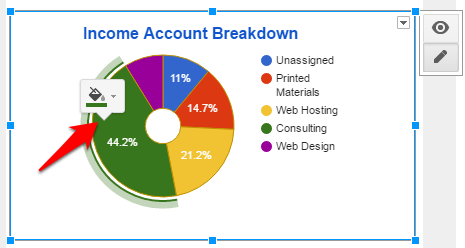
Google Sheets makes creating basic graphs easy. In fact, it suggests graphs for you when you highlight tables of data. You will find that the interface of Google Sheets is different from Excel, and Google Sheets also does not have as many in-depth options as Excel. However, you can still create visually impactful graphs with features that allow you to change graph colors quickly and intuitively. Picking a good color scheme for your charts is a great way to reinforce your brand. Here’s how to do it with Google Sheets.
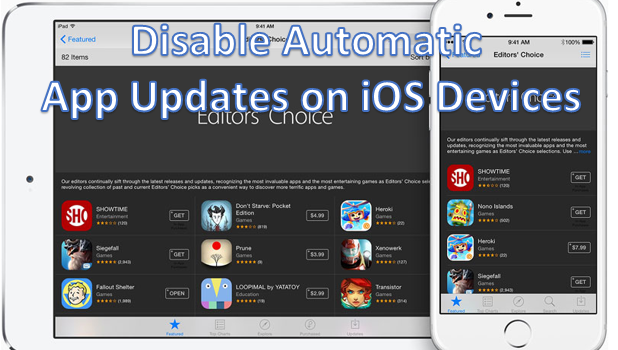
Automatic iOS app updates on the iPhone may not be everyone’s cup of tea. For one, these updates may require a large portion of your device’s storage. If you are the type of person who runs out of memory every now and then, then automatic iOS app updates may cause some headaches. Also, these updates require an internet connection which could cost you internet fees. There are also those annoying errors and bugs that you will likely encounter on new app updates. If you are the type of user who prefers not to fix anything that is not broken, then this tutorial is a must-read.
1...194195196...528Page 195 of 528
error: Content is protected !!