

One of the latest trends for websites, especially social media sites, is to know your physical location. In some instances this can not only become a privacy issue, but one of personal safety as well. You can set Internet Explorer 9 to not allow these location requests by following this tech-recipe.
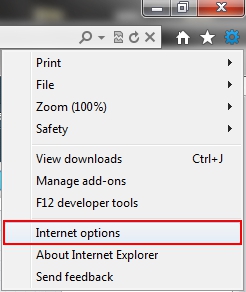
1. Go to the top bar and select the Tools icon (gear).

2. Select Internet options.
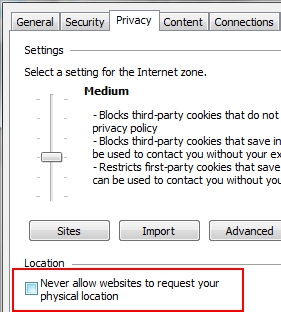
3. Click the Privacy tab.
4. Go to the Location section and check the Never allow websites to request your physical location checkbox.
5. Click the OK button.




