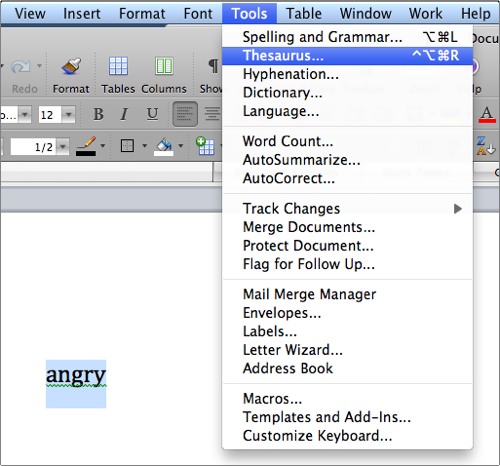
All versions of Words have a thesaurus. These are the directions for accessing the thesaurus in each version of Microsoft Word.
We all need help finding the right word sometimes. Using Microsoft’s thesaurus is a wonderful tool to improve your authoring skills.
Word 2003
1. Highlight the word
2. Go into the Tools menu
3. Go into the language menu
4. Select thesaurus
Word 2007 and 2010
1. Highlight the word
2. Right-click on the highlighted word
3. Select synonymes
Word 2008
1. Highlight the word
2. Select Tools menu
3. Select Thesaurus