

Ways of adding Greek letters to Microsoft Word documents
Often people need to add Greek letters/symbols to Microsoft Word documents. These can be accessed through the symbol font.
Microsoft Word for Windows
1. Select Insert from the top menu
2. Select Symbol from this menu
3. Select Symbol from the font drop down
4. Select the Greek letter you wish to insert.
Word 2008 for Mac
1. Select Format from the top menu
2. Select Font
3. From the font dialog box, select the Symbol font.
4. Select the letter you want.
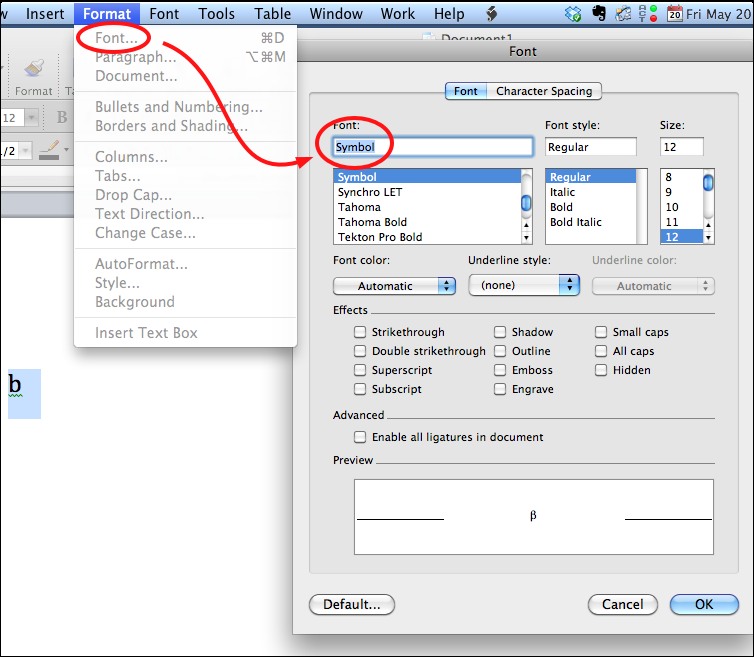
Often, the quickest way is to type the letter similar to the Greek letter (for example, “a” for alpha), highlight that the letter, and then change the font to symbol.




