Cursor vs GitHub Copilot: Which AI Coding Tool Is Better in 2026?
AI coding assistants are changing modern software development, and two of the biggest tools in 2026 are Cursor and GitHub Copilot.
Both tools help developers write code faster using artificial intelligence, but they approach developer workflows very differently.
In this comparison, we tested Cursor vs GitHub Copilot based on:
- Code generation quality
- Autocomplete performance
- Workflow integration
- Codebase understanding
- Developer experience
- Pricing
- Best use cases
Quick Verdict
| Tool | Best For | Verdict |
|---|---|---|
| Cursor | Professional AI development workflows | Best overall AI IDE |
| GitHub Copilot | Autocomplete and coding assistance | Best lightweight assistant |
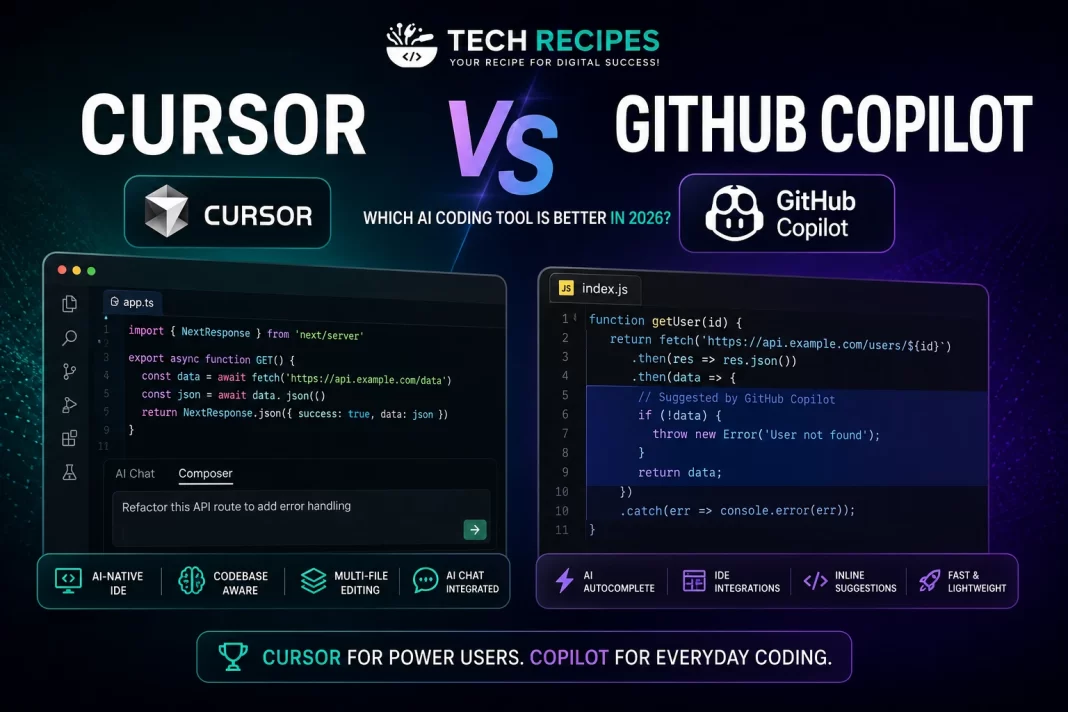
If you want a complete AI-native coding workflow, Cursor is the better choice.
If you only need autocomplete assistance inside your existing IDE, GitHub Copilot is still excellent.
What is Cursor?
Cursor is an AI-powered IDE built on top of VS Code.
It combines code generation, AI chat, multi-file editing, and codebase understanding directly into the editor experience.
Key Features
- AI code generation
- Codebase-aware AI
- Multi-file editing
- AI chat inside IDE
- Refactoring assistance
- Natural language coding workflows
What is GitHub Copilot?
GitHub Copilot is an AI coding assistant developed by GitHub and OpenAI.
It focuses primarily on autocomplete suggestions and inline code assistance inside existing IDEs.
Key Features
- Autocomplete suggestions
- Inline code generation
- IDE integrations
- Chat assistance
- Code explanations
Cursor vs Copilot: Feature Comparison
| Feature | Cursor | GitHub Copilot |
|---|---|---|
| AI-native IDE | Yes | No |
| Autocomplete | Excellent | Excellent |
| Codebase understanding | Strong | Limited |
| Multi-file editing | Yes | Limited |
| AI chat | Integrated deeply | Available |
| Beginner friendly | Moderate | Easy |
| Workflow automation | Advanced | Basic |
Code Generation Quality
Cursor
Cursor performs extremely well when working with larger projects and complex workflows.
Its ability to understand multiple files and project context makes it powerful for real-world development.
Developers can generate components, APIs, refactor code, and modify entire codebases using natural language prompts.
GitHub Copilot
GitHub Copilot excels at fast autocomplete suggestions and short code snippets.
It is highly effective for speeding up repetitive coding tasks and boilerplate generation.
However, Copilot is generally less effective than Cursor when handling large architectural changes or advanced project-wide reasoning.
Developer Experience
Cursor
Cursor feels like a fully AI-native coding environment.
Developers can interact with AI naturally throughout the entire development workflow.
The editor is optimized around AI-first development rather than simply adding AI to an existing IDE.
GitHub Copilot
GitHub Copilot integrates smoothly into existing workflows and requires very little setup.
This makes it attractive for developers who want lightweight AI assistance without changing editors.
Performance & Speed
Both tools are fast, but Cursor generally provides more advanced AI interactions and workflow capabilities.
GitHub Copilot remains one of the fastest autocomplete systems available today.
Pricing Comparison
| Tool | Pricing Style |
|---|---|
| Cursor | Subscription-based AI IDE |
| GitHub Copilot | Subscription-based assistant |
GitHub Copilot is typically cheaper for developers who only need autocomplete assistance.
Cursor offers more advanced AI workflows but may justify the higher pricing for professional developers.
Which Tool is Better for Beginners?
GitHub Copilot is easier for beginners because it works directly inside familiar IDEs with minimal setup.
Cursor has a steeper learning curve but offers significantly more powerful AI workflows once developers adapt to it.
Which Tool is Better for Professional Developers?
Cursor is generally better for experienced developers working on larger projects, SaaS platforms, startups, and production systems.
Its advanced AI workflows and codebase understanding provide major productivity gains.
Best Use Cases
Choose Cursor If:
- You want an AI-native IDE
- You work on large projects
- You want advanced AI workflows
- You frequently refactor code
- You use AI heavily in development
Choose GitHub Copilot If:
- You mainly want autocomplete
- You prefer your current IDE
- You want simple AI assistance
- You are a beginner developer
- You need lightweight integration
Final Verdict
Cursor and GitHub Copilot are both excellent AI coding tools, but they target different developer workflows.
Cursor is currently the stronger option for AI-first software development and advanced workflows.
GitHub Copilot remains one of the best lightweight AI coding assistants for everyday development.
For most professional developers in 2026, Cursor offers the better long-term AI coding experience.