

When tweaking the Android Browser to suit their needs, many users may end up with strange or unwanted behaviors in the browser. Here is how to reset the browser to the default settings.
1. Launch the browser.

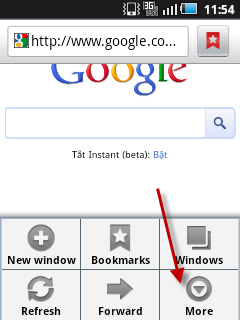
2. Press the Menu button and choose More.
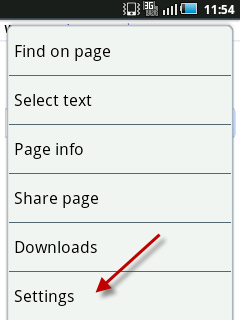
3. Go to Settings.
4. In the Settings screen, scroll down the bottom and choose Reset to default.
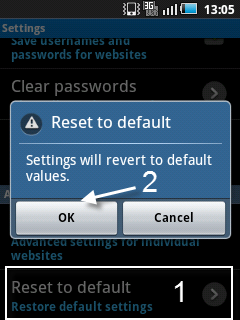
5. When the Reset to default window pops up, press OK.




