Removing letterboxing or pillarboxing from video clips typically requires expensive video editing equipment. This tutorial (and screencast) describes how to do this with the inexpensive and ubiquitous quicktime.
By default, when you chat with friends via Yahoo Mail, the conversation windows will appear at the bottom of the page. This area can get clutter very fast if you chat with many friends. Fortunately, you can always change the setting to display those windows as tabs to make the interface cleaner.
After finding a playlist full of favorite videos, it’s helpful to save them in bulk to your own personal playlist. There is no reason to save them one by one. Save another user’s playlist as your own.
This recipe is a must have for any iPod or iPhone user! You got DVDs and you got an iPod / iPhone, lets put the former on the latter and rip our movies to our iPods / iPhones! All we need are two free tools and 10 easy steps!
Ogg and FLAC are two popular formats that are being used more frequently by music enthusiasts. Unfortunately, WMP does not support these file types by default. To use Ogg and FLAC files in WMP, you will either need to convert them or install the required codecs.
When severely restricted in bandwidth, browsing the Internet through text only can be a lifesaver.
If your current location does not have a Wi-Fi connection or if your internet connection is currently down, you can use your Android device as a modem and take advantage of your unlimited data plan.
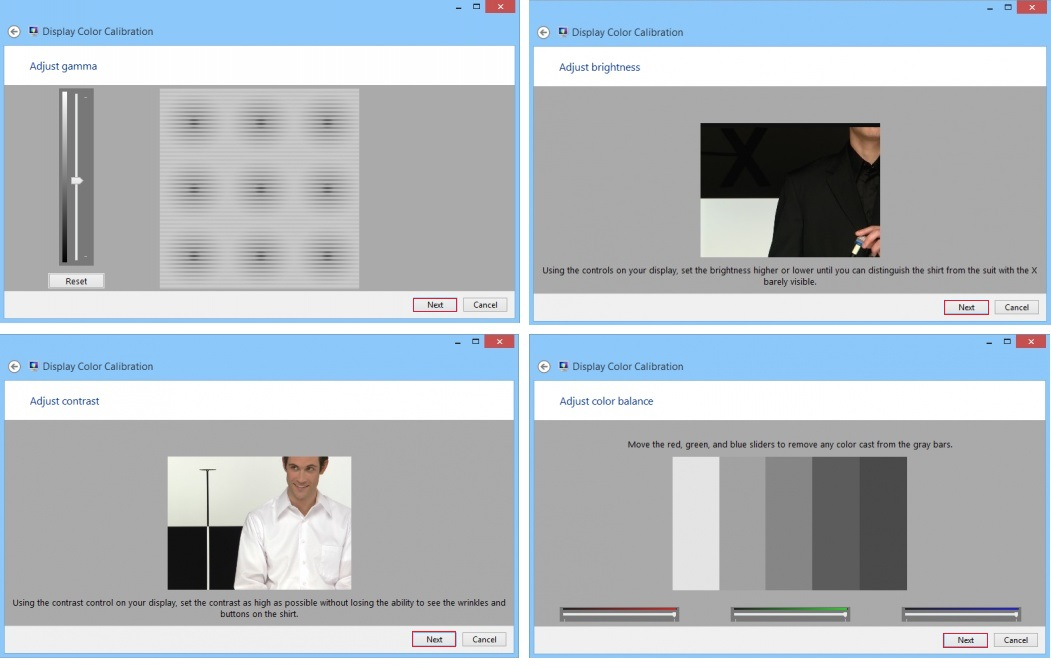
Calibrating your display will help ensure that colors are displayed correctly on your monitor.
The use of mouse over hyperlinks is an effective method for those PowerPoint users who want to link multiple slide shows to a single PowerPoint presentation. This can be useful for times when you may have optional information to display. If a member of the audience asks you a specific question, simply hover over the trigger text and reveal the prepared answer. Your audience will be impressed.
You can customize your Start menu even more by adding or removing titles/icons/menus/lists. You can also prevent path and program logging. This tech recipe explains how it is done.
This tutorial explains how to customize specific aspects of your Start menu and how to make your system reboot faster.
This tech recipe describes a simple image link which changes upon placing the mouse over the image.
1...290291292...528Page 291 of 528
error: Content is protected !!