Microsoft’s Windows and Apple’s OS X store configuration files in very different methods. By comparing and contrasting these mechanisms, the advantages and disadvantages become rapidly apparent.
This tech-recipe will explain how to securely remote desktop into a computer or server using Copssh / SSH and Putty (free, open source) to Remote Desktop. Remote desktop (aka Terminal Services in the corp landscape) by default is not necessarily the most service to have running on your Windows machine due to the number of exploits available that use the RDP port (port 3389) or you may have a business need to secure such a connection between two offices or sites.
Installing the open source php framework Symfony into an OS X box can be a challenge. By using MAMP and these directions, you will be up and running in no time.
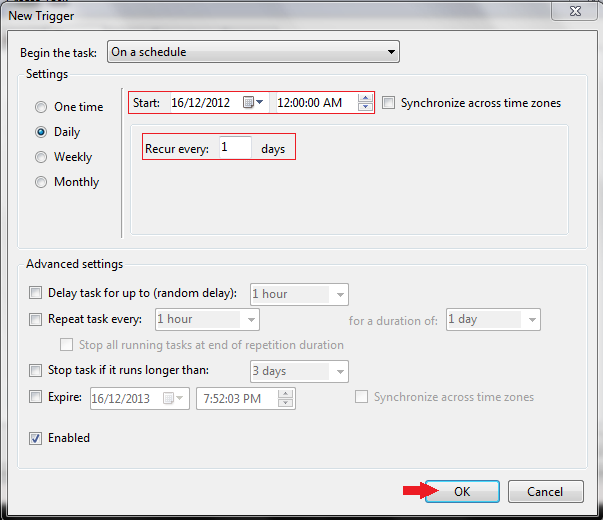
By using Window 8’s Task Manager you can easily schedule your computer to turn itself off at night when not in use.
SQL Server 2012 has introduced the new logical function IIF(). The behavior of function IIF() is quite similar to CASE and IF statements in SQL Server. Using IIF(), you can use fewer lines of code, and your code will be more readable.
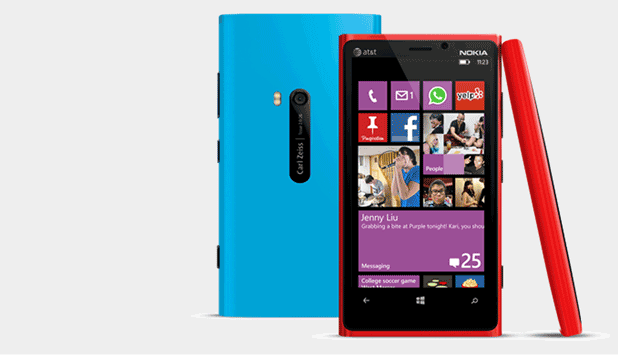
If your current area does not have a Wi-Fi network connection, you can use your mobile device as a Wi-Fi hotspot to connect your laptop to the internet. This tutorial will show you how to set up a Windows Phone 8 device as a hotspot.
This tech recipe contains a few Windows XP registry hacks. Included here are script codes for most modifications to apply the keys if you are not comfortable with regedit.
If you want to modify or add keys to your registry using scripts instead of regedit.exe, follow the steps in this tech recipe.
The following tech recipe explains EFlags register, including what they are, what they do, and when they are set.
This tech recipe contains the name and type of the registers and segments usable by a 32-bit processor. (These are easily converted by a naming convention to 16-bit and even 64-bit.)
You can add and remove all the annoying features XP forces upon you, including the pinned window, recent documents, and logoff/shutdown buttons.
To protect yourself against file path modifications and disable icons which point to non-existent installers, use the simple registry modifications provided in this tutorial.
1...289290291...528Page 290 of 528
error: Content is protected !!