

Windows Phone 8: Clear Temporary Files to Save Space
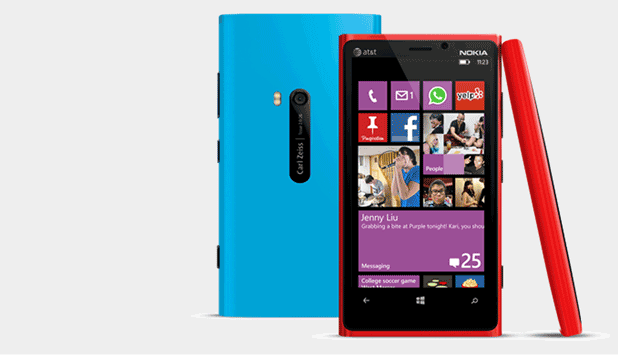
Over a period of months, the installed apps on your Windows Phone 8 device will eat up your phone’s limited storage with temporary files. Be sure to clear those files to save room for more apps.
Google Hangouts: Turn Off and Delete Chat History

All conversations on Google Hangouts are saved in case the user wants to view them later. Therefore, the contents of each of your conversations will be attached to your Google account. If you have sensitive material in a conversation, make sure you delete it so that nobody can read its contents, even if the account is hacked. This tutorial will show you how to disable the history feature and how to delete a previously saved chat.
Set Up Mac OS X Host to Print to Windows Shared Printer
Life is so much better when we all get along, especially when heterogeneous computer equipment can just work together. Integrating a Mac running OS X 10.4 to support printing to a shared printer on a Windows host is described in this Tech-Recipe.
Configure XP’s Device Manager to Display Detailed Information
If you need detailed device information that is not typically shown in Device Manager, you can configure it to show additional information.
XP: Accessing the Stored User Names and Passwords Applet
The Stored User Names and Passwords applet lets you assign user names and passwords to use when you need to authenticate yourself to services in domains other than the one you are currently logged into.
XP: Add ‘Services’ to the Right-Click Menu of ‘My Computer’
Instead going to the Start button and then to Administrative Tools to get to Services, you can put it on the context menu of My Computer.

Windows 8: Create a Shortcut for Shutdown and Restart
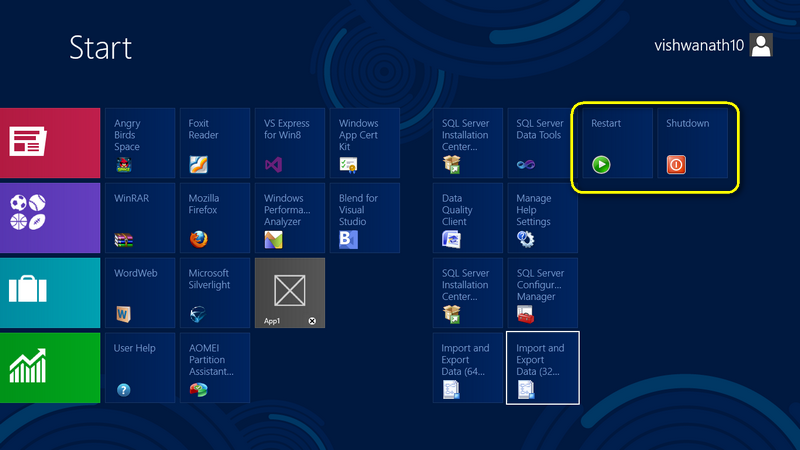
As everybody knows, the Start menu has been removed from Windows 8. Many people who have been avid users of previous Windows version find it difficult to navigate through the system. Creating shortcuts to power down or reboot the operating system makes living without the Start menu a little easier.
Add a Button for a Website to the Internet Explorer Toolbar
This tweak allows you to add a website to the Internet Explorer Toolbar:
In our example, we will use Tech-Recipes as the desired site.



