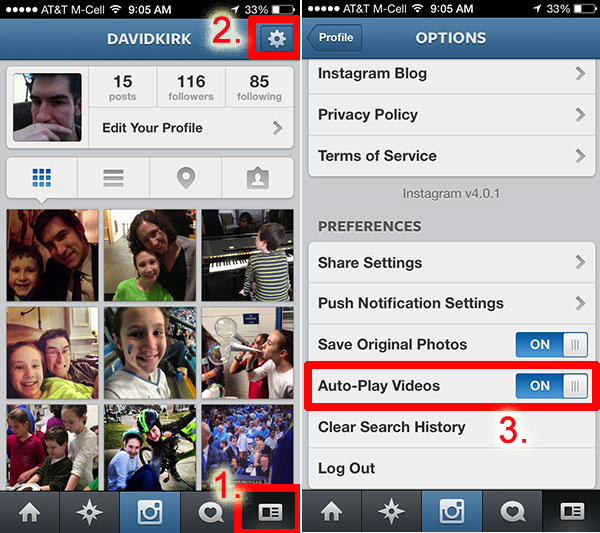
Between Vine and Instagram, the battle of video social sharing is in full swing. However, many of us long for the days where we could scroll through our pictures without being interrupted by video.
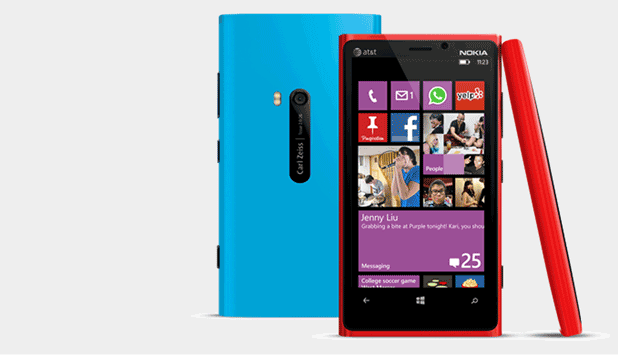
A signature is not included in every email that you send from your Windows Phone, even if you have added a custom signature to your email service’s setting. Fortunately, adding a custom signature to your email messages in Windows Phone is easy if you follow these steps.
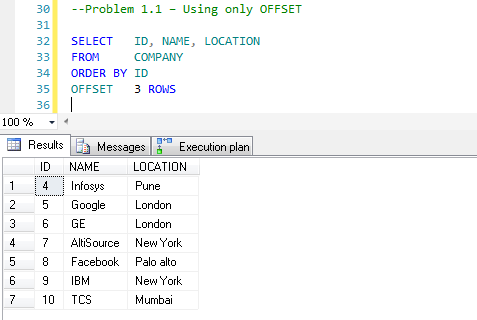
Many times developers need to implement pagination on search results. Pagination is the process of dividing the results of a query into discrete numbered pages.
An NTP server can provide synchronized dates and times for devices in a network. Since a router cannot be a Stratum 1 device (cannot connect to a Stratum 0 device such as a GPS clock), a router is not an accurate source of time information. If this is not important to you, then using a router as an NTP server may be acceptable.
Google likes to redirect users to regional Google pages. This tutorial explains how to reset Google to the US version.
IE does not give you the option to right-click on a Favorite and open it in a new window. Here is how to add this functionality.
In the tradition of Hipstamatic, Instragram, and Facebook photos, Apple’s iOS 7 allows you to edit your photos using preset filter options. Additionally, you can take a picture with the filter already enabled. Its fast, easy, and fun.
To help users manage their email messages more effectively, Google has introduced the tab feature in Gmail. However, this feature is not enabled by default. This tutorial provides a step-by-step guide to turn this feature on and describes how to use it to manage your mailbox.
If you are managing a popular Facebook page, chances are you have to deal with annoying spam messages everyday. In order to focus more on the page content rather than fighting with spam, you should consider adding the common words found in spam messages to a list, so Facebook can block them for you automatically.
In FireFox, clearing the autocomplete drop-down entries (also known as the typed URL history) is not difficult once you know how to do it. Here is a brief tutorial.
You can easily add shortcuts to your XP desktop for Restart and System Restore by following these simple steps.
You can assign keyboard shortcuts to any of Microsoft Word’s commands (or change the existing keyboard shortcuts). You can also assign them to your custom macros. This tech-recipe contains the steps to follow:
1...267268269...528Page 268 of 528
error: Content is protected !!