If you do not use your iTunes account anymore or if you have switched to a new one, make sure to remove your credit card from the unused account. This will ensure that no one will be able to obtain your card information even if they manage to access your iTunes account.
With all the intense action going on in BattleField 4, players may not focus on collecting items on the map. This tutorial will show you the location of collectible items in the first mission in the campaign mode, Baku.
By default in iOS, you can only use numbers in your four-digit passcode. This limitation makes it easier for other people to guess your code and unlock your phone without permission. Luckily, it is possible to set up a longer password that contains characters, numbers and symbol to make it harder to guess.
Mac OS X security by default does not allow all .app extensions to be installed. At worst, it will throw an error message that the app “is damaged and can’t be opened.” This error makes you believe that the downloaded app is corrupted and that there is no application that could let it open. However, sometimes this is just a security issue that can be corrected.
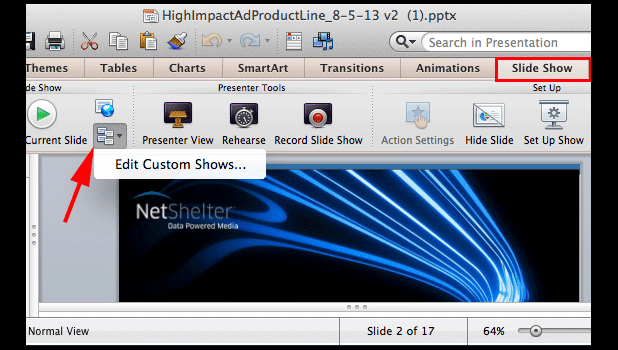
If you typically create several versions of one PowerPoint presentation to target the talk to different audiences, the Custom Show feature can be very helpful.
By default, everyone can post photos and videos to your page’s timeline. This can potentially lead to your having inappropriate content on your timeline and within your comments. Luckily, it is possible to disable this feature.
Trying to find the IP address of a networked printer can be frustrating. Using these techniques, you should be able to locate it from your Windows computer.
Are you worried about losing your tweets on Twitter? Being a Twitter user myself, I am concerned about my account. In fact, I like to have a backup of all my personal digital data on the internet, including my tweets. To back up your tweets, you no longer need to depend on any third-party backup tool. Now, you can download your Twitter archive and back up all your tweets. This tutorial explains how.
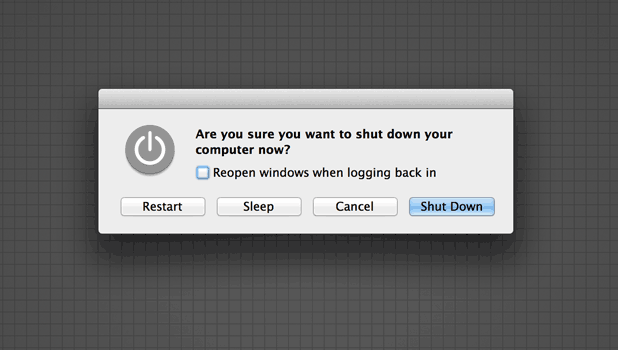
Prior to OS X 10.9, the power button would display the shut down options. Now, the default action of the power button is to just turn off the screen. How can find the restart, sleep, and shut down choices again?
One of the secrets to professional-looking photography is mastering exactly how much of your photograph is in focus. Controlling the depth of field (DOF) allows you to set which objects are focused and which are blurred. This tutorial explains depth of field with examples and describes how to utilize this essential skill with your camera.
Although using iTunes is ideal for managing music collections on your device, there may be times that you need to create a quick playlist on your device, or you might want to delete unwanted songs from your collection when you cannot access your computer. Luckily, it is possible to do these tasks on your device, without any third-party apps. Continue reading to find out how.