Select Text Columns or Boxes Vertically in Notepad++ and SQL Server 2012

In any source code, we frequently need to select a piece of text vertically (column mode). This is not possible with typical editors such as Notepad or Wordpad. Vertically selecting text columns or boxes is one of the coolest tricks everyone should know in order to save time and increase productivity. This tutorial explains how with both Notepad++ and SQL Server 2012.
Vertically Select Text Columns or Boxes in Notepad++
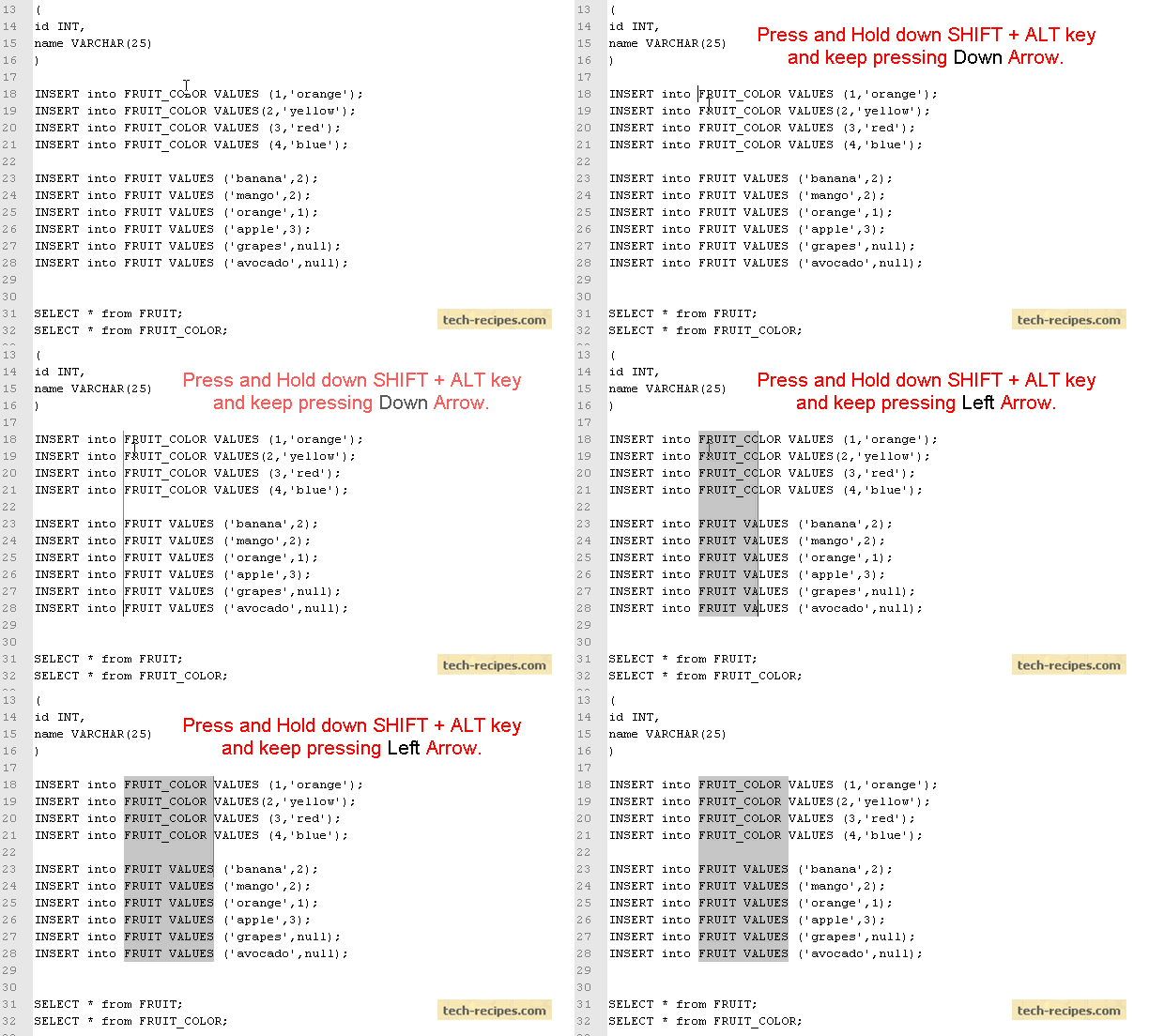
1. First, place your cursor at the position from where you wish to start your selection.
2. Press and hold the SHIFT + ALT keys, and move down using the DOWN arrow on the keyboard (while still holding SHIFT + ALT).
3. To move to the left side, press and hold the SHIFT + ALT keys while pressing the LEFT arrow on the keyboard.
Vertical Text Column or Box Selection in Notepad++
Vertical Text Column or Box Selection in SQL Server 2012
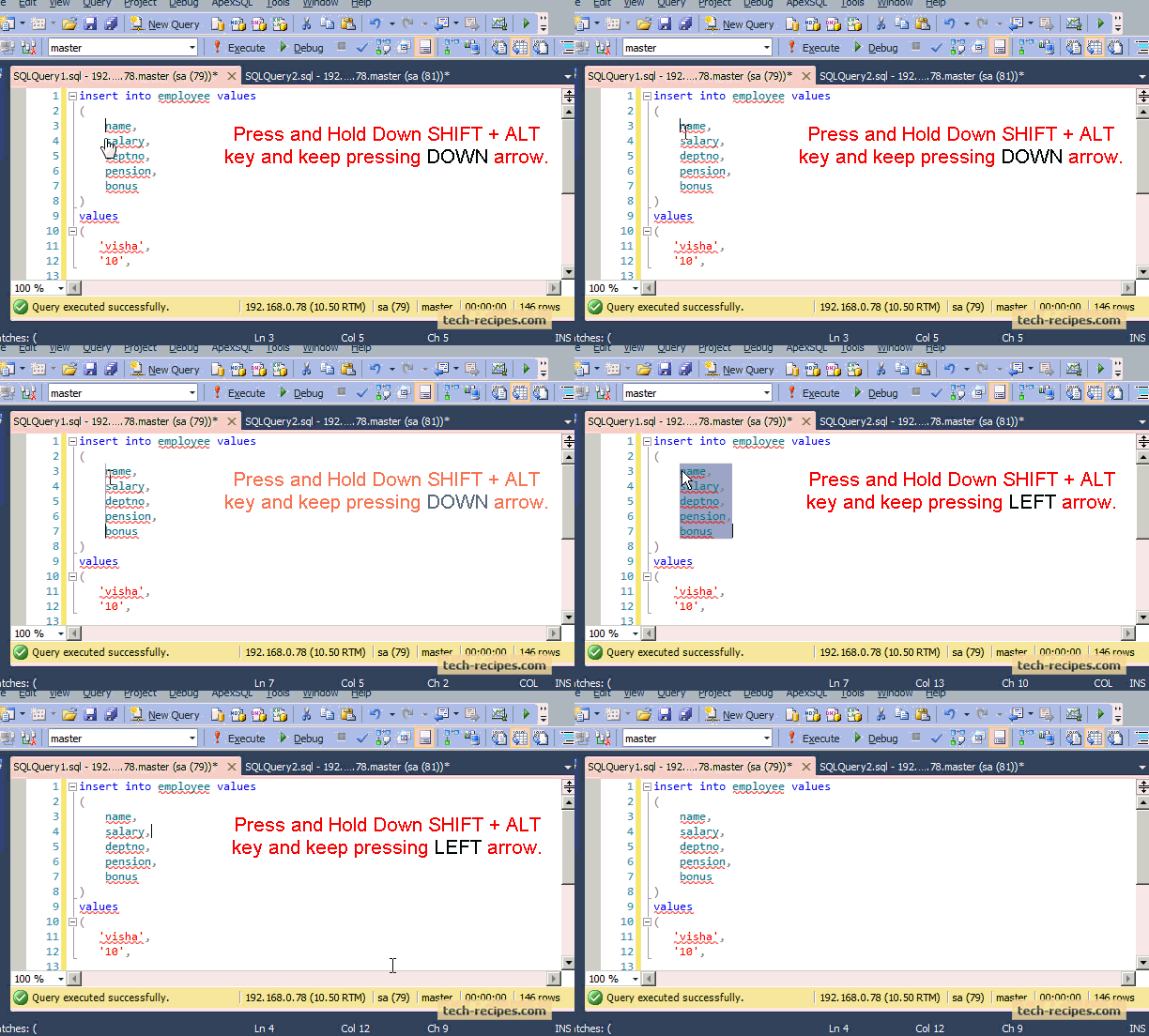
1. First, place your cursor at the position from where you wish to start your selection.
2. Press and hold the SHIFT + ALT keys, and move down using the DOWN arrow on the keyboard (while still holding SHIFT + ALT).
3. To move to the left side, press and hold the SHIFT + ALT keys while pressing the LEFT arrow on the keyboard.
Vertical Text or Box Selection in SQL Server 2012
How Do I Connect an Android Wear Emulator to a Real Phone?

Even though developing wearable apps on a real device is recommended, buying every possible device with different screen shapes for testing purposes would be quite costly. For this reason, testing an app on an emulator is a good idea. The emulator works similarly to a real watch, and it is possible to pair the emulator with a real phone. Continue reading to find out how.
Turn Off Automatic Spell Check in Notepad++ Editor

Notepad++ is the editor that programmers most widely use because it is fast, lightweight, and filled with tons of useful features and plugins. Recently, Notepad++ added a built-in plugin for automatic spell checking. Unfortunately, this new feature can be annoying to some as it shows a red mark under most programming language keywords, under some words related specifically to the web, and under html tags. Here is how to turn it off.
How to Prevent Images from Loading Automatically in Mozilla Firefox 23 and Later Versions

With Mozilla Firefox 23 and later releases, the options Disable Javascript and Load Images Automatically have been officially removed from the main menu user interface. In previous versions of Firefox, users could turn off the Load Images Automatically option in order to minimize their internet bandwidth usage. Now, with the release of Mozilla Firefox 23 and later versions, it is not possible to disable image loading directly from main menu.
How Do I Turn Off or Disable the My Magazine Feature on the Galaxy S5?

My Magazine is one of the extra features on the Galaxy S5 that lets you access from the home screen the latest news or updates from the social networks your choice. While this may seem convenient, the lack of functions, content providers, and customization make this feature not very useful. If you want to turn it off, follow the steps in this tutorial.
How Do I Switch Between Apps Without Exiting the App Currently Running on My Galaxy S5?
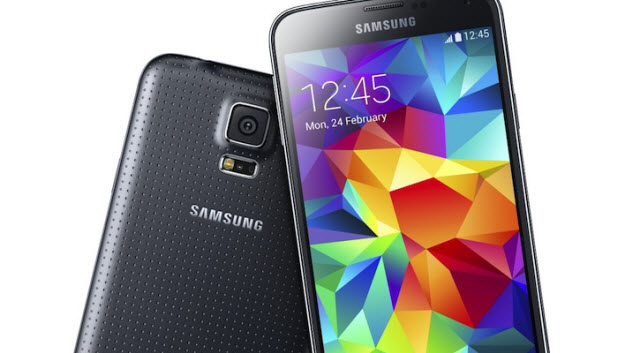
Nowadays, smartphone users tend to open and switch between numerous apps very often. Big screen phones like the Galaxy S5 can make switching between apps harder, especially for small hands, because the hardware buttons may be out of reach. Luckily, there is a built-in feature that creates a floating shortcut on-screen which you can place anywhere. This shortcut lets you switch to other apps easily without touching any hardware buttons or exiting an app you are currently running. Continue reading to find out how.
How Do I Use My Note 3 or Galaxy S5 with One Hand Comfortably?
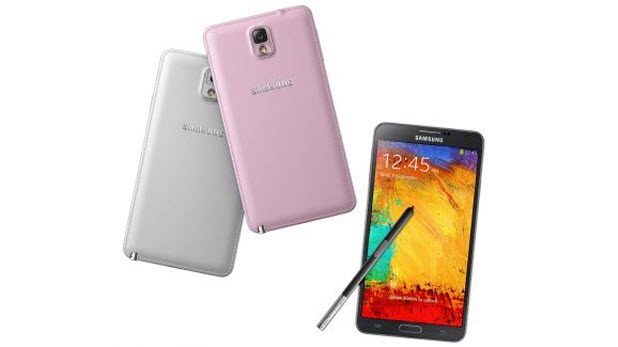
While big phones like the Note 3 or Galaxy S5 have recently become popular, users may find the size of the phones makes them difficult to use with one hand. In fact, for most, navigating to all areas of the screen requires the use of two hands. To address this problem, Samsung has included the One-handed operation feature that can shrink the screen down so that the phone may be used with one hand comfortably. This tutorial will show you how to activate and employ this feature.
Windows Phone 8.1: Changing Notification Sounds for Individual Apps

Setting different notification sounds for your apps can help you identify which app or event is causing the buzz on your phone without even looking at it. This is especially helpful when you are busy. By simply hearing the sound, you can decide whether it is an important notification that you want to read immediately or something that can wait until later. This tutorial will show you how to do that on your Windows Phone.
How Do I Rearrange the Tabs on a Facebook Page?

Since the amount of space for tabs on a Facebook page is limited, only a few tabs are visible to users, while the remainder are listed under the More section. By default, tabs are positioned in the same way on all pages, so you may need to rearrange the position of the tabs to suit your needs. Making important tabs visible to users can make a huge difference in the way your fans interact with your Facebook page.
How Do I Use Two Apps Simultaneously on Galaxy S5?