Home Blog Page 232

How Do I Block Ad Cookies and Data Brokers on Windows?

0

If you saw this 60 Minutes report on CBS (Click on the YouTube video below to view.), then you know that data brokers are robbing and selling your private data. They use cookies, GPS, the serial number of your SIM card, data that they buy from retailers, and analytics to correlate your IP address with your email. They also use your cell phone number to determine your name, address, medical history, sexual orientation, determine if you suffer from alcoholism or depression, or have filed for bankruptcy and provide this information to markets or employers.

Here is how you can stop all of that, at least on a PC, by blocking access to these companies’ systems, thus preventing them from communicating with cookies placed on your computer in order to download your personal data. This approach works on Windows and Mac, but on Android you cannot update the hosts file unless the device is rooted. On iOS, you can install the Disconnect app mentioned on the 60 Minutes broadcast.
How Do I Record My iPhone or iPad Screen Without Jailbreaking?

0

If one of your friends needs help troubleshooting problems on his iPhone and you cannot meet him in person, sending a video to him explaining how to fix the issues would be helpful. Here’s how you can do it without jailbreaking your device.

How Do I Take Wide Selfies Using My Galaxy Note 4?

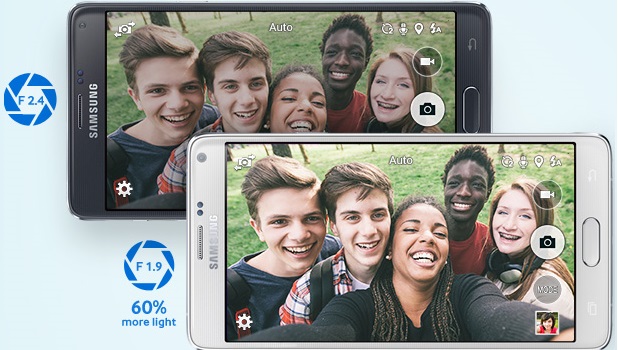
One of the more popular uses of smartphones is their ability to capture photos instantly and conveniently. The presence of a front camera on phones allows users to take photos of themselves while seeing the results on the front screen. This gave birth to the term “selfie.” One common problem with taking selfies is that you may not be able to extend your hand far enough to include more than a couple of people in a photo. Samsung Galaxy Note 4 has the solution for that: introducing Wide Selfie Mode.

Keep Hackers from Stealing Your iTunes or iCloud Password

0

Apple devices sync your data to iCloud by default. You have one password for your iTunes account, iCloud, and your Apple devices.  If someone hacks your Apple password, they can copy your documents and photos from iCloud and purchase music and videos with your account. However, if you turn on two-factor authentication, a hacker cannot log in to your account because he would need the code that Apple sends to your cell phone or Apple device.

How Do I Change My Account Password on Mac OS X?

0

If you think somebody in your family knows the password to use your Mac, follow this tutorial to change it.

Android: Lock Screen Rotation

0

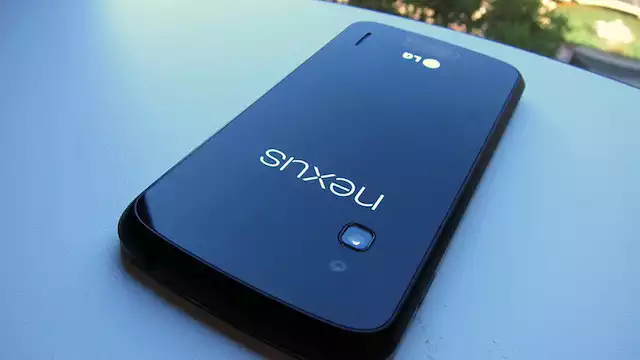
How many times have you gotten cozy in bed, reading the newspaper on your tablet, and then you lie on your side and what you are reading has flipped on its side? Now, you cannot read it without craning your neck, because it is oriented the wrong way.  How do you turn off this auto-rotate feature? The way you do this varies, depending on the screen size of the device and Android version.  Here we show how to do that with a Nexus 7 tablet with Android 4.4 and a Nexus 4 phone with Android 4.2.

How Do I Extend the Time That Gmail’s Undo Send Appears On-Screen?

0

The Undo Send feature in Gmail, which shows up at the top of the screen for a few seconds when you send an email message, lets you undo the send action. It is especially helpful when you accidentally hit the Send button while still composing an email or when an email is sent to the wrong address. By default, Undo Send only appears on-screen for five seconds, which means you only have five seconds to stop the action. After that time, it is impossible to get a message back. In many cases, five seconds may not be enough time for a user to realize his or her mistake and change it. Luckily, there is a way to extend the time for up to 30 seconds.

How Do I Rearrange or Add New Widgets to the Notification Center on OS X Yosemite?

0

In OS X Yosemite, Apple has made some significant improvements to the Notification Center. Now, it contains more useful information and can be customized further with widgets. This tutorial helps you personalize the Notification Center with steps for adding, removing, and rearranging widgets.

How Do I Reduce the Transparency Level of Windows on OS X Yosemite?

0

After you upgrade your Mac to OS X Yosemite, you will find the visuals of the system to be one of the biggest and most noticeable changes. Every part of the system has been transformed to a more modern, flat look. Besides the new system program icons, windows are now semi-transparent, which means the background is changed based on the color of the element below it. This change, however, may make text or visual elements on-screen harder to see. If you find it more of a nuisance than a help, follow the steps in this tutorial to turn it off in apps and increase legibility.

Google Chrome: Disable Save Password Feature

Google Chrome is quick, convenient, and secure. However, its data protection settings are in great need of improvement. Google Chrome offers a feature to save the username and password combinations for various websites, so when you try to log in, Chrome will fill in your username and password details automatically. This feature can be dangerous if you share a computer with multiple users. Someone could log in to websites with your saved credentials, potentially unlocking your credit card information or bank account. Fortunately, Chrome users can use expanded user settings to tweak the browser so that it has a higher degree of security.

Microsoft Windows: Force Windows to Show File Names with Extensions

The default setting of Windows is not to show file extensions. Getting the operating system to show file names with extensions all the time is actually beneficial. It helps us easily identify the types of files we have, and we can quickly rename an extension, if needed.

How Do I Use Swype for iOS8?

0

With iOS8,  Apple has allowed the wildly-popular Android Swype keyboard onto the iPhone and iPad.  Swype lets you drag your finger across the keyboard keys to write instead of typing.  You can write much faster this way. This feature has long been available on Android and supports many languages there including difficult-to-type languages, like Hindi.  Swype on iOS8 only supports English, French, Germany, Italian, and Spanish, so far.