I already have Google Drive and Microsoft OneDrive set up on my computer, but I am reluctant to add Apple iCloud because I have lost documents with Microsoft OneDrive. Will icloud work any better or be any safer? Despite some possible risks, I am going to add iCloud Drive to my Windows computer. In this tutorial, I will explain how, and together we will see if it works.
Apple has cloud storage just like Microsoft (Microsoft One) and Google (Google Drive). It is called iCloud. Setting it up can be quite an ordeal, and Apple only gives you 5 GB of free storage, which is enough for 1,000 5 MB photos. (Photos can be sized much smaller.) That is to be expected of a company who charges $40 for a charger and twice as much as everyone else for a laptop. Still, if you are like me and do not mind spending $400 for an iPad, here is how to set up iCloud.
If you connect your Android phone to your MacBook, chances are your phone will not be recognized. Therefore, transferring files between the two devices is not possible. Luckily, it is quite easy to fix this problem. Read on to find out how.
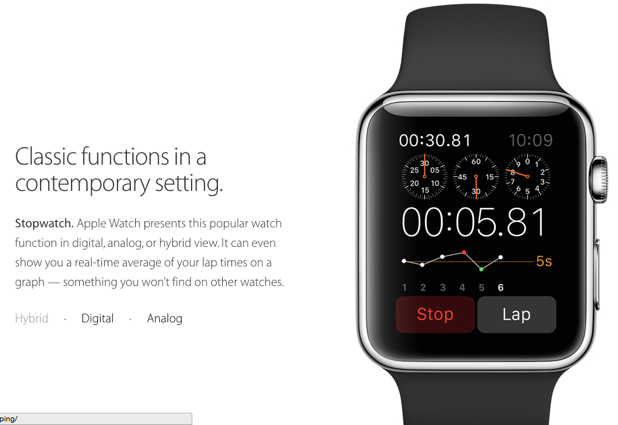
An Apple Watch app is capable of communicating with its parent iOS app. Developers can take advantage of this feature and bypass the limitation of a watch app by performing long-running, complex tasks on the iOS app and passing the data back to the Watch app. Read on to find out how.
By default, every time you plug your iPhone or iPad into your Macbook, the Image Capture app will be launched automatically so that you can immediately start importing new photos. While this feature may be convenient for people who often send photos back and forth between their devices, it can be a nuisance for others. Fortunately, it is possible to stop the app from launching.
Microsoft products have always included Visual Basic. You can use it in Microsoft Word, Access, and Excel. One reason this is true is that Bill Gates and some of his friends wrote Visual Basic while Gates was still at Harvard. Thus, he felt proud of his accomplishment and wanted to keep it. Gates wrote the floating point arithmetic part of the language. You can use it to create custom functions in Excel.
People hardly need to buy cameras anymore as cell phones come with quite good quality cameras. People who are experts at photography can buy cameras, but the rest of us can use our cell phones. They are far less complicated than advanced cameras. Lots of people buy fancy cameras and never learn to use all their features. Why should you bother to learn, unless you plan to study photography? Here is how to change some of the settings on the Android camera to improve the photos you take.
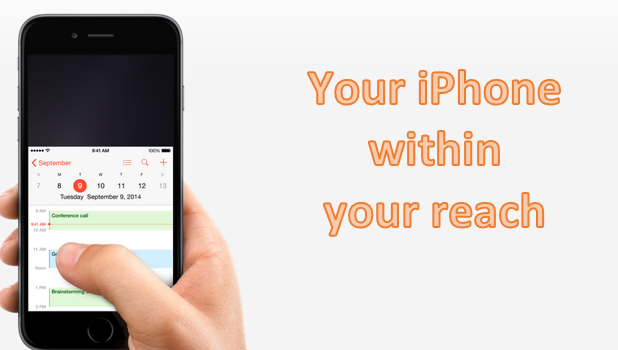
Apple’s latest phones, the iPhone 6 and the iPhone 6 Plus, are on the bigger-screen side of the phone-size spectrum. While devices with bigger screens provide users with many advantages, most will agree that one of the disadvantages of having a large screen is its one-handed usability. One will have a hard time handling and using a phone with a large screen with only one hand. This is a problem with the iPhone 6 and especially the iPhone 6 Plus.
By default, after you sign in on a device, the Google Play Store only asks for your account password the first time you make a purchase and allows you to make purchases for 30 minutes without re-entering your password. While this feature is helpful when you buy apps in bulk since you do not have to re-type your password every time you buy an app, it could potentially lead to several unauthorized purchases if someone else uses your phone within that 30-minute time frame. Here is how you can prevent this from happening.
Citations, footnotes, and endnotes are important for academic writing. Microsoft Word 2013 generates these items for the writer automatically. It can also make a table of figures and an index. It would take much effort to do this manually, which is what publishers did for many years. Here is how to make a citation, footnote, and an endnote.
If you have several contact entries in your iPhone’s address book that point to the same person, follow this tutorial to merge them into one entry to keep your contact list organized.
You can use some basic date functions in Google Sheets to work with dates and use date math. Dates in spreadsheets are numbers, which means you can add and subtract them. Do not think of them as strings of text such as “10 January 2015.” If you treat dates as strings of text, then using date math would be very complicated as you would have to isolate different parts of the date, convert that to a number, add or subtract from the number, and then convert it back to text. It is much easier to work just with dates as numbers and then use the formatting feature in Google Sheets to display the dates as you want them.
1...220221222...524Page 221 of 524 error: Content is protected !!