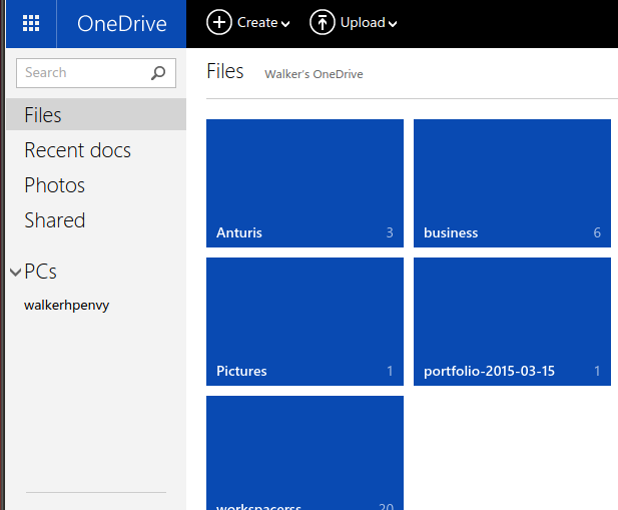
In certain situations, you might find that you need to recover manually from OneDrive sync errors with Word, Excel, or PowerPoint. In another shorter post, I explain how to use the Microsoft Office Upload Center tool to view and diagnose sync issues, since that is normally how you are supposed to do it. However, these instructions are for times when the usual tools do not work.
A replace function in SQL Server is used to replace single or multiple characters with another single or multiple-character string.
Using your Microsoft Office app to edit a document creates problems when you edit the same document using Office 365 or Word 2013 and a communication delay also occurs when you upload your changes to OneDrive. This can happen when you lose your internet connection or your connection is slow. This tutorial explains why this issue occurs and how you can fix it.
If you let your children use the computer while you are at work, it may be very hard to limit their usage because there is no one at home to monitor them. Fortunately, OS X comes with a feature called Parental Control that lets you restrict the amount of time your children can use the computer. When this setting is turned on, the computer will track the time they use the computer, and it will shut down the account when the limit that you set is reached. Continue reading to find out how to use this feature.
When you save a Word document or Excel Spreadsheet on OneDrive, there is a delay before that data gets uploaded from your PC. However, Micrcosoft hides the details of this from the PC user by making it appear as if the changes you have saved have been uploaded. This tutorial explains how this occurs and how to fix the potential errors it causes.
By default, whenever you launch either Word, Excel, or PowerPoint, the program greets you with a list of pre-configured document templates so that you can select and start working on a document right away. This feature can be helpful if you often use these templates. However, if you always start with a blank document, it would be better to skip the Start screen and jump straight to the main interface. Here is how to do it in Word, PowerPoint, Excel 2015 for Mac.
Using Google Maps to calculate the distance between two points is simple and this tutorial explains how.
If you are big on privacy then you will want to make sure that geotagging is disabled on your smartphone’s camera. Geotagging embeds the location that the photograph was taken into the image itself. This means that others that view the image can access this information. This can be especially alarming if you post your images online for others to access or email them out for people to view.
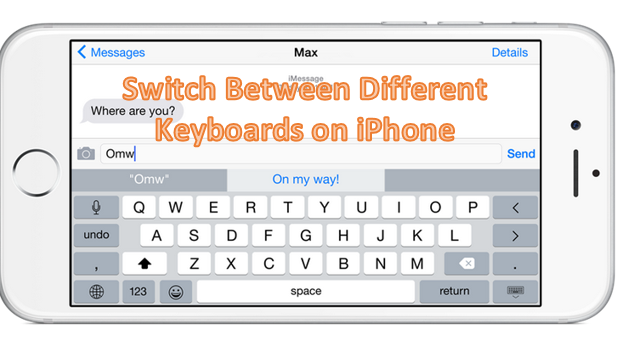
For years, Apple has restricted the use of third-party keyboards on iPhones. Though there are workarounds to this issue (i.e. jailbreaking your iPhone), users who do not want to void their warranty try to avoid them. Now, Apple has opened its doors to third-party keyboard developers. You can replace your default iPhone keyboard with other keyboard applications on the App store without jailbreaking your iphone. By following this simple step-by-step tutorial, you will be able to switch between different keyboard apps on your device.
By default, YouTube lists all the videos or activities from your subscriptions under one list. If you have subscribed to channels in several different categories, the list could become unorganized which makes keeping up with the channels difficult. Just imagine that you want to view a gaming video, but you have to scroll through a long list of music videos to find it. Luckily, YouTube provides a way to group related channels together so that you can view updates from all of them in one go. Other unrelated channels will be filtered out. Here is how to do it.
The iPad and iPhone obtain your position using either the GPS device or your wireless connection. Apple says it uses crowdsourcing to obtain a map of wireless connection points and their locations. That is a polite way of saying that it has recorded the longitude and latitude of wireless routers, without asking one’s permission. When you use an iOS app, it broadcasts your networking connection information to Apple. If Apple knows where the router is located, it knows where you are located. Knowing one gives them the other and that works in both directions. Fortunately, Apple provides a way for you to turn off geolocation.
This comprehensive guide will help you collect all the evidence in the last two episodes of Battlefield Hardline.
1...216217218...524Page 217 of 524 error: Content is protected !!