

If you are installing software on your computer that wasn’t purchased via the App Store, you may run into problems where Launchpad isn’t updating to reflect the new installation. By deleting the associated .db files, you can force the system to rebuild them and refresh Launchpad.
1. Open Finder.
2. Go to the Menu.
3. Click Go and select Go to Folder.
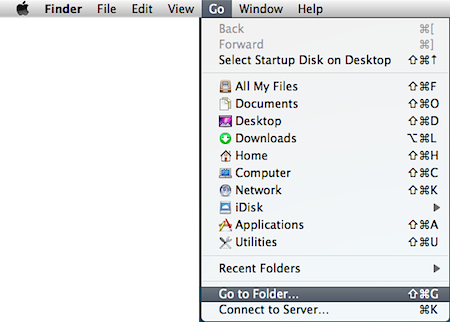
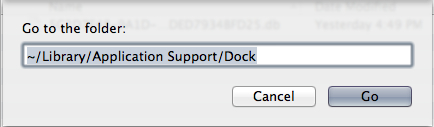
4. When the prompt appears, input the following and click the Go button:
~/Library/Application Support/Dock
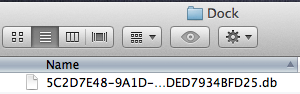
5. Delete all .db files by dragging them to Trash.
6. Close the Finder window.
7. Open Terminal.
8. Execute the following Terminal command:
killall dock




