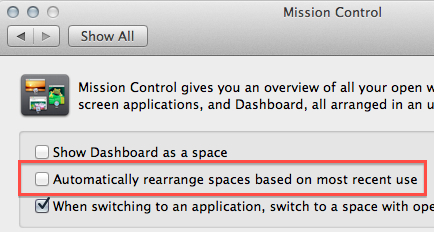
By default, Lion’s Mission Control rearranges spaces based on recent use. If you have your spaces set up the way you want them and don’t want Mission Control messing this up, you can disable this and keep your spaces in their original position.
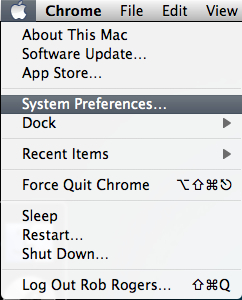
1. Click the Apple icon in the menu.
2. Select System Preferences.
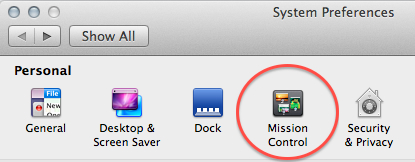
3. In the Personal section, select Mission Control.
4. Uncheck the Automatically rearrange spaces based on most recent use checkbox.