To save battery life, the BlackBerry screen times out and turns itself off very quickly. This tutorial describes how to change the screen timeout for your BlackBerry device.
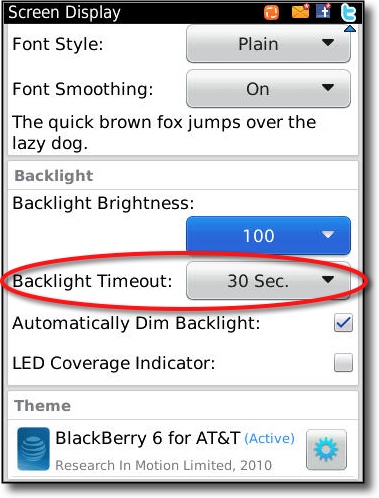
By default, the BB will turn off the backlight after only 30 seconds. Many people will find this too short. Here is how to adjust the Backlight Timeout for your device running BlackBerry OS 6.
1. Click the Options application
2. Click Display
3. Click Screen Display
4. Scroll down to the Backlight section
5. Change the number of seconds under Backlight Timeout