

When reading a long PDF document, it is hard to find exactly where you previously stopped. By using the following directions, Adobe Reader will automatically restart at your last viewed page. This is perfect for those long eBooks in PDF format.
1. Open your PDF file with Adobe Reader.
2. Go to Edit->Preferences…
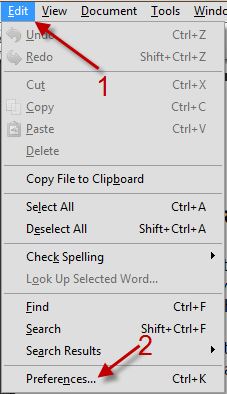
3. In Preferences window, switch to Documents and check on Restore last view settings when reopening documents.
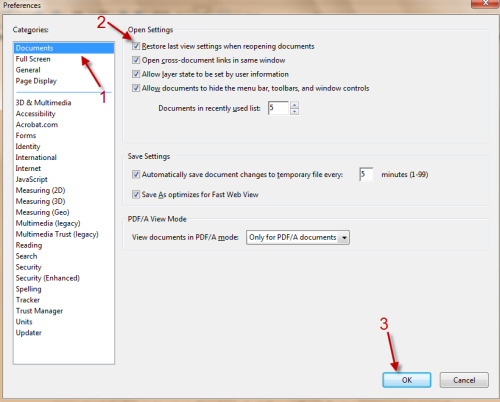
4. Hit OK to save the setting. From now on, when you close the document, Adobe Reader will automatically remember the page and restore that page the next time you open the file.




