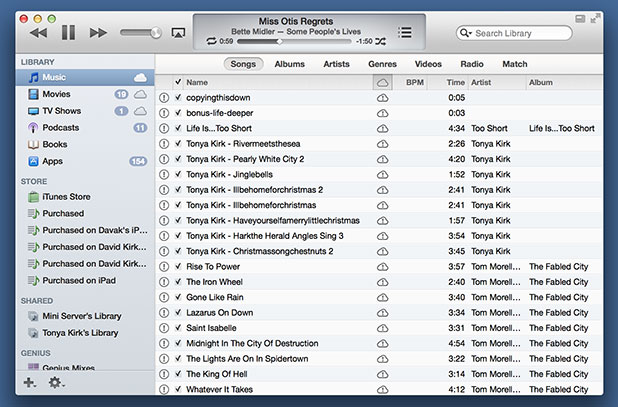
With recent updates to iTunes to version 11, Apple has hidden the left sidebar by default. However, you can re-display this through the following steps.
RP sent me the following question today:
After downloading iTunes 11 today, I noticed that the left sidebar with the listing of my media types, playlists, and shared libraries are missing. Can I get it back without reverting back to the older version of iTunes?
With the release of iTunes 11, Apple is moving away toward a more simple user interface which includes hiding the left sidebar. Most casual users of iTunes will benefit from this new more simplistic design.
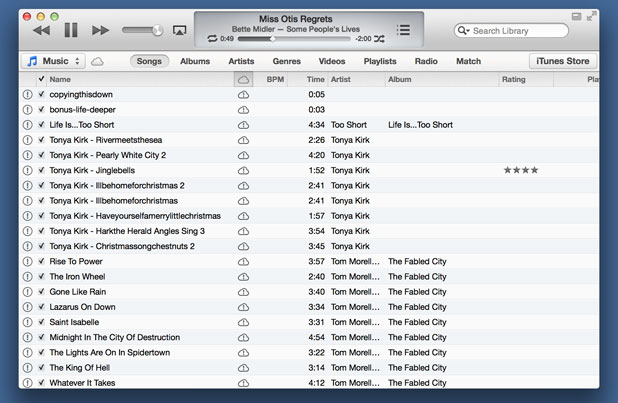
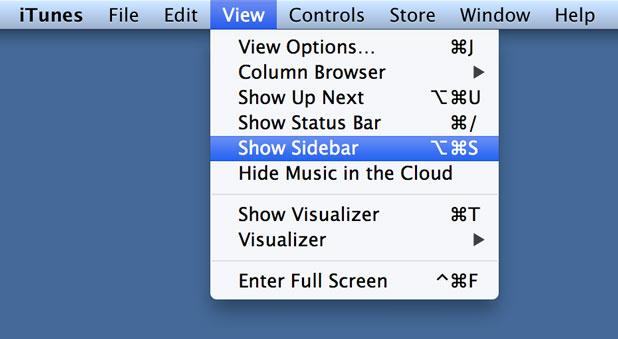
However, many advanced features are most easily accessed through the left sidebar which can be displayed or hidden through the iTunes View menu.
With the sidebar re-enabled, the iTunes 11 user interface should be much more familiar. Your library listing with your music, movies, TV shows, podcasts, books, and apps will be in the upper left-hand corner of the sidebar. Access to the store, your shared libraries, genius mixes, and playlists are in the familiar locations in the sidebar as well.