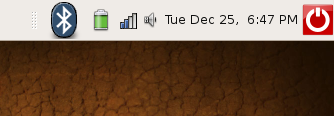
This recipe will show you how to easily add the wireless, bluetooth and battery icon back to your top panel in Ubuntu 7.10 (gnome).
I’m a newb to Ubuntu and just recently installed it on my HP TC1100 tablet pc and ran into the problem where my wireless, bluetooth and battery button were missing. I checked all the items available in the Add to Panel menu but could not figure it out.

The answer was easy! Just readd the Notification Area back under Utilities in the Add to Panel menu. Here is the step by step.
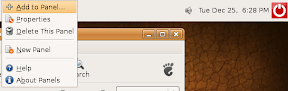
1. Right-Click on the Top Panel area or whichever Panel you want to add the icons too and choose Add to Panel
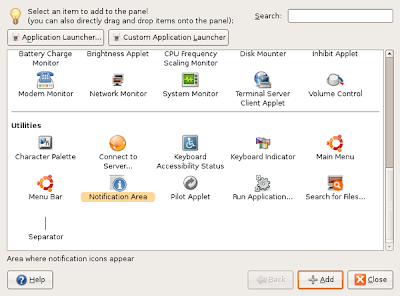
2. Scroll down to the Utilities area and either Drag the Notification Area item to the Panel or click on it and click the +Add button.
3. Voila! Bluetooth (if you have BT), Wifi, and Battery status will be back. Wasn’t that easy?