


Facebook automatically sets you to follow a post after you have commented. Thus, you will get notified when additional people comment under you. However, if the post becomes an active debate, the notifications can become overwhelming. This tech-recipes will explain how to unfollow these noisy posts.
I’m pretty active on Facebook and in turn I leave comments on tons of status updates, links, and photos. However, sometimes I really do not want to know when other people leave additional comments after me. The radical solution would be to disable all notifications from your Account Settings; however, I just want to disable being notified on this one single post.
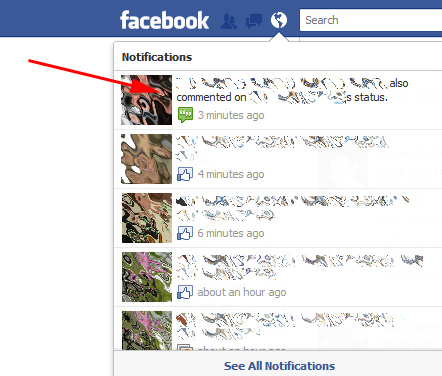
1. Visit Facebook in your web browser, go to your Notifications, and select the post you want to unfollow.
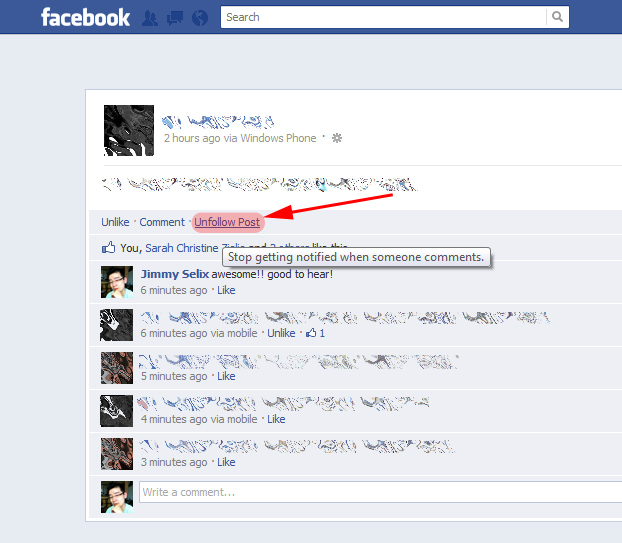
2. On the original comment, status update or post, click the Unfollow Post link. This will now disable the sending of notifications of any other comments on this post.
From religious debates to politics, some Facebook threads can just get out of control. By unsubscribing from these overactive threads, you can eliminate the flood of needless notifications.





