This is another quickie recipe for you admins. This recipe shows how to get the current user’s default printer via the registry and output the information to a text file via a batch file and in turn combine the result files into a larger file to then import into excel.
Android SDK is a great development kit for developer to create applications for Android platform. To use it, you have to download the Adroid SDK manager. The SDK manager let you download the rest of SDK components (which will require internet connection). So how can you install Android SDK on computers that have no internet connection? This step by step guide will help you.
Many laptop makers have not updated their drivers to support WPA. By installing the correct drivers manually, many older laptops can get access to the wonders of WPA anyway.
Well, it was inevitable for me to write this review of the Wii. The Wii is Nintendo’s offering of the then ‘next-gen’, now current gen gaming systems (ps3, x360, wii). They offered a new way to play and not graphical/audio upgrades or raw power.. Did Nintendo succeed in its marketing of its console (blue ocean strategy)? Or is it just a supercharged Gamecube (GCN) w/novel controls? Lets find out.
Here is a bunch of wii tips and hidden goodies compiled from all around the web and my own experience.
If your windows installation has issues, or for some other unmentionable reason is unable to get updates from the windows server, this is what you need to do.
Solaris 9 requires some tinkering to play with SANs. This tech-recipe describes the procedure.
Many web pages prevent you from saving QuickTime movies to your hard drive. Here are some hints to get you started.
Here is a guide that PlayStation Portable users will find helpful. This tutorial explains how to use Photoshop to create your own custom-made thumbnails for movies on your PSP.
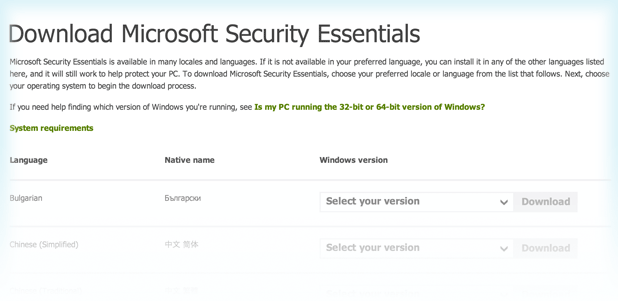
Microsoft is deep into the spyware market. If you have Windows XP, Vista, or Windows 7, you can download antispyware software from Microsoft for free. If you have Windows 8, the security software is already included.
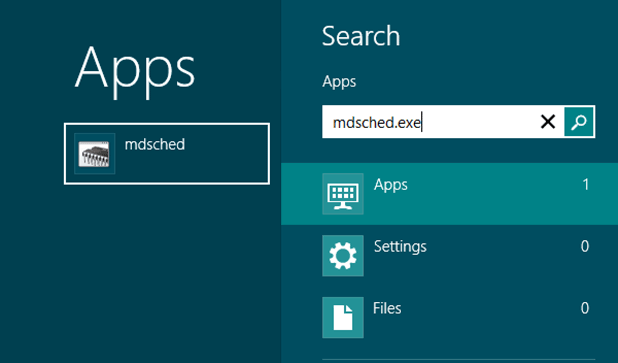
If you are experiencing random crashes, failing memory is often to blame.
This Tech-Recipes tutorial explains how to test your system’s memory for free.
The following Tech-Recipes tutorial contains a guide for setting up your own Winamp/SHOUTcast server on Windows XP Professional using IIS 5.0
1...293294295...528Page 294 of 528
error: Content is protected !!